



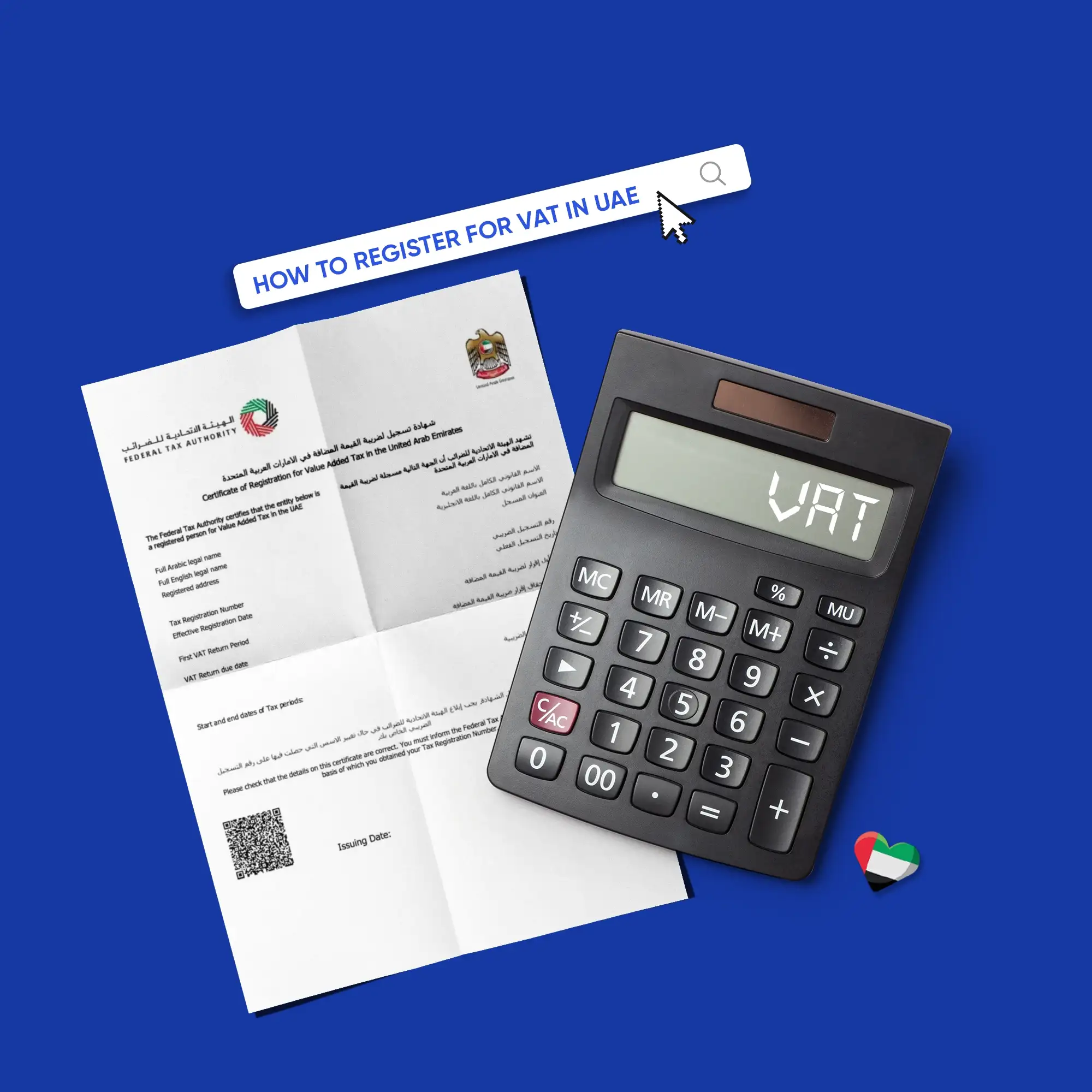
Table of contents:
- Key Summary
- Quick answer VAT registration in the UAE in 7 steps
- Do you need to register?
- Special case Non-resident/foreign businesses
- Before you apply Documents & info checklist
- Step-by-step Register on EmaraTax (FTA platform)
- How long does VAT registration take?
- What can delay your VAT registration approval
- After approval TRN, VAT certificate & immediate next steps
- What happens if you don’t register on time?
- Common registration mistakes
- How ERP helps you register faster
- FAQs
Value-added tax registration in the UAE is much easier when you know what to prepare and what to expect. With the right documents and a clear understanding of the process, you can complete your application smoothly and avoid unnecessary delays. If your invoices and turnover are already tracked in Daftra, moving through the registration process becomes faster and more straightforward.
This guide will walk you through each stage of the process, from checking whether your business needs to register to preparing your documents, completing the registration on EmaraTax, how long approval usually takes, and what to do after receiving your TRN.
Quick answer: VAT registration in the UAE in 7 steps
Registering for VAT in the UAE is straightforward. You just need to follow a simple process through the Federal Tax Authority's online platform.
- Check if your business turnover meets the mandatory (375,000 AED) or voluntary (187,500 AED) VAT registration threshold.
- Prepare all necessary documents, including a valid trade license, passport, and Emirates ID for owners; invoices; and proof of revenue.
- You will need to create an account or log in to EmaraTax if you already have one. You can do this by visiting the Federal Tax Authority's portal.
- Create your taxable profile by filling in your company's details, including the legal name and contact info.
- To get started with VAT registration, go to the VAT section on the website and click the application to begin.
- Upload the required documents to provide evidence of your business activities and financial details, then submit your application.
- Once you've submitted your application, the next step is to wait for it to be approved. After that, you'll receive your Tax Registration Number (TRN) and your VAT certificate.
Do you need to register?
So, you're wondering if you really need to register for VAT in the UAE. It's a common question, but an important one for business owners. And the answer is you have to look at how much taxable turnover you have. The UAE has set up a system with thresholds that determine whether you have to register, can register voluntarily, or don't need to register at all. Businesses must evaluate their revenue using two checks:
- Look-back test: Total taxable supplies over the previous 12 months
- Look-forward test: Expected taxable supplies over the next 30 days
VAT registration thresholds in the UAE
These thresholds apply to things you can buy that have VAT added, such as goods and services with a standard or zero rate of VAT.
Many SMEs choose voluntary VAT registration because it allows them to:
- Recover VAT paid on business purchases and operating costs
- Work more easily with VAT-registered clients and larger companies
- Build credibility with suppliers and partners
- Prepare early for future growth once they approach the mandatory threshold
Special case: Non-resident/foreign businesses
VAT rules in the UAE are a bit different for non-resident businesses, which are companies that sell goods or services in the UAE, but don't actually have a physical presence in the country. Normally, there's a threshold for registering for VAT, but for non-resident businesses, this threshold might not apply in the same way.
If a non-resident business sells taxable goods or services in the UAE and has no UAE customer responsible for handling VAT, it may need to register for VAT, regardless of its revenue.
What to check before registering as a non-resident business
- The nature of your supplies and whether they are considered taxable in the UAE
- Your customer’s VAT status and whether they account for VAT under the reverse charge mechanism (RCM)
- Your registration obligation, especially in cases where the standard threshold may not apply
- The need for a UAE-based tax agent or representative to manage registration and compliance
- The strength of your supporting documents, including contracts, invoices, and business records
Before you apply: Documents & info checklist
To get started with VAT registration on EmaraTax, make sure all your documents are in order. This means they should be complete, consistent, and match your business type, whether that's as an individual or a company. Here’s a clear checklist to help you prepare everything correctly from the start.
Business Identification
- Valid trade license
- Commercial registration certificate
- Certificate of Incorporation / Memorandum of Association / Partnership Agreement (if applicable)
Owners & authorized signatory
- Emirates ID
- Passport copy
- Contact details
- An authorization letter if someone else is completing the application
Proof of taxable turnover (core requirement)
- Official declaration letter stating total taxable supplies and monthly sales (signed and stamped)
- Sales invoices, contracts, and purchase orders
- Supporting documents such as lease agreements, ownership deeds, or completion certificates
- At least five VAT invoices exceeding the registration threshold
- Documents supporting expected future revenue (e.g., signed contracts or purchase orders)
Top missing items that delay approval
- The declaration letter is missing or not signed/stamped
- Revenue proof that doesn't clearly match the VAT threshold
- Documents where the legal name doesn't match across files
- Low-quality or unreadable scanned files
- Missing authorization for the signatory
Note: Documents are typically uploaded in PDF or DOC format, and the maximum file size per document is 15 MB.
Helpful Template: UAE VAT Return 201 Form
Step-by-step: Register on EmaraTax (FTA platform)
Now that you've checked whether you can register for VAT and have all your documents ready, it's time to sign up with EmaraTax. This process is simple, but you need to make sure you get everything right.
To better understand how EmaraTax works, check out the UAE EmaraTax Portal: Tax Filing, Compliance & 2026 Updates.
Step 1: Create or access your EmaraTax account
Visit the official FTA portal and create a new user account or log in if you already have one. And set up a profile for a taxable person.
Step 2: Start a new VAT registration application
Navigate to the VAT section and select “Register for VAT.”
Step 3: Enter business details
Click Start and then enter information about your company, including your legal entity name, trade license details, business activities, and registered office address.
Pro tip: Ensure the activities listed match your trade license exactly.
Step 4: Provide contact information
Enter the details of the primary contact person responsible for tax matters.
Step 5: Add authorized signatory details
Include identification and contact information for the person authorized to sign and submit the application.
Pro tip: If someone other than an owner submits the application, upload a signed authorization letter.
Step 6: Enter financial information
Provide a clear overview of your taxable turnover, including past revenue figures, expected future revenue, and the main sources of your business income.
Pro tip: Attach documents that clearly support the revenue numbers you report.
Step 7: Add banking information
Include the bank account details used for company transactions.
Step 8: Review the application
Carefully review all information to ensure it matches your official documents.
Step 9: Submit the application
After confirming accuracy, submit your application.
Step 10: Wait for FTA review
After submission, the Federal Tax Authority will review your application, and you may be asked to provide additional information or clarification before approval is granted. So it's a good idea to keep an eye on your application's status.
Read also: Profit Margin Scheme under VAT in UAE
How long does VAT registration take?
The time required for VAT registration in the UAE depends on two factors. The first is how quickly you complete the application, and the second is how long the FTA takes to review it.
From your side, if your documents are ready and accurate, the application can usually be completed within 45 minutes.
Once submitted, the FTA typically processes VAT registration applications within 20 business days, and in many cases, businesses receive their Tax Registration Number (TRN) within one to three weeks.
Overall, a complete and well-prepared application can move quickly, while incomplete submissions may extend the timeline due to additional checks or document requests. That's why it's a good idea to be aware of what can slow the approval process and try to avoid it. By doing so, you can help ensure that your application is processed as smoothly and efficiently as possible.
What can delay your VAT registration approval:
- Incomplete or missing documents
- Revenue figures that don’t match the uploaded evidence
- Business activities that don’t match the trade license
- Low-quality or unclear document uploads
- Missing authorization for the signatory
- Delayed responses to FTA clarification requests
- High submission volumes or additional verification by the FTA
After approval: TRN, VAT certificate & immediate next steps
When your VAT registration is approved, your business gets official recognition as a VAT-registered company in the UAE. The FTA then gives you a Tax Registration Number (TRN) and makes your VAT registration certificate available online through your EmaraTax account.
Getting your VAT certificate in the UAE is easy. Once your application is approved, you can download it straight from the portal. If you need a step-by-step guide, check out the instructions on how to download your VAT certificate from the FTA portal.
What to do immediately after approval
- Download your VAT registration certificate from your EmaraTax dashboard
- Verify your TRN details using the official TRN Verification in the UAE system
- Record and share your TRN with your finance team, suppliers, and customers
- Update your invoicing system to include your TRN and VAT details
- Ensure your invoices follow the VAT Invoice in the UAE requirements
- Start maintaining accurate, VAT-compliant records of all sales, purchases, expenses, and supporting documents.
How much does VAT registration cost in the UAE?
VAT registration in the UAE is free when completed directly through the FTA via the EmaraTax portal. However, you may still have some indirect costs if you need help from an accountant, tax consultant, or internal team to prepare your documents and ensure everything is submitted correctly.
Additional costs to consider
- Tax consultant or advisor fees: If you choose to work with a professional to ensure accuracy or handle the whole process.
- Accounting or admin support: Costs related to organizing financial data or preparing supporting documents.
- Internal preparation time: Time spent gathering documents, reviewing financial records, and completing the application.
- System or software setup: Costs associated with using accounting tools or ERP systems like Daftra to prepare and manage VAT-related data.
What happens if you don’t register on time?
Failing to register for VAT on time can lead to operational and compliance challenges that affect not only regulatory obligations but also your day-to-day transactions and financial reporting. Here are some of the challenges your business may face:
- You may be considered non-compliant with UAE VAT regulations, which can trigger regulatory action
- You won’t be able to issue valid VAT invoices, which can affect your ability to work with VAT-registered clients
- You may need to account for VAT retrospectively on past transactions
- Your financial records may require adjustments or corrections to align with VAT requirements
- You could face complications when submitting future VAT returns due to missing or incorrect historical data
What to do now to stay compliant
- Check your taxable turnover right away to see if you need to register.
- Get your VAT registration started with EmaraTax right away.
- Gather and organize all past financial records and invoices
- Update your systems to ensure VAT-compliant invoicing and recordkeeping
Read also: VAT Penalty in UAE
Common registration mistakes
Getting registered for VAT is a pretty simple process, but many applications still get held up or turned down because of easy-to-make mistakes. The good thing is that most of these problems can be avoided if you know what to check before you submit your application.
- Mismatch between business activities and trade license: Ensure the activities you enter exactly match what’s listed on your trade license
- Incorrect or incomplete legal entity details: Double-check your company name, structure, and license information against official documents
- Weak or unclear revenue proof: Provide clear invoices, contracts, or financial reports that support your declared turnover
- Revenue figures not matching documents: Make sure the numbers you enter align exactly with the evidence you upload
- Missing or invalid identification documents: Upload valid passport and Emirates ID copies for owners and authorized signatories
- No authorization for the signatory: Include a signed power of attorney if someone else is submitting the application
- Low-quality or unreadable document uploads: Use clear, high-resolution files in the correct format (PDF or DOC)
- Using a personal bank account for a company: Provide a business account in the company’s name whenever possible
- Incomplete application sections: Review all sections carefully and ensure nothing is left blank or partially filled
- Delays in responding to FTA requests: Monitor your application status regularly and respond quickly to any clarification requests
How ERP helps you register faster
Getting registered for VAT is simple when all your business information is organized and easy to find. That's exactly what a system like Daftra is designed to do. Instead of having to manually collect invoices, calculate how much money you're making, and check that all your records are correct, Daftra puts everything in one place.
This includes sales, invoicing, accounting, and reporting. So, you can keep an eye on how much money you're making at any given time, make sure your numbers are accurate, and then submit your VAT registration application with confidence, knowing that all your data is clean and organized. This way, you can be sure that your application is supported by solid, reliable information.
How Daftra supports VAT registration and compliance
Daftra combines accounting, invoicing, inventory, and reporting into a single system. It helps you not only register faster but also stay compliant after approval, by automating financial tracking, generating reports, and preparing your business for VAT filing in UAE and audits.
- Threshold tracking: Monitor your revenue in real time and know exactly when you need to register
- Centralized proof: Store invoices, contracts, and financial documents in one place for easy access
- Clean master data: Keep customer, supplier, and business data consistent across your system
- VAT setup post-TRN: Configure VAT in your accounting and invoicing workflows immediately after registration
- Reporting readiness: Generate accurate reports and simplify processes like VAT calculations
Manual vs ERP VAT management comparison
A quick comparison between manual VAT management and using Daftra accounting software in the UAE.
| Manual Process | ERP System Process (Datra) |
| Revenue tracked across spreadsheets | Real-time revenue tracking with automatic updates |
| Documents scattered across files and emails | All invoices and documents are stored in one centralized system |
| Manual turnover calculation | Automatic financial reports and turnover summaries |
| Data may be inconsistent across systems | Clean, consistent data across all business records |
| Compliance is handled reactively, often after issues arise | Proactive setup that keeps your business VAT-ready |
Read also: VAT Inclusive vs VAT Exclusive UAE
FAQs
What is the minimum turnover for VAT in UAE?
The mandatory VAT registration threshold in the UAE is 375,000 AED annually. Businesses exceeding this amount must register. Voluntary registration is available for businesses with a turnover above 187,500 AED, allowing them to register early and recover input VAT.
Who is eligible for VAT registration in UAE?
Any business or individual making taxable supplies in the UAE can register for VAT if they meet the required thresholds. This includes companies selling goods or services, importers, exporters, and some non-resident businesses.
What documents are required for VAT registration in UAE?
A trade license, passport, or Emirates ID of the owners, and details of the authorized signatory. Supporting documents such as invoices, contracts, or financial reports are also required to prove your taxable turnover.
Is a bank account mandatory for VAT registration in UAE?
A bank account is not always mandatory, but it is commonly requested. Providing business bank details helps verify your activity and can make the application process smoother and faster.
How long does it take to register for VAT in the UAE?
The application itself can usually be completed in 45 minutes if all your documents are ready. After submission, the FTA typically reviews the application in 20 business days, with most businesses receiving approval within one to three weeks.
How much does it cost to register for VAT in UAE?
VAT registration is free when done through the FTA portal. However, you may have indirect costs if you use an accountant or consultant to help with the process.
What happens if you don't register for VAT in the UAE?
Businesses that fail to register when required may face compliance issues, including penalties, difficulties issuing valid VAT invoices, and complications with VAT reporting. Registering as soon as possible helps prevent further regulatory risks.
How can I get a VAT certificate in the UAE?
After your VAT registration is approved, you can download your VAT registration certificate directly from the tax authority portal. The certificate confirms your Tax Registration Number (TRN) and officially identifies your business as VAT registered.
In conclusion, registering for VAT in the UAE is straightforward once you know what you're doing. First, you need to make sure you're eligible, then you can start getting your documents in order. After that, check whether you can register, prepare everything you need, and then submit your application on EmaraTax; each part is important if you want to avoid holdups. If you set things up right and use ERP systems like Daftra to keep your information organized, you'll be able to stay on top of things and be ready to report your VAT on time.













 Invoicing
 POS
POS Offers
 Installments
 Sales Commission
 KSA E-Invoice Software
 EGY E-Invoice Software
 JO E-Invoice Software
 E-Invoice Software
 Chart of Accounts
 Asset Management
 Cost Centers
 Expenses
 Cheque Cycle
 UAE VAT-Tax
 Product Management
 Purchases
 Purchase Cycle
 Suppliers
 Requisitions
 Stocktaking
 Organizational Structure
 Personnel Management
 Attendance and Leave
 Contracts
 Payroll
 Requests
 Work Orders
 Booking Management
 Rental and Unit Management
 Time Tracking
 Work Flow
 Lease Contracts
 Manufacturing Management
  Client Follow-Up
 Loyalty Points
 Points and Credits
 Memberships
 Insurance Management
 Daftra ERP Full App
 Point of Sales App
 Point of Sales for Desktop – Support Offline Mode
 AI Expenses Scanner App
 Employee Attendance, Sign & ESS App
 E-invoice Reader App
 Inventory Stocktaking App