



Table of contents:
- Key Summary
- Does the UAE issue a TIN?
- Which number should you use in the UAE?
- TIN vs TRN vs VAT number in UAE
- Where to find your TRN (what people call “TIN”)
- How to verify a UAE TRN
- Income tax + “tax-free” confusion
- Corporate tax context corporate tax registration number
- How ERP helps prevent TIN/TRN mistakes
- FAQs
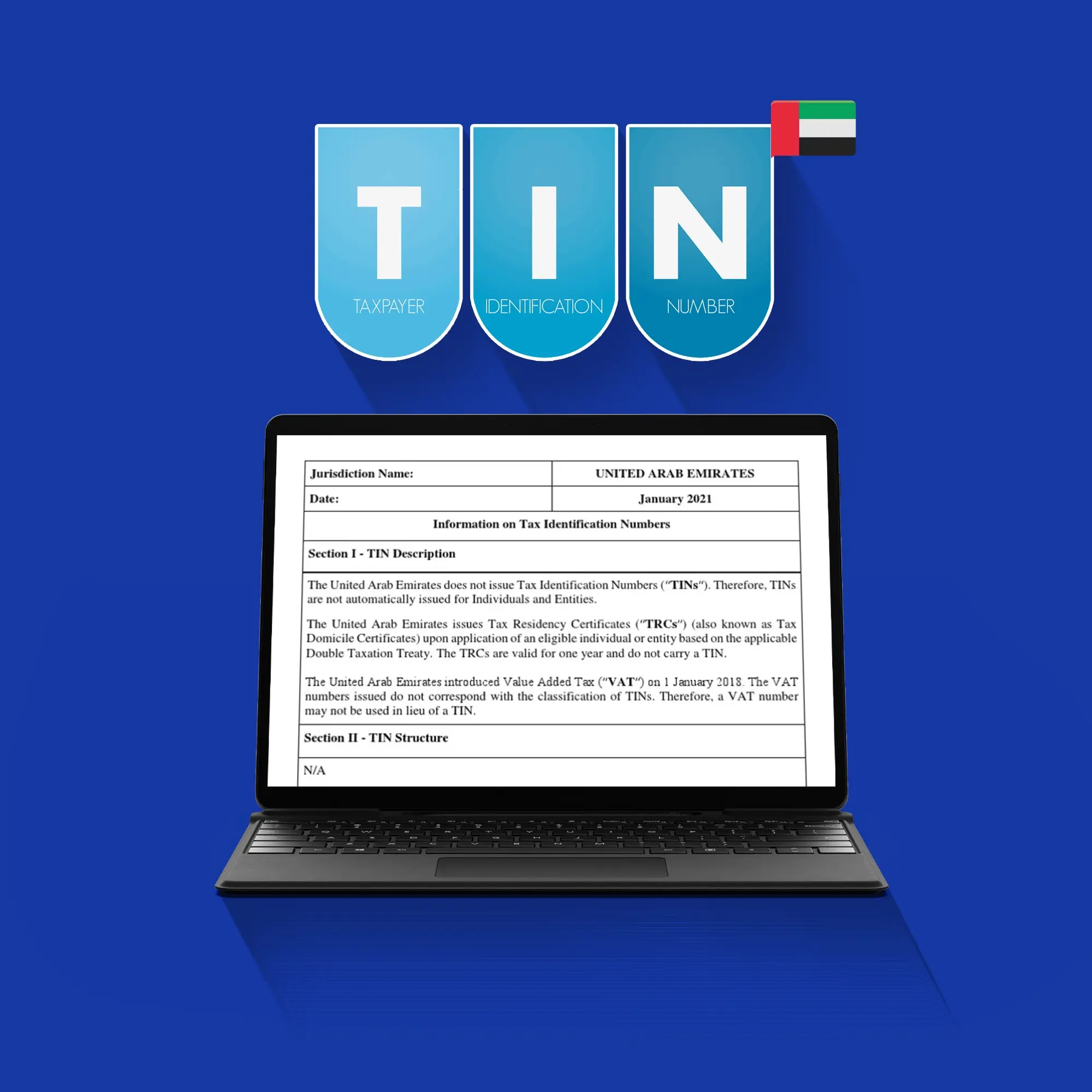
Tax Identification Number (TIN) is a global label used to refer to a tax ID in many countries. But in the UAE, it doesn’t quite work the same way. There isn’t one single number officially called “TIN.” Instead, what you use depends on your situation. Most commonly, businesses use the TRN after they’re registered for VAT; it is a 15-digit code issued by the Federal Tax Authority (FTA).
In practice, when people say “UAE TIN,” they usually mean the FTA-issued registration number you receive after registering for VAT, the TRN. That’s the number you’ll see on invoices, tax records, and inside EmaraTax if your business is VAT-registered.
Keep in mind that not everyone will have one. If you’re below the VAT threshold, for example, you may not yet have a tax number. And in some cases, like international bank or KYC forms, the term “TIN” is used more broadly, so what you’re expected to enter can vary depending on the context. Corporate tax also assigns its own registration number, separate from the VAT TRN.
If you want a deeper understanding of how VAT works overall, you can check our guide on VAT in the UAE: 5% Rate, Registration Threshold, Exemptions & Filing Rules, and if you're planning to get registered, check How to register for VAT in the UAE.
Does the UAE issue a TIN?
Quick answer: No, not in the way you’d expect from countries that have income tax. In the UAE, there isn’t one single TIN; what you get instead depends on the type of tax, most commonly a TRN if you’re registered for VAT.
For individuals, there’s no income-tax-style TIN simply because there’s no personal income tax in the UAE. For businesses, a tax number only comes into the picture when there’s an actual tax obligation, usually VAT. Once a business registers, it receives a TRN from the Federal Tax Authority, which becomes the number used for invoices and reporting. If you’re not registered, there’s usually no tax number at all, which is where much of the confusion comes from when forms still ask for one.
Which number should you use in the UAE?
- If you’re VAT-registered → Use your Tax Registration Number. That’s the number expected on invoices, tax filings, and most official requests.
- If you’re not VAT-registered→ You may not have a tax number yet, so check whether you’ve crossed the mandatory VAT threshold or if voluntary registration makes sense for your business.
- If a bank or KYC form asks for TIN → Use your TRN if you have one. If you don’t, you can usually enter “N/A” if the form allows it, or follow the instructions provided, just avoid entering a random number.
- If you’re issuing invoices → Include your TRN only if you’re VAT-registered, since adding one when you’re not can cause confusion or compliance issues.
If you’re just trying to get a quick answer, this should make it easier:
Read also: How to file VAT return in UAE
TIN vs TRN vs VAT number in UAE
This is where most of the mix-up happens, mainly because the same idea gets called different things depending on where you see it. “TIN” is a general term used globally, but it’s not an officially issued single number in the UAE. What you’ll actually deal with, if you’re VAT-registered, is the TRN, the number assigned by the Federal Tax Authority once you complete your VAT registration.
And then there’s “VAT number,” which sounds like a separate thing, but in UAE conversations, it almost always refers to that same TRN. It’s the number you’ll typically see on invoices, in line with what’s covered under VAT Invoice in UAE, so the terms end up being used interchangeably.
- TIN → A global label for tax identification, not a specific UAE-issued number
- TRN → The official VAT registration number issued by the FTA
- VAT number → Common way people refer to the TRN in everyday use
Common mistakes to watch for
- Using your trade license number instead of TRN on invoices
- Entering the Emirates ID or passport number as a “TIN”
- Assuming VAT number and TRN are different numbers
- Filling in random numbers just to complete required fields
- Mixing up TRN with corporate tax registration numbers
Read also: VAT Fines and Penalties in the UAE
Where to find your TRN (what people call “TIN”)
If your business is already VAT-registered, your TRN isn’t something you need to “apply for again” or dig too deep to find; it’s usually already sitting in places you’ve seen before. The issue is more about knowing where to look. Most businesses come across it early on, then forget where it is until they need it for a form or invoice.
Where it appears
- VAT certificate → our official document from the Federal Tax Authority, available when you download your VAT certificate from the FTA portal
- Invoices → Usually shown in the header or near the company details on VAT-compliant invoices
- EmaraTax account → Available inside your business profile after logging in UAE EmaraTax Portal
- ERP or accounting system → Stored in your company tax settings and reused across invoices and reports
How to verify a UAE TRN
Verification matters when dealing with new suppliers. It helps you avoid issues like incorrect invoices, mismatched business details, or even dealing with the wrong entity. Here’s how you’d usually check it:
- Open the FTA’s EmaraTax portal
- Then look for the TRN icon on the right side
- Type in the 15-digit TRN exactly as it was shared with you
- Complete the captcha and submit it
- And just check if the details you see match what you already have
Income tax + “tax-free” confusion
This is usually where confusion happens. You hear “UAE is tax-free,” then a form asks for a TIN, and it doesn’t quite add up. The confusion mostly comes from how the term is used globally versus how things actually work in the UAE.
- There’s no personal income tax in the UAE, so you’re not expected to have a typical “income-tax TIN”
- Most of the forms are built for countries that do have income tax, so “TIN” shows up anyway
- If you’re running a business, that’s where VAT comes in, and that’s when you’ll deal with a TRN instead
- Corporate tax exists too, but it’s handled separately from VAT, with its own setup
Read also: VAT Exemptions in the UAE
Corporate tax context: corporate tax registration number
Now that corporate tax is part of the system, it comes with its own setup alongside VAT. The TRN you get for VAT doesn’t carry over here; it’s a separate registration. Once a business signs up for corporate tax, it receives its own registration number, used specifically for that purpose.
Even though both fall under tax, they don’t really work the same way. VAT is tied to transactions and invoicing, while corporate tax is more about profits and reporting. That difference isn’t always obvious at first, which is why people often look at the difference between Corporate Tax and VAT in UAE to understand how the two fit together.
How ERP helps prevent TIN/TRN mistakes
Most TRN mistakes happen in small day-to-day steps, not because the concept is unclear. Here’s how an ERP like Daftra E-Invoice Software in UAE helps avoid them:
- Store your TRN once in your company profile and reuse it everywhere without retyping
- Keep customer and supplier tax details in one place, so onboarding doesn’t turn into back-and-forth checks
- Have TRN automatically appear on invoices with no risk of missing it or placing it incorrectly
- Reduce KYC and onboarding errors since the same data is used consistently across documents
- Stay ready for VAT reporting with proper VAT coding and structured records
FAQs
What is TiN Number in UAE?
Tax Identification Number (TIN) in the UAE usually refers to the TRN if you’re VAT-registered. To find it, log into your EmaraTax account or check your VAT certificate, it’s listed there. You’ll also see it on your invoices.
What is the TRN number in UAE?
It’s a 15-digit format that your business gets after VAT registration. You’ll find it on invoices and anything related to VAT.
What is the VAT number of UAE?
The VAT number in the UAE is simply the TRN. You’ll often see both terms used, but they usually mean the same thing in practice. It’s the number businesses use for VAT compliance, including invoicing and reporting.
How do I find my TIN number in UAE?
If you’re VAT-registered, start by checking your VAT certificate or logging into your EmaraTax account; your TRN will be listed there. You’ll also see it on any VAT invoice your business has issued.
How much income tax do I pay in the UAE?
For individuals, there’s no income tax in the UAE.
In conclusion, understanding “TIN” in the UAE really comes down to knowing how the system actually works, not how it’s labeled. There isn’t a single universal tax number used for everything, and in most cases, what people call a TIN is simply the TRN tied to VAT. The confusion usually comes from global terms being used in a system that’s set up differently.
Once you break it down by situation, whether you’re VAT-registered, filling out a form, or dealing with compliance, it becomes much clearer what number to use and where to find it. And with the right setup, especially if you’re using an ERP system to keep everything in one place, you avoid a lot of small mistakes that tend to happen along the way.











 Invoicing
 POS
POS Offers
 Installments
 Sales Commission
 KSA E-Invoice Software
 EGY E-Invoice Software
 JO E-Invoice Software
 E-Invoice Software
 Chart of Accounts
 Asset Management
 Cost Centers
 Expenses
 Cheque Cycle
 UAE VAT-Tax
 Product Management
 Purchases
 Purchase Cycle
 Suppliers
 Requisitions
 Stocktaking
 Organizational Structure
 Personnel Management
 Attendance and Leave
 Contracts
 Payroll
 Requests
 Work Orders
 Booking Management
 Rental and Unit Management
 Time Tracking
 Work Flow
 Lease Contracts
 Manufacturing Management
  Client Follow-Up
 Loyalty Points
 Points and Credits
 Memberships
 Insurance Management
 Daftra ERP Full App
 Point of Sales App
 Point of Sales for Desktop – Support Offline Mode
 AI Expenses Scanner App
 Employee Attendance, Sign & ESS App
 E-invoice Reader App
 Inventory Stocktaking App