




Table of contents:
- Key Summary
- What is a VAT registration certificate in UAE?
- When Do you Receive Your VAT certificate?
- How to Download VAT certificate in UAE (step-by-step)?
- What details Are Mentioned on a UAE VAT Certificate?
- VAT Certificate vs TRN What’s the Difference?
- Common Issues While Downloading VAT Certificate
- How Daftra Stores and Displays your VAT Registration Details
- FAQ Section
A VAT certificate is an official document issued by the tax authorities. It is used to confirm that a business or an individual has been lawfully registered as a VAT taxpayer, including the person who carries VAT invoices, and to benefit from applicable tax credits.
To effectively manage your tax identification, you must first understand the digital tools supplied by FTA. If the taxes exceed 375,000 of a UAE-based business, the business must register.
Having a TRN is not just important; it ensures that your business can charge VAT legally on tax supplies, and it also builds credibility and trust with clients and partners, linking VAT registration with UAE partners and issuing compliant tax returns with suppliers and customers.
What is a VAT registration certificate in UAE?
A legal document provided by the federal tax office that confirms your registration for VAT in UAE to enterprises registered in the tax system as responsible:
The VAT registration certificate contains:
- Details of the applicant.
- TRN number.
- The due date for the tax period, as well as the start date of the VAT return.
- Start and finish dates of the tax period.
When Do you Receive Your VAT certificate?
The FTA normally processes applications in 5 to 20
business days:
- After your VAT registration is approved, you will receive a confirmation email.
- You can get your certificate from EmaraTax after it has been accepted.
- The FTA may ask for more documentation if any information is missing from your application, which could prolong the processing time.
How to Download VAT certificate in UAE (step-by-step)?
Obtaining a VAT certificate in the UAE is a process that is regulated by the federal tax authority via the Emaratax platform. Businesses must complete all the procedure steps to ensure proper documentation:
- Step 1: Log in to Emara tax using your Emirates ID, UAE Pass, and taxpayer credentials.
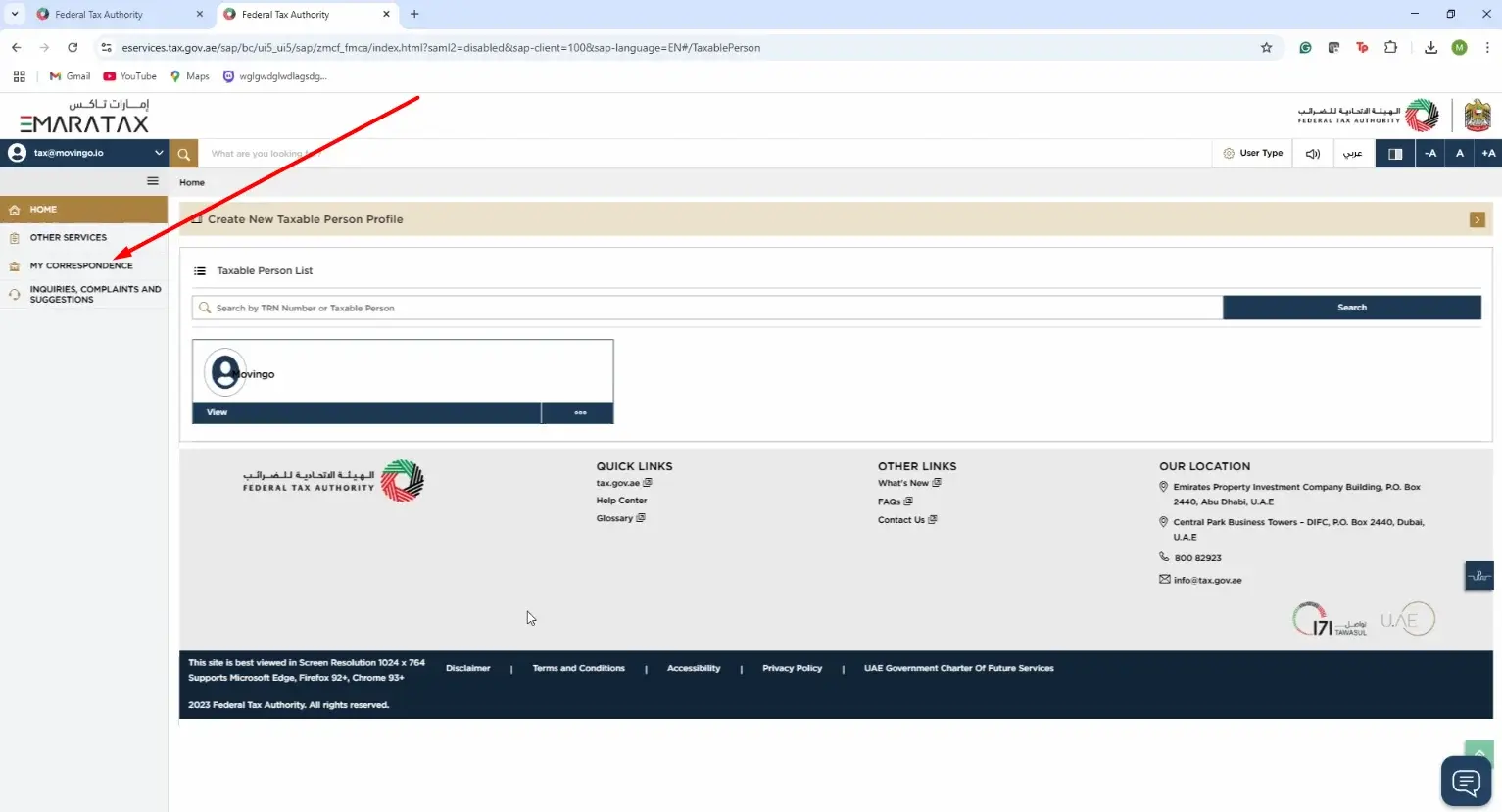
- Click on your taxable person profile.
- Access your dashboard and go to my correspondences under your taxable person account.
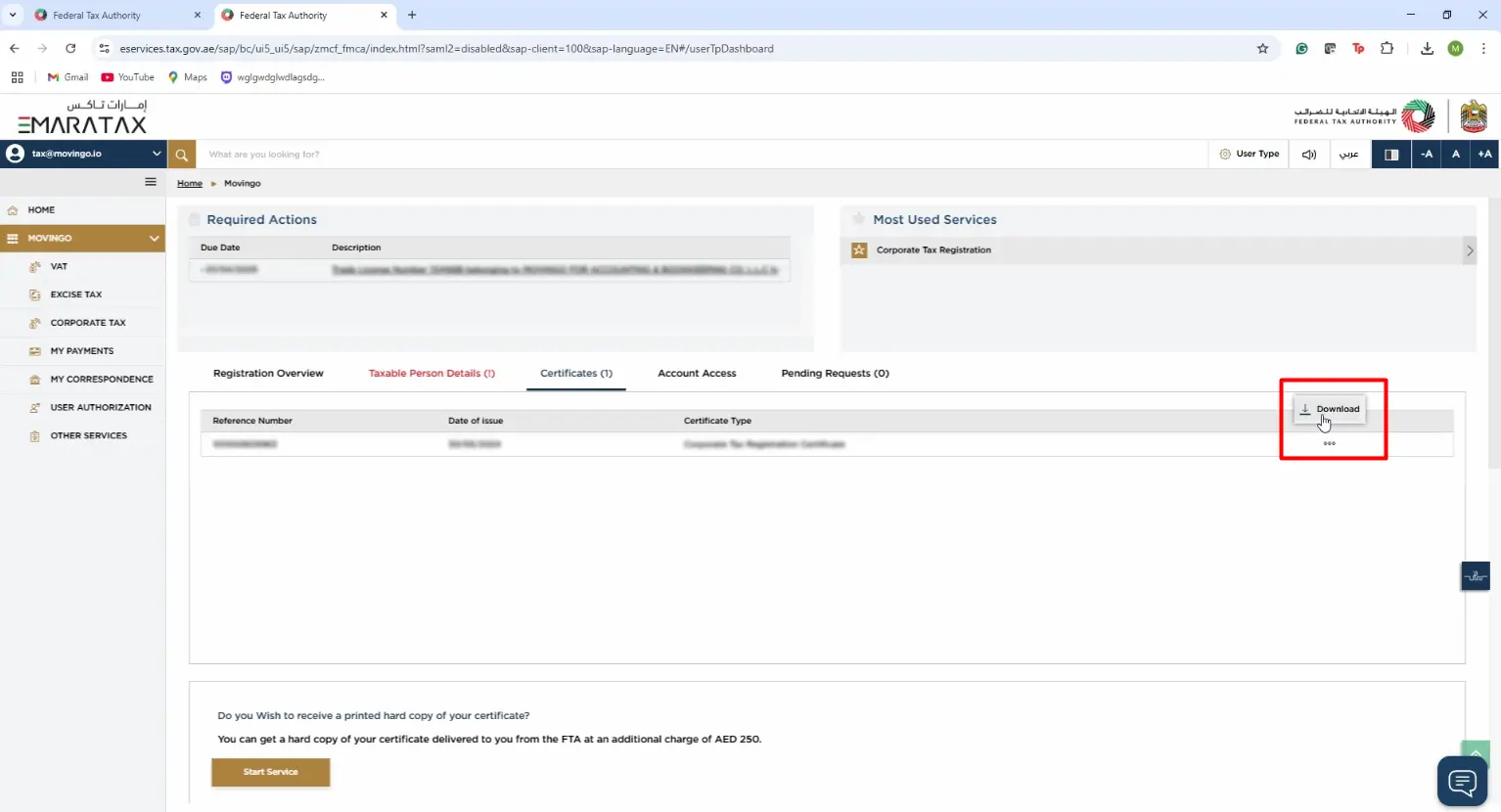
- Click the certificate section.
- Select the VAT certificate section and the three dots, then download.
What details Are Mentioned on a UAE VAT Certificate?
When you download your certificate from the FTA Emaratax system It contains:
- Tax registration number (TRN): the unique 15-digit numeric identifier.
- Legal entity name in english name.
- Business address and contact information.
- Effective registration date.
- First vat return due date and filing frequency.
- Trade license number and issuing authority.
VAT Certificate vs TRN: What’s the Difference?
1- A UAE VAT certificate is a document issued by the Federal Tax Authority to businesses that successfully register for VAT. It is legal proof that the company is permitted to charge, collect, and pay Value Added Tax under the UAE VAT Law.
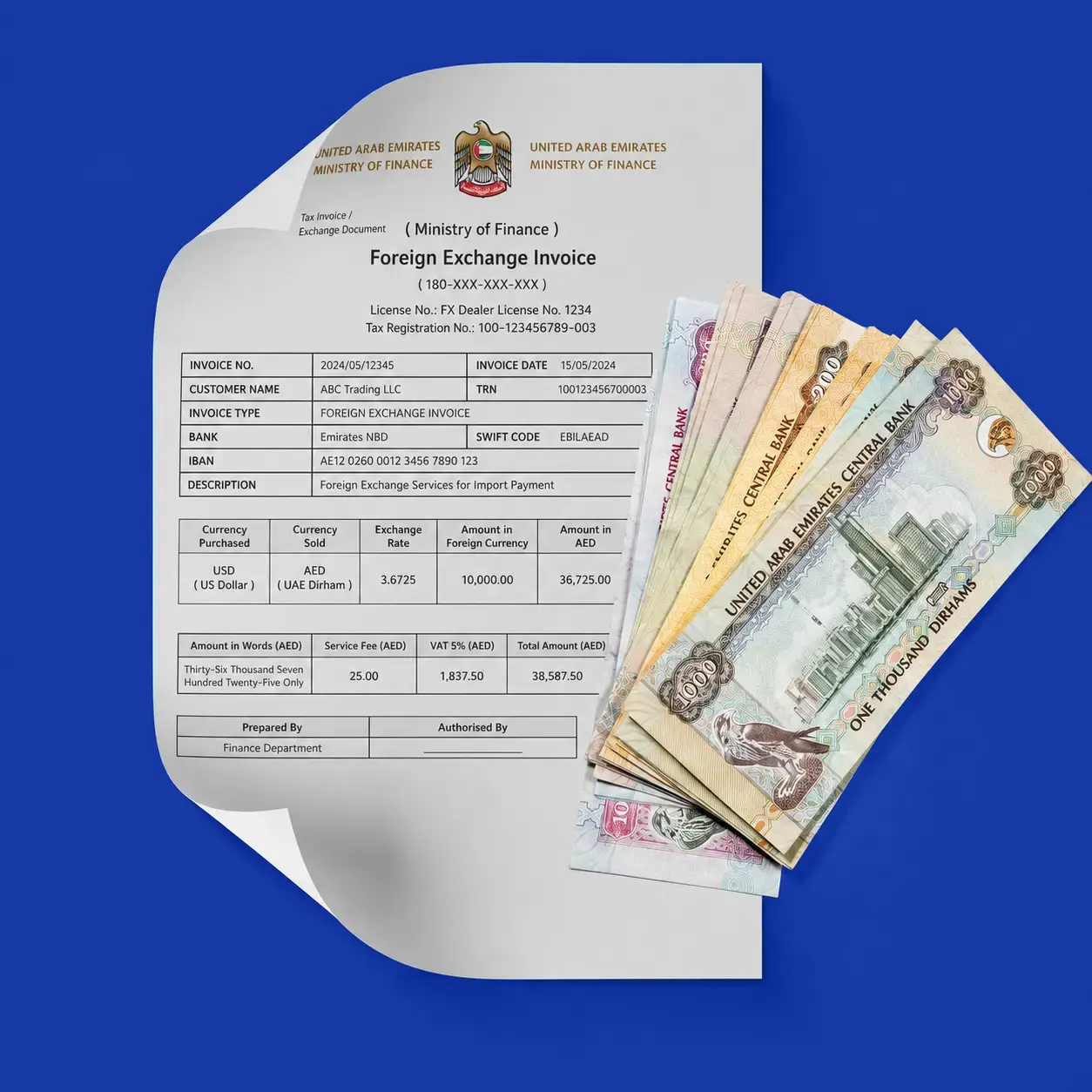
A VAT registration certificate is necessary for all taxable enterprises and is typically utilised in audits, customs transactions, and interactions with consumers and suppliers. It makes the business FTA compliant and promotes transparency in VAT-related financial operations.
2-TRN verification in UAE: The Tax Registration Number (TRN) is a 15-digit number provided by the FTA that serves as an identifying feature for businesses.
The number distinguishes one company from another. It is part of the distinct identification system used for tax invoicing, VAT returns, tax credits, and other financial transactions. Businesses that are VAT registered obtain a TRN as well as a TRN certificate, allowing them to charge VAT to their consumers.
TRN is also known as the VAT registration number, which is issued to each company when it registers for VAT.
Common Issues While Downloading VAT Certificate
To check VAT certificate, you may face some issues. Here are some of them:
- Invalid TRN message: you can double check the TRN entered, ensure that the number is 15 digits long and is provided by the business.
- Missing pdf: Older users who migrated from the old e-services portal may discover that their old certificates were not uploaded as PDF. Filling a vat update can cause the system to issue a new digital copy.
- Cannot see VAT account: often caused by the registration still being under review.
How Daftra Stores and Displays your VAT Registration Details
ERP systems like Daftra simplify the management of data that is found on VAT certificates, ensuring that every transaction remains compliant without manual intervention.
The software enables you to transfer all the company’s data to the template invoice and to include all the information on the electronic invoice.
Registering the vat number in the general settings:
- From the main menu you can click on the settings.
- Then click on account settings.
- Enter your company’s vat number in the field of vat number.
- And in the end click save.
- Auto Display TRN on Invoices: After saving the TRN, Daftra automatically populates it on all "Tax Invoice" templates, meeting the legal need for compliant B2B invoicing.
- Attach VAT Certificate to Company Documents: To upload and store your PDF VAT certificate, use Daftra's "Work Orders" or Document Management modules. This guarantees that the document is localised for project-specific audits or supplier verifications.
- Maintain Digital Compliance Records: Daftra's cloud-based system offers secure, encrypted storage which meets the FTA's 5-year record retention requirement.
“Store your VAT registration details securely in Daftra and auto display TRN on all tax invoices”
FAQ Section
1-Is vat certificate mandatory for all businesses
It’s mandatory for businesses to register for VAT in the following cases:
- If the taxable supplies and imports of a UAE-based business exceed 375,000.
2- Can I download VAT certificate without TRN?
It must appear on every tax invoice you will issue to the customers without it, the invoice doesn’t qualify. VAT certificates are issued upon the approval of your registration.
3- Is VAT certificate proof of active registration?
Yes, it is the primary document used to verify a company's current tax status. 1 In 2026, the inclusion of a QR code on the certificate allows third parties to easily validate that the registration is still valid and has not been cancelled or suspended.
4- Do I need to renew my VAT certificate?
A UAE VAT certificate has no "expiry date" in the traditional sense; it is valid as long as your registration is current. If your trade name or address changes, you must file a request within 20 business days to update it.
5-What should I do if my VAT certificate details are incorrect?
If your VAT certificate details are incorrect, you must notify the federal tax authority and apply within 20 working days.










 Invoicing
 POS
POS Offers
 Installments
 Sales Commission
 KSA E-Invoice Software
 EGY E-Invoice Software
 JO E-Invoice Software
 E-Invoice Software
 Chart of Accounts
 Asset Management
 Cost Centers
 Expenses
 Cheque Cycle
 UAE VAT-Tax
 Product Management
 Purchases
 Purchase Cycle
 Suppliers
 Requisitions
 Stocktaking
 Organizational Structure
 Personnel Management
 Attendance and Leave
 Contracts
 Payroll
 Requests
 Work Orders
 Booking Management
 Rental and Unit Management
 Time Tracking
 Work Flow
 Lease Contracts
 Manufacturing Management
  Client Follow-Up
 Loyalty Points
 Points and Credits
 Memberships
 Insurance Management
 Daftra ERP Full App
 Point of Sales App
 Point of Sales for Desktop – Support Offline Mode
 AI Expenses Scanner App
 Employee Attendance, Sign & ESS App
 E-invoice Reader App
 Inventory Stocktaking App