


What Are Accounting Tables, Their Importance, and Their Uses?


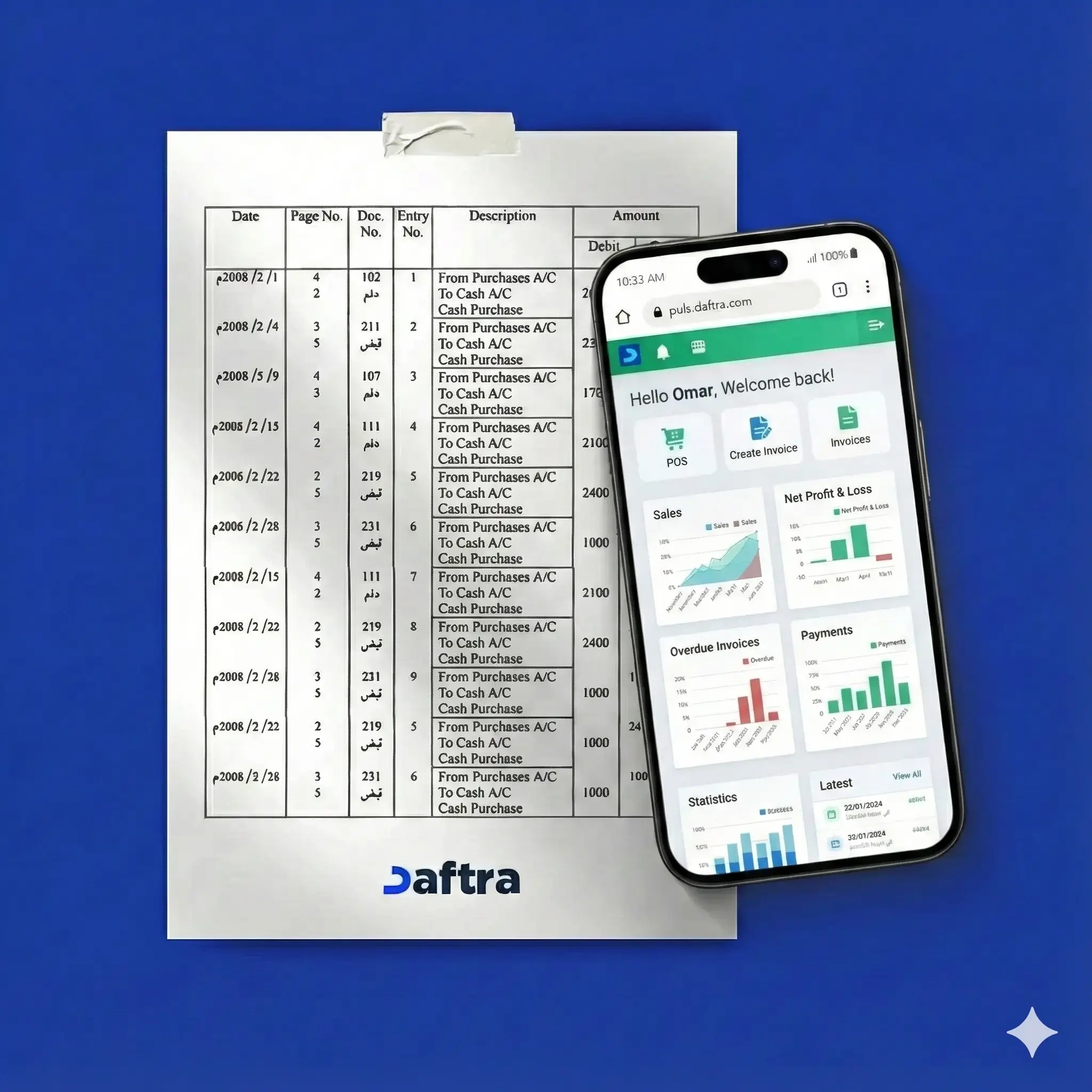
Table of contents:
- What Are Accounting Spreadsheets?
- What Is the Importance of Spreadsheets?
- What Are the Uses of Accounting Spreadsheet Programs?
- What are Common Errors When Using Spreadsheets?
- What Are the Most Popular Spreadsheet Programs?
- Practical Example of Using Spreadsheets
- How Does Daftra Help You Manage Spreadsheets?
- FAQs
If you are not familiar with spreadsheets, you certainly know the Excel program, who doesn’t?
Excel is the most famous spreadsheet program, but it is neither the only one nor the most efficient, nor was it the first of its kind; many programs preceded it by years, and the concept itself existed long before the emergence of digital software.
Spreadsheets can be very useful if you are looking for programs that perform calculations on your behalf, or if you want to enter textual and numerical data for storage in a simple database composed of rows and columns, with the ability to format this data and present it through charts.
Spreadsheet programs can be applied in various fields, meaning you can tailor them to your line of work. For example, you can use them to calculate household budgets, company profits, or student grades.
In this article, we will learn more about spreadsheets, their uses, and the most popular programs.
What Are Accounting Spreadsheets?
Accounting spreadsheets are tools that contain pages, each made up of multiple columns and rows that follow a specific structure. They are used to store and analyze data in general, but they become particularly important when dealing with financial and accounting data. Through them, we can perform calculations, extract statistical results, and create data visualizations , all of which help interpret and benefit from financial data.
What Is the Importance of Spreadsheets?
The general importance of spreadsheets lies in performing tedious administrative and accounting tasks on your behalf with unmatched speed and efficiency. No human can retain massive amounts of data in their memory and perform hundreds or thousands of calculations within minutes like spreadsheets can. So let’s explore the importance of these programs and how you can leverage them for your work and tasks.
- Easy and fast: Compared to traditional paper-based tables or manual entry, digital spreadsheets offer fast results, easy data modification, better organization, chart support, high accuracy, and fewer errors.
- Increased efficiency and work quality: Spreadsheets free users from repetitive tasks, from storing data and applying operations to analyzing results, allowing them to focus on interpreting data and creating solutions, thus enhancing creativity and productivity.
- More accurate results: Spreadsheet outputs are more precise, faster, and more reliable than alternatives such as calculators, manual work, or outdated methods.
- Full automation of processes: You can automate calculations and control the order and logic of operations using formulas, saving time and effort. You only need to set up the spreadsheet once, and it handles the rest.
- More opportunities: Proficiency in spreadsheet programs opens doors to new job opportunities, as many positions require knowledge of such tools.
- Technological advancement: Spreadsheets encourage users to adopt more advanced systems, such as Enterprise Resource Planning (ERP) software, one of the most popular being Daftra.
- Enhancing productivity: Spreadsheets shift the concept of productivity from time spent to results achieved and quality delivered.
What Are the Uses of Accounting Spreadsheet Programs?
The use of spreadsheet programs varies depending on the user’s needs, which is why spreadsheets are applied in many fields despite their standardized structure. They can be used as alternatives to calculators and accounting programs, for household budgets, and for school grades. Here are the uses in more detail:
- Calculator alternative: Spreadsheets can replace calculators by performing simple or complex calculations.
- Accounting program alternative: Small businesses can use spreadsheets instead of accounting programs to record entries, track assets, calculate sales, profits, and purchases, and even generate trial balances and financial statements.
- Household budget: They can be used to calculate household or personal budgets, monthly expenses, trip costs, or any activity requiring financial tracking.
- School grades: They are used in schools to calculate total grades and percentage scores.
What are Common Errors When Using Spreadsheets?
Many spreadsheet users fall into common mistakes such as inaccurate data, lack of experience, misunderstanding basics, relying too heavily on spreadsheets, and not reviewing transactions carefully.
Here are the details:
- Inaccurate data and results: Incorrect formulas or formulas that do not apply to all cases lead to wrong results.
- Lack of experience: Users may follow complicated methods without knowing more efficient alternatives.
- Not knowing the basics: A lack of understanding of arithmetic fundamentals causes errors in formula creation.
- Overreliance: Users may trust spreadsheet results without verifying their correctness, despite possible human or logical errors.
- Lack of proper review: Not reviewing input data increases the risk of human error.
Read also: Detailed accounting methods
What Are the Most Popular Spreadsheet Programs?
There are several programs you can use to create spreadsheets, such as Calc, Google Sheets, and Excel. Here is a brief overview:
- Calc: Can be downloaded from the internet.
- Google Sheets: A free cloud-based Google service through Google Drive that allows online collaboration.
- Excel: The most famous spreadsheet program, part of Microsoft Office, available for purchase.
Practical Example of Using Spreadsheets
- Assisting with journal entries: Entering daily entries and categorizing them as debit or credit, organized according to the chart of accounts.
- Performing accounting operations: Handling common accounting operations such as calculating depreciation, employee wages, and net profit or loss.
- Automating accounting processes: For example, automatically generating trial balance totals using pre-set formulas or using ready-made templates.
- Tracking and managing accounting tasks: Such as installment management, issuing returns, and creating reversing entries correctly.
- Revenues and expenses: Recording revenues and expenses, generating partial or annual financial statements, and comparing data across years.
- Data analysis and forecasting: Performing financial forecasts based on historical data, aiding decision-making.
How Does Daftra Help You Manage Spreadsheets?
Daftra’s accounting software helps you manage spreadsheets easily by automatically recording journal entries, organizing accounts, and providing detailed reports on all financial operations, simplifying the entire spreadsheet management process.
FAQs
What is the file created in a spreadsheet program called?
It is called a workbook, and it consists of sheets usually referred to as worksheets.
What are spreadsheet references?
- Relative references: Change when the formula is copied.
- Absolute references: Do not change when copied and are written with dollar signs.
- Mixed references: Combine both types.
In conclusion, Spreadsheet programs are a good solution for simple accounting or numerical tasks without complexity. However, if you want to manage accounting and financial operations professionally for a real business with legal documentation, it is recommended to use accounting software. You can now try Daftra’s accounting program, one of the most popular accounting systems , for free for 14 days without entering your credit card details.












 Invoicing
 POS
POS Offers
 Installments
 Sales Commission
 KSA E-Invoice Software
 EGY E-Invoice Software
 JO E-Invoice Software
 E-Invoice Software
 Chart of Accounts
 Asset Management
 Cost Centers
 Expenses
 Cheque Cycle
 UAE VAT-Tax
 Product Management
 Purchases
 Purchase Cycle
 Suppliers
 Requisitions
 Stocktaking
 Organizational Structure
 Personnel Management
 Attendance and Leave
 Contracts
 Payroll
 Requests
 Work Orders
 Booking Management
 Rental and Unit Management
 Time Tracking
 Work Flow
 Lease Contracts
 Manufacturing Management
  Client Follow-Up
 Loyalty Points
 Points and Credits
 Memberships
 Insurance Management
 Daftra ERP Full App
 Point of Sales App
 Point of Sales for Desktop – Support Offline Mode
 AI Expenses Scanner App
 Employee Attendance, Sign & ESS App
 E-invoice Reader App
 Inventory Stocktaking App