



Table of contents:
- What is the best sales management software?
- Daftra
- Mabi3aat.com software
- Al-Ameen Soft Sales software
- NamaSoft Sales software
- Al-Badr Sales software
- Why Small Businesses in Saudi Arabia Need Sales Software
- How to Choose Sales Management Software for a Small Business
- How to Measure Sales Software ROI Beyond Revenue Growth
- How I Evaluate Sales Management Software for Small Business
- Common mistakes to avoid when choosing Sales Management Software
- Frequently Asked Questions
- Conclusion
How can your company achieve a qualitative leap in sales performance? The answer lies in sales management software that helps you track sales opportunities, analyze customer behavior, and manage relationships more efficiently. This software is essential for improving performance, boosting productivity, and supporting efficiency through smart, innovative methods. That’s why, in this article, we present a guide to choosing the best sales software that fulfills your profit and organizational goals.
What is the best sales management software?
The best sales management software fits a business's sales process and helps its team manage customers, sales activities, quotations, invoices, payments, and performance from one place. It should also give a clear view of the sales pipeline, make it easier to follow up with customers, and give managers access to accurate sales reports.
Don't choose software based only on the number of features; consider whether it supports your specific sales workflow, integrates with other business operations, and can scale as the company grows.
For small and growing businesses, software that combines sales management with related functions such as accounting, invoicing, and inventory can also reduce manual work and keep business data connected.
Choosing the right software can be difficult, so we've saved you time by presenting a list of the top 5 sales management software options, along with the key features you should look for. Here is a list of some of the best sales software for small and medium businesses in Saudi Arabia:
| # | Software | Best For | Trial Info | Price |
|---|---|---|---|---|
| 1 | Best All-in-One Sales and Business Management | 14-day free trial | 95.00 SR/mo | |
| 2 | Best for E-commerce and Order Management | Limited free plan | 80 USD/mo | |
| 3 | Best for Multi-Branch Sales and Inventory Management | — | Prices not publicly disclosed | |
| 4 | Best for Integrated Sales and Customer Account Management | No free trial | Prices not publicly available | |
| 5 | Best for Retail Sales, POS, and Inventory Management | 5-day free trial | 139 SAR/mo |
Read also: Best CRM software in Saudi Arabia
In the following lines, we break down each software’s features and pricing to help you make the right decision.
Daftra
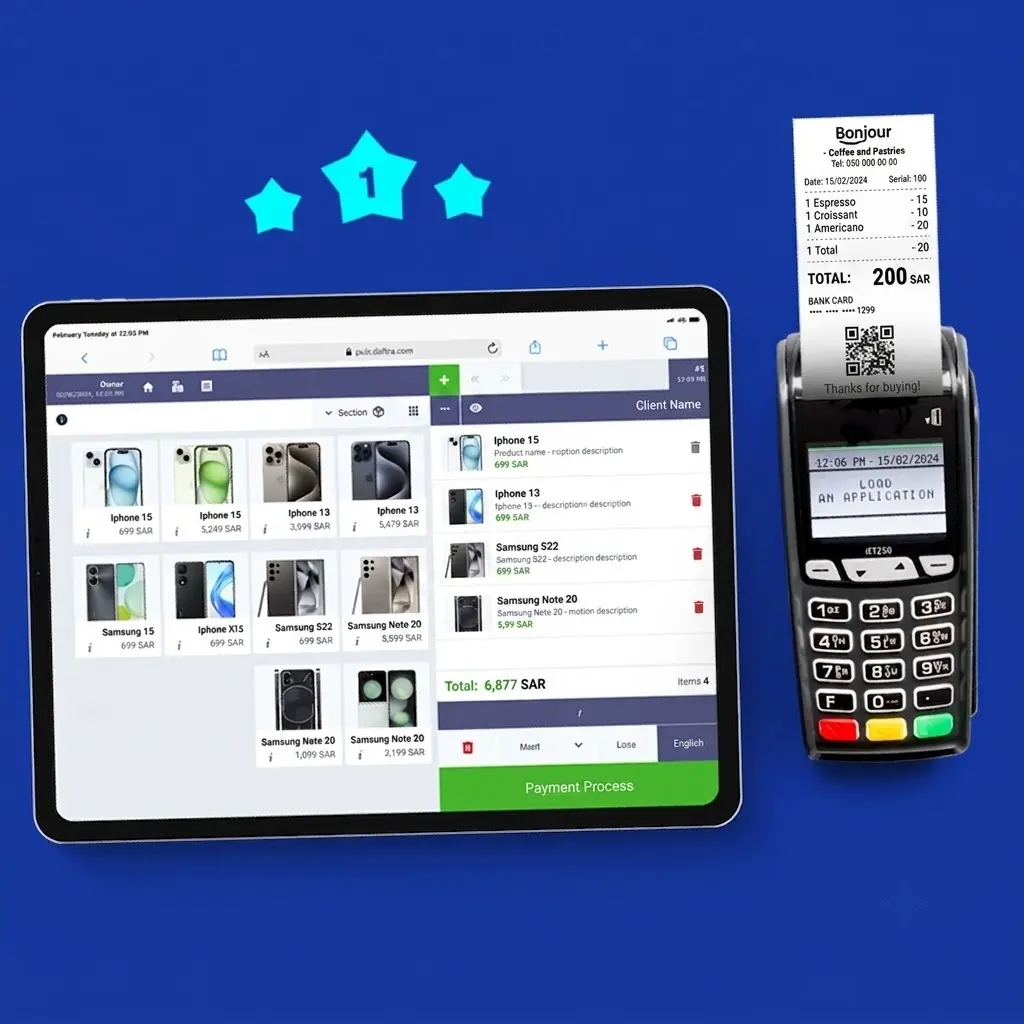
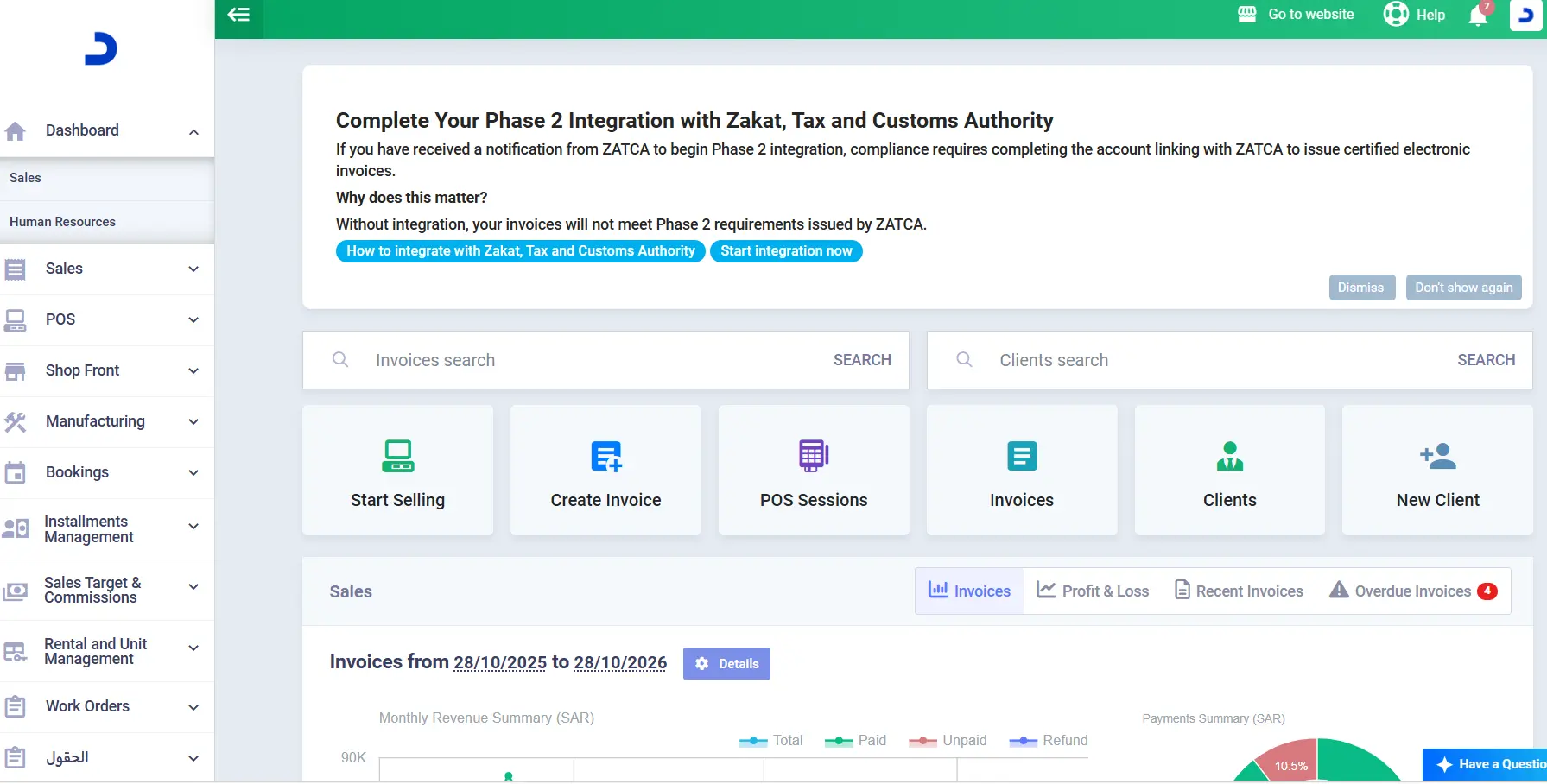
Daftra is an ERP (Enterprise Resource Planning) system that provides fully integrated Arabic sales software to manage commercial activities, support growth, and increase profits. The best sales software from Daftra offers more smart services and solutions for managing sales, invoices, and quotations, points of sale, installments, commissions, insurance, and e-invoices compliant with the Saudi Zakat, Tax, and Customs Authority and the Egyptian Tax Authority, covering more than 50 different business sectors.
Features
Customization and Management of All Types of Invoices: Daftra provides a comprehensive sales management system that lets you issue and create electronic invoices through its invoicing software.
Daftra sales software also enables automatic product pricing, shipping, discount options, and insurance percentages on invoices issued to eligible clients, based on each company's insurance categories.Control of Sales Employee Permissions: As the best sales software for shops, Daftra lets you restrict sales employees’ permissions. This enhances privacy and ensures the security and protection of sensitive data and information.
Integration with Customer Loyalty Points software: Daftra integrates seamlessly across its internal applications, linking the invoicing software with the customer loyalty points software to announce period-specific or seasonal discounts, as a percentage or a fixed amount, and display them directly on the sales invoice.
Flexible and Multiple Payment Options: Daftra's sales and inventory software offers flexible payment options, including installment payments, partial payments, and full payments. Daftra’s installment tracking system lets you manage installment agreements smoothly, automatically sending reminders to customers before due dates via email or SMS.
Automating All Steps to Simplify Sales in Daftra: The system lets you print invoices and quotations on paper or email them directly to the customer from within the system with a single click, without leaving the software or using external applications.
Simplifying the Management of All Transactions from One Software: With Daftra’s POS software, you can manage all sales transactions across multiple branches, connect POS devices and barcode scanners, enter customer data, and apply discounts to the entire invoice or individual products.
Control Over Employee Sales Targets: Daftra’s sales commission and target management lets you set sales targets based on financial amounts or product quantities for each employee. It also automatically calculates employee commissions across all invoice types, which the business owner can disburse at any time. It also lets you generate detailed reports on sales transactions and profits, classify profits by employee shifts, organize them, and track them in the system to gain clear insights into business performance and evaluate progress toward defined goals.
Manage Your Sales on Daftra Anytime, Anywhere: Daftra’s Sales software keeps sales running smoothly with an offline POS application. This lets you complete sales even without an internet connection, with data and invoices automatically syncing once the connection is restored.
Daftra Subscription Prices
The software offers a 14-day free trial and provides 3 subscription packages designed to suit different business needs and budgets.
| Plan | Monthly Price (SAR) | Annual Price (SAR) |
| Basic Plan | 120 | 1140 |
| Advanced Plan | 220 | 1860 |
| Comprehensive Plan | 320 | 2270 |
Mabi3aat.com software
Mabi3aat.com is an accounting and financial management system for companies and commercial activities. It improves sales operations and increases efficiency, making it suitable for small and medium-sized businesses that want to improve market performance.
Features
- Commercial and E-commerce Sales Management: Through the main sales page (“cashier”), orders can be entered and sales transactions completed.
- Shipping Zones: Ability to add shipping zones and set the shipping cost for each zone to automatically calculate delivery costs in subsequent orders.
- Unlimited Items: Allows adding an unlimited number of items, including images for each item, and calculates wholesale costs to generate profit statistics.
- Customer and Shipping Data: Ability to record buyer details and shipping information, with easy access to this data at any time.
- Barcode Integration: Automatically integrate barcode scanners to simplify order entry and product searches.
- Order Status Management: Ability to record and control order statuses such as In Preparation, Packed, Out for Delivery, Delivered, and Completed.
- Invoice Printing: Print invoices after each order, with the option to add extra notes.
- Online Order Search: Search for online orders using serial numbers and send notifications for incomplete orders.
- Sales Analytics: Benefit from dashboard statistics on sales, profits, best-selling products, and other key metrics.
Mabi3aat.com Subscription Prices
| Plan | Monthly Price | Description |
| Standard Plan | $8 | Suitable for medium-sized projects with a small workforce. |
| Advanced Plan | $15 | Suitable for medium-sized projects with a relatively larger number of employees. |
| Premium Plan | $25 | Suitable for large-scale projects. |
Read also: Best accounting software in Saudi Arabia
Al-Ameen Soft Sales software
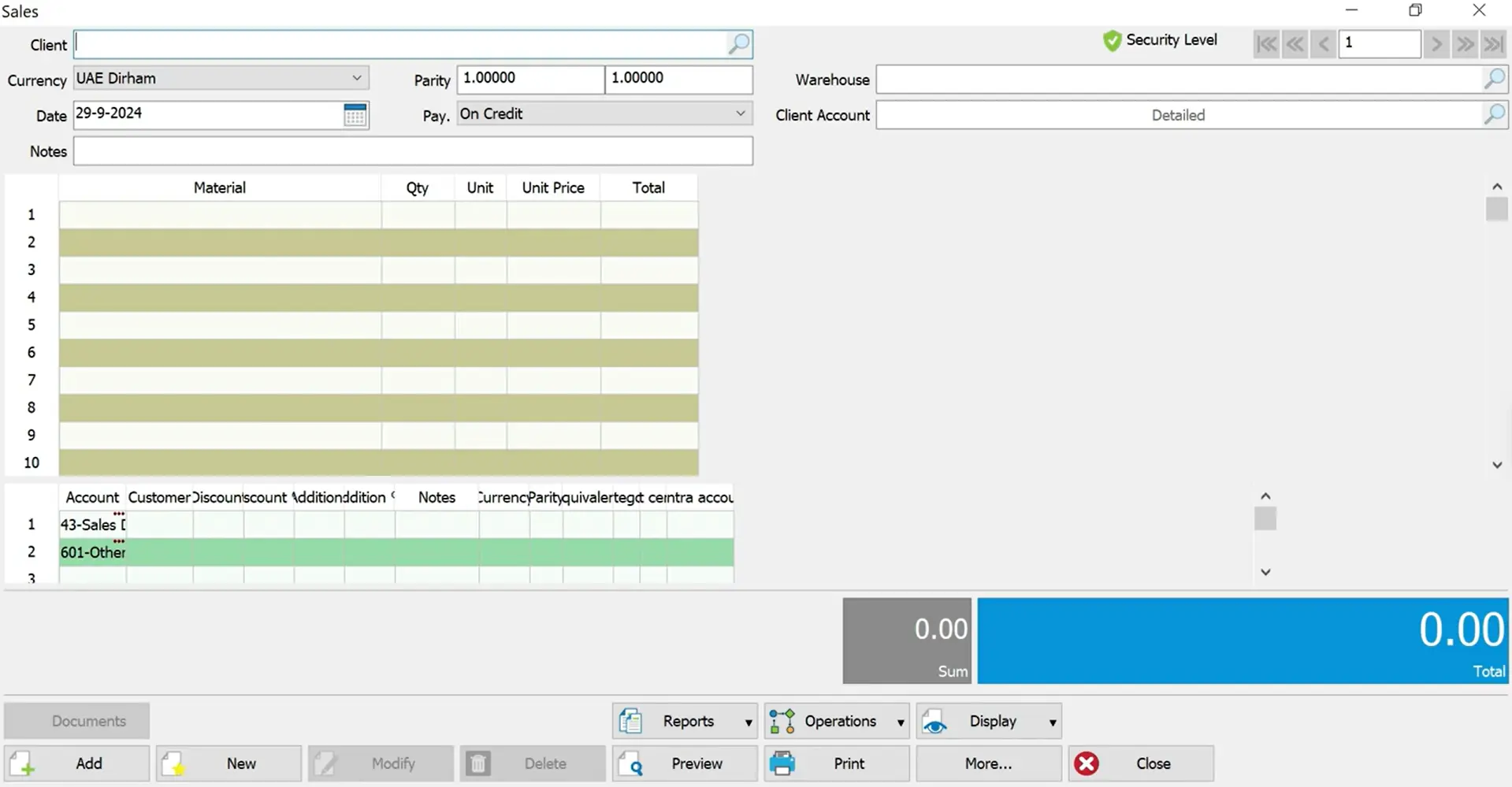
Al-Ameen Soft is a business management software that meets company needs in sales management, inventory management, and human resources management. It improves the efficiency of commercial operations and increases revenue.
Features
- Create quotations, save them, and convert them into invoices without re-entering data.
- Manage branch sales prices through the Sales software, with easy monitoring of invoices and inventory.
- Create invoices with customized fields for specific clients, and link invoices to their respective payments.
- Manage sales representatives’ commissions according to the sales targets set for each of them.
- Access account statements for extended past years and link them to current periods to simplify account reconciliation.
- Track the activity of new customers.
Al-Ameen Soft Subscription Prices
To obtain subscription pricing, customers must contact customer service, as prices are not publicly disclosed.
Read also: Best Sole Trader Accounting Software
NamaSoft Sales software
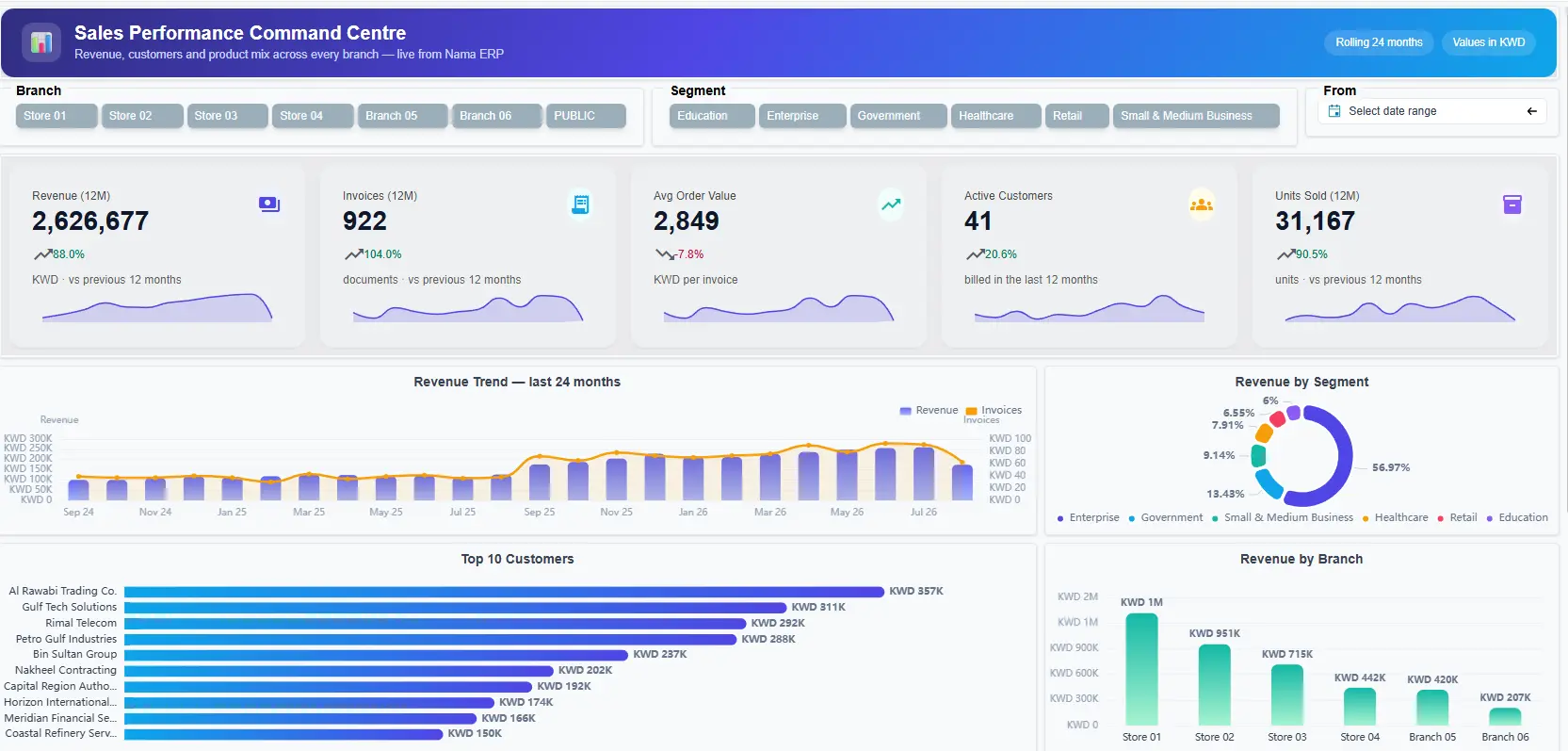
NamaSoft is a system designed to simplify business monitoring and support sound decision-making through a variety of applications and software. Among these is NamaSoft’s sales management software, which focuses on maintaining the existing customer base while attracting new clients.
Features
- Create a comprehensive profile for each customer, including basic information, shipping address, and credit limits, with the option to create multiple accounts for a single customer and attach documents, images, or notes.
- Establishes a complete sales documentation cycle by recording customer sales orders, quotations, sales orders, sales invoices, and returns.
- Offers multiple payment options, including cash, deferred payment, credit card, and predefined installment payments, all supported by the software’s payment scheduling models.
- Ensures integration between sales accounts and those of customers, representatives, treasury, and inventory.
NamaSoft Subscription Prices
To obtain subscription pricing, customers must contact customer service, as prices are not publicly available.
Al-Badr Sales software
Al-Badr Sales software is accounting software that supports business and commercial activity management through a wide range of services, including issuing invoices, auditing inventory and warehouses, and generating comprehensive reports to accurately determine profits and losses.
Features
- Issue certified electronic and tax invoices.
- Track customer balances and account statements.
- Monitor sales transactions and collections of amounts due from customers through detailed reports that support efficient business management and informed decision-making.
- Support credit sales, manage customer installments, schedule debt, and add interest to remaining installments, with flexible installment payment terms (weekly, monthly, or yearly).
- Automatic calculation of value-added tax (VAT) on sales.
- Add an unlimited number of products, with multiple pricing options for the same product (e.g., wholesale or retail prices).
- Enable discounts on sales invoices, either as a percentage or a fixed amount.
Al-Badr Sales Software Subscription Price
| Subscription Type | Price (SAR) |
| Monthly (starting) | 139 |
| Annual (starting) | 1,900 |
Why Small Businesses in Saudi Arabia Need Sales Software
Here is a list of reasons why sales software can be significant for small businesses in Saudi Arabia:
Improve sales tracking and visibility
Small businesses need a clear view of their sales activities to understand which deals are progressing, which customers need follow-up, and whether the team is on track to meet the target. Sales software centralizes sales data and helps managers monitor opportunities and performance without relying on multiple spreadsheets or manual updates.
Manage credit sales and outstanding invoices
In a case we handled with a local Riyadh-based distribution company selling to retailers on credit. Its sales team consistently meets its targets, but management faces delayed collections and a growing number of outstanding invoices. We approached this issue by implementing a sales management system to help the company track its transactions and keep up with its invoices.
Implementing sales management software can help the company track each transaction throughout the sales cycle, starting from quotation to invoicing and payment collection. By linking sales reports to accounts receivable aging and each customer's outstanding balance, management can identify overdue invoices, prioritize collection follow-ups, and see whether strong sales performance translates into payments.
Reduce manual and administrative work
As a business grows, managing customer records, preparing quotations, issuing invoices, and updating sales reports manually can be extremely time-consuming. Sales software organizes these tasks and reduces repetitive data entry, letting employees spend more time serving customers and developing sales opportunities.
Make better sales decisions
Sales reports help businesses identify their best-performing products, customers, sales representatives, and sales channels; this way, managers can evaluate performance, identify areas that require improvement, and adjust their sales strategies based on actual results.
How to Choose Sales Management Software for a Small Business
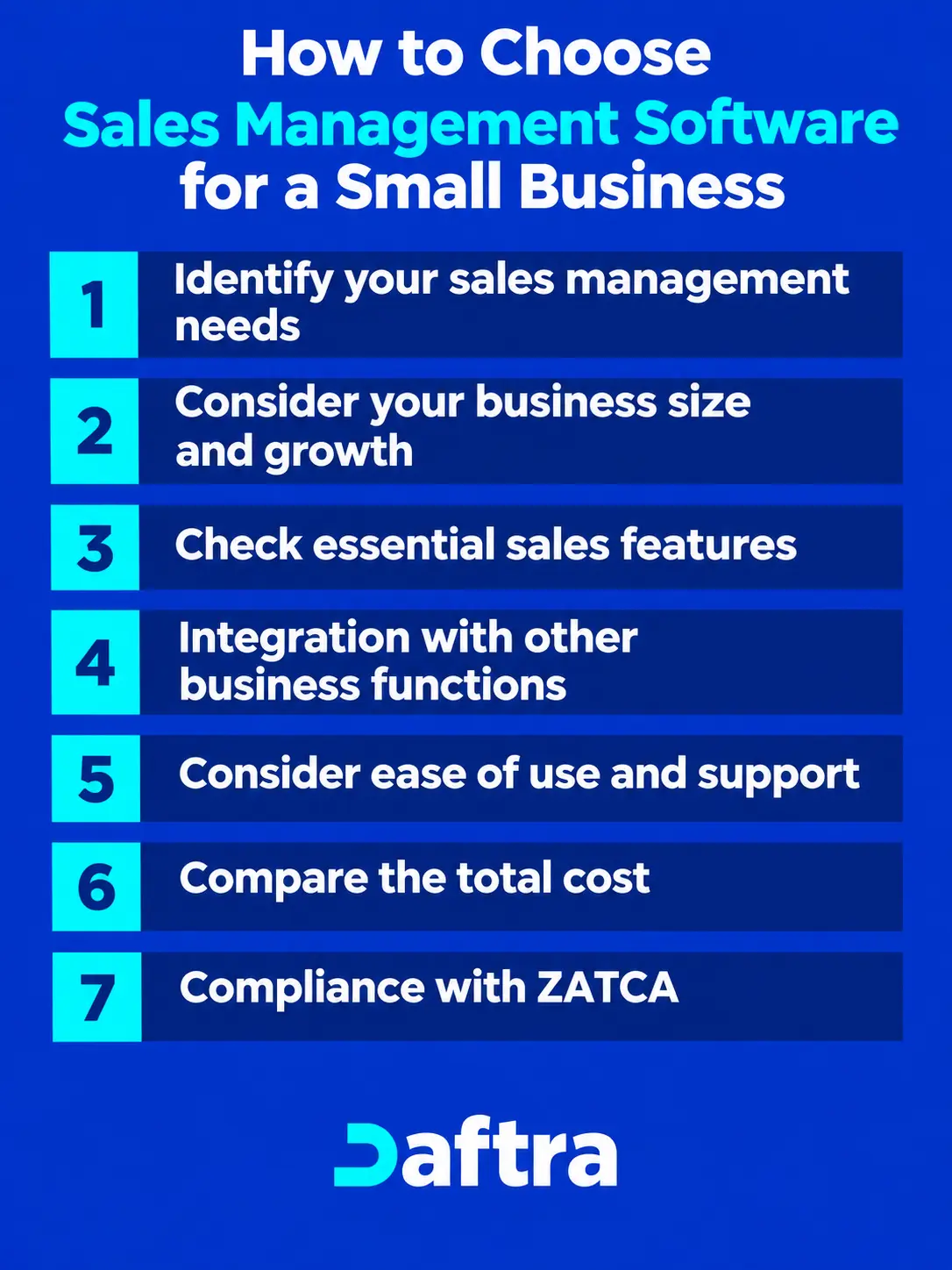
When choosing sales management software, consider these factors before deciding. Here are some of them:
1- Identify your sales management needs
Start the process by identifying the sales activities your business needs to manage, such as customer records, quotations, sales orders, invoicing, payment follow-ups, and sales reporting. By doing this, you focus on software that addresses your actual workflow rather than paying for features you might not need at the moment.
2- Consider your business size and growth
Choose software that fits your current operations but leaves room for growth. Consider the number of users, customers, transactions, branches, and sales channels you may need to support as your business expands.
3- Check essential sales features
Ensure the software includes the features your sales team needs to manage its daily activities, including customer management, sales pipeline tracking, quotations, invoices, sales targets, follow-ups, and performance reports.
4- Integration with other business functions
Sales activities connect with accounting, inventory, invoicing, and payments. Choosing software that can connect these functions can reduce duplicate data entry and give management a more complete view of business operations.
5- Consider ease of use and support
Your chosen software should be easy for employees to learn and use in their daily work. Consider the available onboarding, training, technical support, and resources before deciding.
6- Compare the total cost
Do not compare subscription prices alone, as you also must consider implementation, training, additional users or features, integrations, and other costs that affect the total investment over time.
7- Compliance with ZATCA
For small and medium businesses in Saudi Arabia, their chosen software must be compliant with ZATCA’s regulations in invoicing, in areas such as technical, cryptographic, and structural standards.
How to Measure Sales Software ROI Beyond Revenue Growth
Revenue growth alone doesn't show the full value of sales management software; businesses should also assess whether the system improves operational efficiency, reduces costs, and helps them manage sales and collections more effectively.
Measure time saved on sales activities
Compare the time employees spend preparing quotations, issuing invoices, updating customer records, and generating reports before and after implementing the software.
Track collection efficiency
Regarding businesses that sell on credit, evaluate whether the software reduces overdue invoices, shortens collection periods, and improves visibility into outstanding customer balances.
Evaluate sales team productivity
Monitor conversion fees, follow-up completion, sales cycle length, and performance against targets. These metrics help businesses determine whether the software is enabling sales representatives to manage opportunities more effectively.
Calculate cost savings
Compare the cost of using the software with measurable savings from reduced manual work, fewer administrative errors, and less reliance on separate tools. That includes:
- Implementation
- Subscription
- Training
- Maintenance costs
This provides a more realistic ROI estimate.
Compare results before and after implementation
Establish a baseline before introducing the software, then review the same metrics after implementation.
Example: A business can compare administrative hours, collection times, overdue receivables, and operating costs over equivalent periods to determine the software's contribution to business performance.
How I Evaluate Sales Management Software for Small Business
When comparing sales management software, I evaluate each solution based on the core capabilities a small sales team needs to manage daily operations, along with features that differentiate one solution from another. Main criteria include:
- Sales pipeline management: I review how effectively the software helps organize and track deals through different stages of the sales process.
- Contact and lead management: Whether the solution provides a centralized framework to manage customers, prospects, and lead information, and to track their interactions with the sales team.
- Sales forecasting and reporting: Whether the solution provides sales reports, forecasts, and insights that help management understand pipeline performance and make informed decisions.
- Activity and task tracking: Whether sales representatives have tools to manage calls, follow-ups, meetings, and other sales activities and keep track of pending tasks.
- Sales team performance tracking: The software must offer tools to monitor sales targets, individual performance, and team activity from a centralized dashboard.
- Sales workflow automation: How well the software automates repetitive sales tasks and workflows, helping reduce manual work and maintain consistent follow-ups.
- Integrations: How effectively the software connects with other business tools and systems we use.
- Ease of use: How easy the software is for the sales teams to learn, adopt, and use.
- Scalability: Whether the software can support your business as it grows, including its customer base, sales team, and transaction volume.
- Pricing and overall value: Comparing the software cost with the features and capabilities it provides for a small business.
Common mistakes to avoid when choosing Sales Management Software
The following list identifies some common mistakes businesses usually make when choosing sales management software:
- Choosing software based only on price: The cheapest option may lack essential capabilities or require additional tools to complete the sales process. Compare the overall cost with the features, integrations, and operational benefits you actually need.
- Ignoring the business's sales process: Businesses selling directly to consumers may have different requirements than distributors selling to retailers on credit. First, identify the steps in the company's sales cycle and ensure the system supports those workflows.
- Overlooking reporting and analytics: Recording sales transactions is not enough if managers cannot use the data to evaluate performance. Check whether the software provides relevant reports on sales trends, customer activity, salesperson performance, and outstanding invoices where needed.
- Failing to check integration capabilities: If sales software doesn't integrate with accounting, invoicing, or inventory systems, employees may have to enter the same data multiple times, increasing workload and creating inconsistencies across business records.
- Choosing software that cannot scale: A software system might meet your current needs, but become inadequate as the business adds customers, employees, branches, or sales channels. Businesses must consider whether the software can accommodate future growth without a costly replacement.
- Overlooking ease of use and training: Complicated software can slow adoption and prevent the sales team from using its features effectively. Businesses must consider how easily employees can learn the system, access the data they need, and complete everyday tasks.
Frequently Asked Questions
What is the best sales application?
The choice of the best sales application depends on the size of the business and its commercial needs. However, in general, there are many sales management applications that can help track sales, manage customers and their interactions, and monitor sales transactions.
Among them, Daftra POS App is considered one of the best sales applications. It provides smart, comprehensive, and fully automated solutions, helping business owners manage their sales with ease and accuracy anytime and anywhere.
What is the best software for issuing sales invoices?
The best sales invoicing software should feature a simple and flexible interface that allows the creation and management of customized invoices according to business needs, quickly and efficiently. It should also be able to manage due and collected invoices automatically and accurately, while providing detailed reports on sales ratios and profits. Daftra’s sales invoicing software offers all these features and more.
What is a sales system?
A sales system, in short, is a set of technological tools and software applications that integrate to manage sales operations and transactions, improve sales strategies, and increase efficiency to achieve higher revenues and profits with minimal time and effort.
What is a cloud-based sales system?
A cloud-based sales system is a type of sales management system that operates on cloud solutions accessible via the internet. Its features include:
- Remote access to manage everything related to sales anytime and anywhere with internet connectivity.
- Automatic updates to the Sales software without the need for manual installation by the user.
- Advanced security features to protect and maintain the confidentiality of sales financial information, such as backup, encryption, and access control.
- Integration with other enterprise resource management systems, such as inventory, customer management, invoicing, and more.
What are the disadvantages of Sales software?
- Some Sales software may present issues that need to be considered when selecting the right one for business needs. These disadvantages include:
- High purchase or installation costs, especially for advanced sales management software.
- Complex user interfaces that require additional technical expertise to operate.
- Limited flexibility in customization to meet specific business requirements.
- Lack of integration between the sales management system and other systems used in the company.
Conclusion
According to Grand View Research, a market research and consulting firm, the market for automated sales management software is expected to grow at a compound annual growth rate (CAGR) of 8.3% from 2020 to 2027, with investments reaching $7.29 billion in 2019. Furthermore, 13.67% of organizations rated sales management and CRM software as the most important tool for remote sales planning, while over 61% of sales managers and business owners exceeded their targets thanks to smart automation in sales management software, according to Finances Online. These statistics provide a clear conclusion: investing in comprehensive sales management software is not just a technical step—it is an investment in your business's future and a major driver of revenue growth.







 Invoicing
 POS
 Offers
 Installments
 Sales Commission
 KSA E-Invoice Software
 EGY E-Invoice Software
 JO E-Invoice Software
 E-Invoice Software
 Chart of Accounts
 Asset Management
 Cost Centers
 Expenses
 Cheque Cycle
 UAE VAT-Tax
 Product Management
 Purchases
 Purchase Cycle
 Suppliers
 Requisitions
 Stocktaking
 Organizational Structure
 Personnel Management
 Attendance and Leave
 Contracts
 Payroll
 Requests
 Work Orders
 Booking Management
 Rental and Unit Management
 Time Tracking
 Work Flow
 Lease Contracts
 Manufacturing Management
 Client Follow-Up
 Loyalty Points
 Points and Credits
 Memberships
 Insurance Management
 Daftra ERP Full App
 Point of Sales App
 Point of Sales for Desktop – Support Offline Mode
 AI Expenses Scanner App
 Employee Attendance, Sign & ESS App
 E-invoice Reader App
 Inventory Stocktaking App