


Table of contents:
- What is ERP Software?
- The Best ERP Software in KSA
- 1- Daftra ERP Software
- 2- Odoo ERP Software
- 3- Oracle ERP Cloud
- 4- Microsoft Dynamics 365
- 5- Focus Softnet ERP Software
- 6- HAL ERP Software
- 7- SAP ERP Software
- 8- Logix ERP
- 9- Orionedge ERP Software
- Importance of ERP Software for Saudi Companies
- What to Look For in an ERP Software?
- Comparison Table
Small and large businesses, freelancers, and sole traders in Saudi Arabia use the best ERP software to manage business details, daily accounting, reporting requirements, supply chain, customer relationship management, and financial compliance- tasks that are exhausting to handle manually.
This highlights the importance of a clear, detailed list of the best ERP software in KSA to streamline decision-making for businesses of all sizes.
It also makes it easier to choose the right software that aligns with specific needs and industry.
In this article, you are going to learn the pros and cons of each Enterprise Resource Planning system (ERP) and pricing plan, along with an overview of the system.
What is ERP Software?
Enterprise Resource Planning (ERP) software helps companies manage and integrate core operations, including accounting, sales, inventory, and human resources through a single platform. The system unifies data across departments and automates many daily tasks, reducing errors.
The Best ERP Software in KSA
Below, we present the best software solutions available in Saudi Arabia, highlighting each key feature to help you compare options and choose the one best suited to your organization's needs.
1- Daftra ERP Software
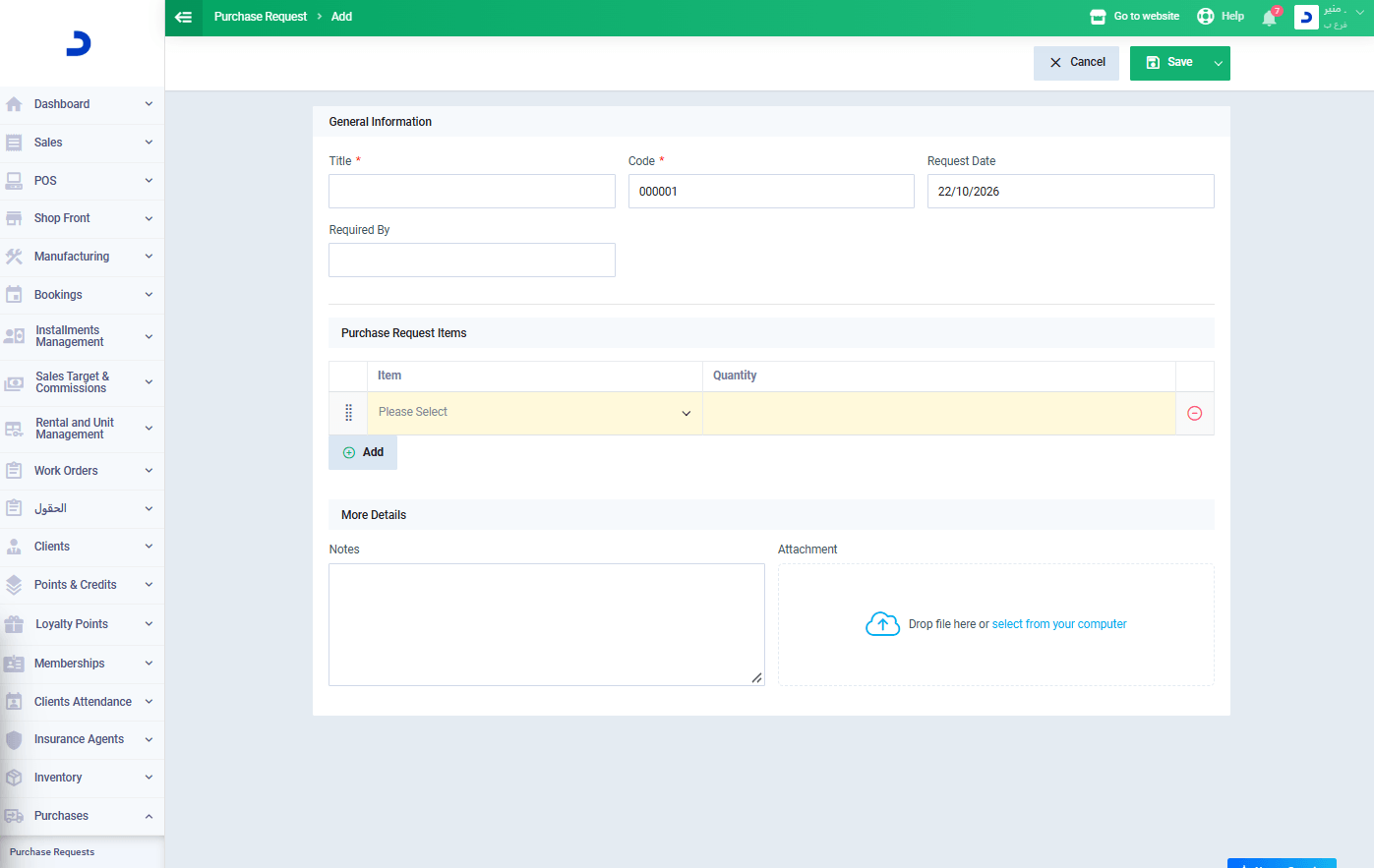
Daftra ERP Software is a comprehensive business management system with various models designed to track business activities and drive revenue growth.
It offers a 14-day trial with no credit card required and no setup fees. Daftra includes for sales, customer relationship management, inventory, accounting, human resource management (HRM), and operations, plus mobile apps that let you manage your business from anywhere.
Daftra ERP Software is tailored for 50+ industries in Saudi Arabia, offering invoicing, POS, sales commission, insurance management, check cycle, chart of accounts, stock tracking, barcode scanning, purchasing, integrated business apps, and more.
Pros
- In my experience, Daftra simplifies accounting entry and transaction recording, tracks expenses and accounts from a single platform, and reduces the need for manual data entry.
- Based on my experience with Daftra, it fully complies with ZATCA requirements, which simplifies the invoicing process. It provides an interface that integrates with the Saudi e-invoicing system, supports various tax types, and automatically calculates taxes and costs.
- The system allows you to create invoices and manage collections, discounts, and special offers.
- Daftra Sales Management Software links sales operations with inventory management by automatically updating warehouse stock with every sale. It also provides comprehensive reports for monitoring sales and collections.
- I have noted that it is possible to create a dedicated profile for each client, containing their personal information and any relevant notes, through its CRM Software.
- Daftra enables the issuance of electronic invoices with a QR code and fully supports Saudi Arabia's electronic invoicing requirements.
- Through my use of the platform, I have found that Daftra provides system updates at no additional cost.
- Daftra offers a wide range of functions that can be tailored to the specific requirements of any business.
- Furthermore, Daftra supports invoicing in multiple currencies and integrates with e-commerce platforms, enabling seamless synchronization of order, sales, and inventory data.
You can also discover how Daftra’s POS system can help you organize sales operations and track financial transactions with ease, all through a single platform.
Cons
- Based on my experience with Daftra, it may take time to get familiar, especially for new users.
- I also noticed that certain features may depend on the subscription plan you choose.
Daftra ERP Software Pricing Plan
| Plan | Monthly Cost | Yearly Cost |
| Basic | 95 SAR | 1140 SAR |
| Advanced | 155 SAR | 1860 SAR |
| Comprehensive | 225 SAR | 2700 SAR |
Read also: Best Sole Trader Accounting Software
2- Odoo ERP Software
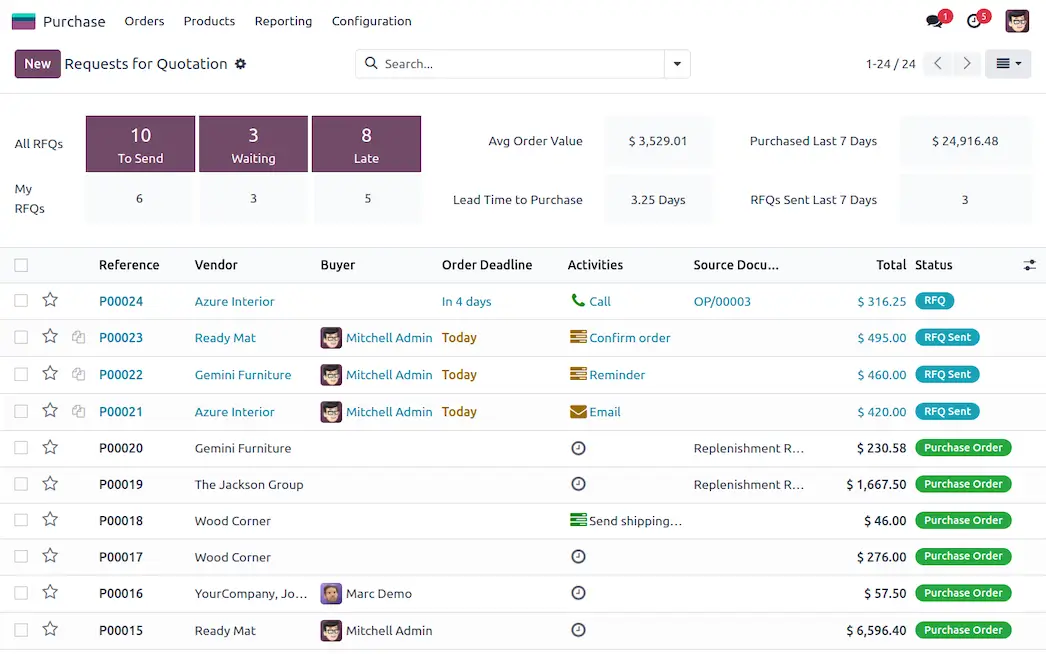
Odoo is an ERP software suite that includes finance, sales, human resources, marketing, website, service, supply chain, and productivity apps. Covering up six industries: services, retail, construction, health & fitness, hospitality, and supply chain.
Odoo ERP offers tutorials, documentation, and training to help users use its apps effectively. It offers high customizability and suits small and medium-sized enterprises.
Pros
- In my experience, Odoo lets you customize certain functions, so it can adapt to your organization's specific needs.
- I also found that it offers an organized interface, making it easy to navigate between different sections.
- Additionally, I noted several subscription options that vary in cost and the number of features included.
Cons
- From my use of Odoo, I observed that the system's speed can sometimes be affected when additional modules or customizations are added.
- I also noticed that integrating certain external applications may require specific technical configurations or custom add-ons.
Odoo ERP Pricing Plan
| Plan | Monthly Cost | Yearly Cost |
| Standard | $0 | $0 |
| Professional | $9 | 7.25$ per month |
| Custom | $16.90 | 13.40$ per month |
3- Oracle ERP Cloud
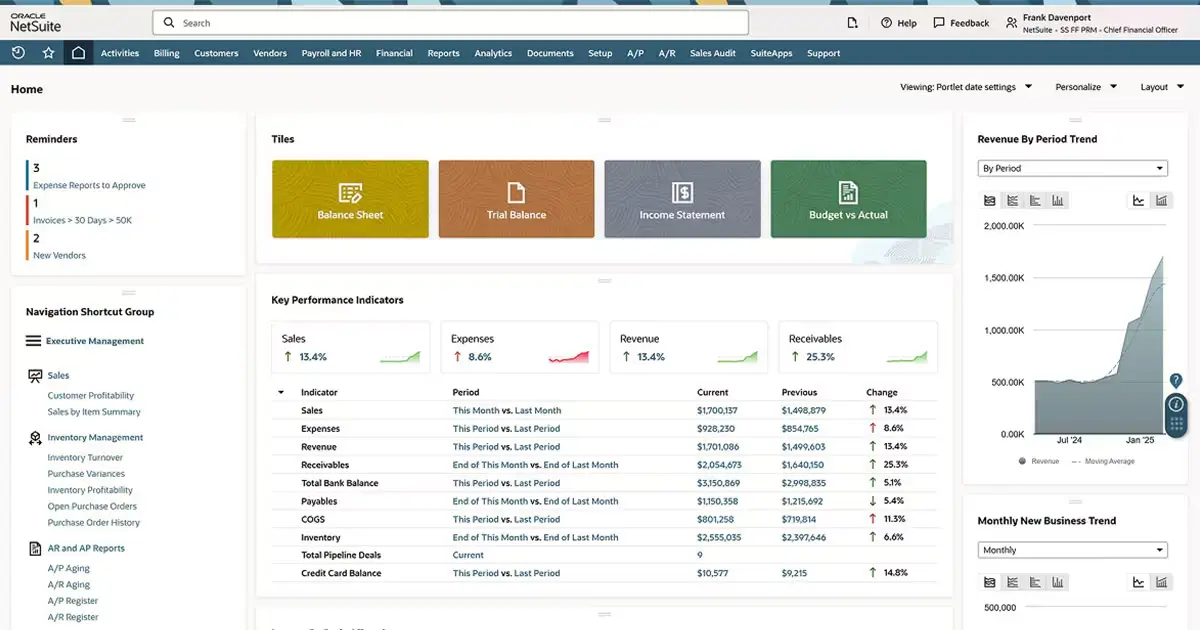
Oracle Fusion Cloud ERP is a modern cloud ERP suite that provides advanced capabilities, automates manual processes, and uses AI-powered agents that overlap with finance processes, boosting efficiency and cutting costs.
Oracle's ERP includes Financial Management, Procurement, Project Management, Risk Management and Compliance, Enterprise Performance Management, and ERP Analytics, serving more than 10 industries in Saudi Arabia.
Oracle ERP Cloud uses AI and ML (Machine Learning) to strengthen financial controls and uses the Integration Orchestration (IO) agent to automate onboarding for complex third-party integrations.
Pros
- Based on my experience with the software, I found it well-suited for growing organizations, as it is designed specifically for that purpose.
- I also noted that it offers a variety of solutions tailored to each organization's specific needs and operational scale.
- One feature that particularly stood out to me is its integration of artificial intelligence, which automates data analysis.
- Additionally, the system allows for cloud-based access to data from any location.
Cons
- On the other hand, a notable drawback is the high cost, which could burden smaller organizations financially.
- I also found the system to be quite complex, likely requiring staff training before they can use it effectively.
- Furthermore, certain specialized requirements may require additional solutions or custom configurations; therefore, it is advisable to confirm these can be implemented before committing to a subscription.
Oracle Enterprise Resource Planning (ERP) Pricing Plan
| Plan Type | Monthly Price |
| Fusion ERP Cloud | 625$ |
| ERP Self Service | 20$ per month |
| Procurement Self Service | 8$ per month |
| Accounting Hub | 10$ per month |
| Risk Assurance / Cybersecurity Assurance | 25$ per month |
4- Microsoft Dynamics 365:
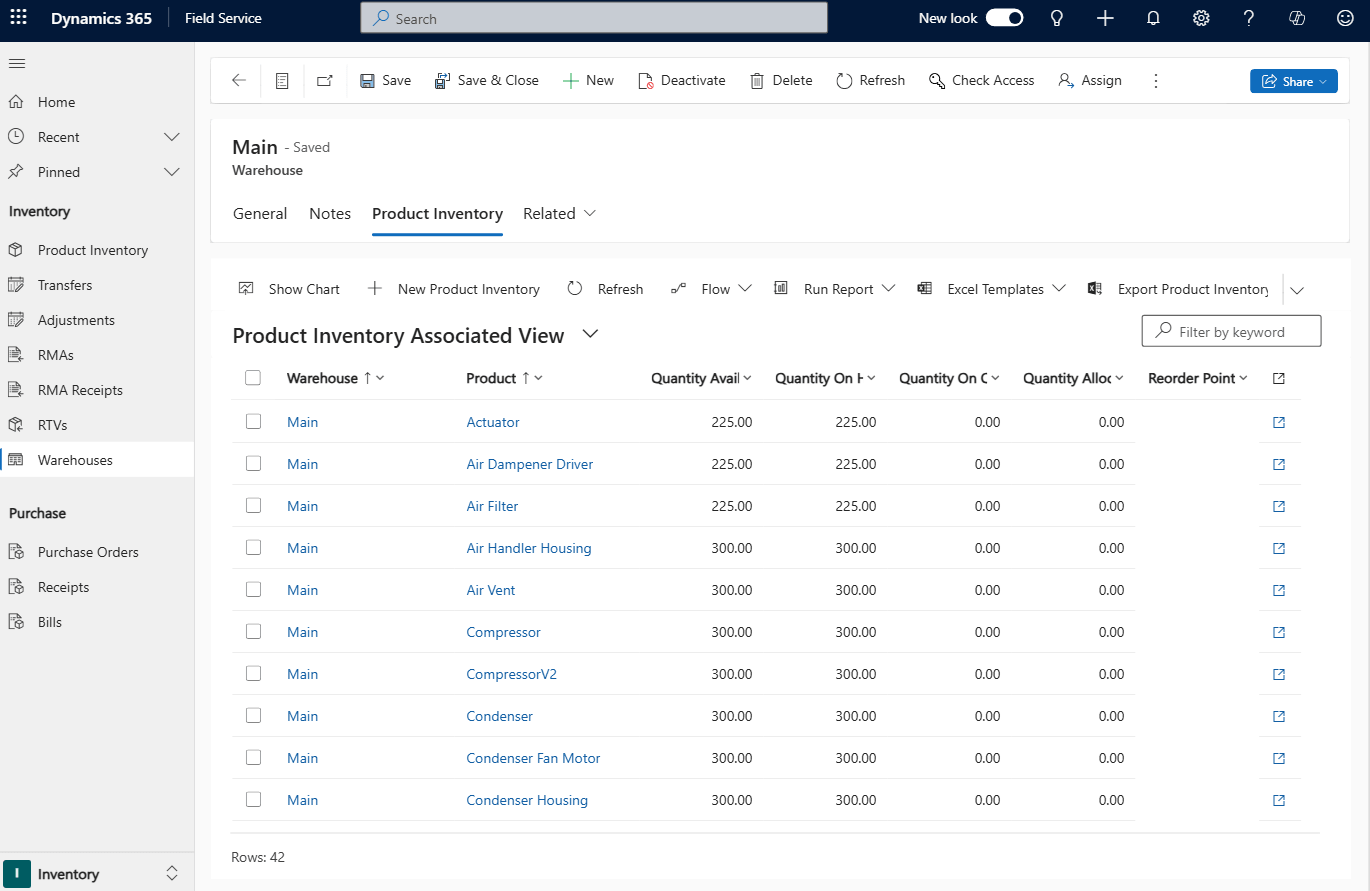
Microsoft Dynamics 365 is a cloud-based solution that combines ERP and CRM capabilities, manages AI-powered business processes, and features an advanced interface.
Microsoft Dynamics 365 provides data analysis, business intelligence, AI, expense management, procurement and sourcing, and machine learning capabilities.
It enables businesses to allocate resources to jobs and tasks within the Dynamics 365 Field Service, Dynamics 365 Customer Service, and Dynamics 365 Project Operations modules.
Pros
- I have observed that the software offers a suite of applications across various functional areas, designed to connect different business processes.
- I also noted that it offers a range of solutions that can be selected based on the company's size and specific needs.
- It also integrates with tools such as Excel, Outlook, and Microsoft Teams, facilitating data management and collaboration across teams.
- The software also lets you customize workflows and reports to align with an organization’s specific procedures.
Cons
- On the other hand, I found the software relatively expensive compared to alternatives.
- Additionally, it requires significant setup time before you can use it.
- Microsoft Dynamics also necessitates training for team members, given the large number of applications and tools it includes.
- Based on my experience, the system's performance relies heavily on configuration, infrastructure, and data management practices.
Microsoft Dynamics 365 Planning (ERP) Pricing Plan
The program's official website lists no prices, as each section requires a separate subscription.
5- Focus Softnet ERP Software
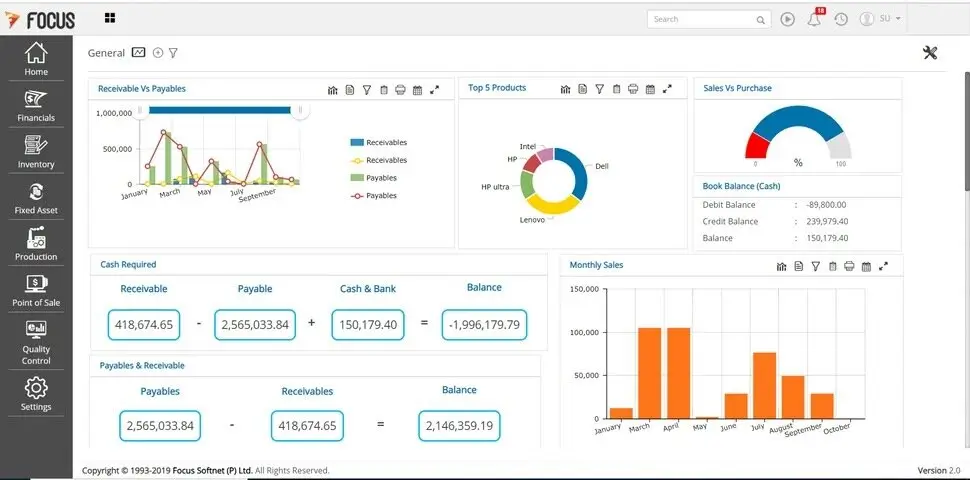
Focus Softnet ERP features analytics, customizable dashboards, and real-time inventory tracking. The financial module also automates accounting, budgeting, and reporting.
The software includes business intelligence, contract management, CRM, POS, equipment, servicing, finance & accounting, manufacturing, project catering, warehouse, trading & distribution, inventory management, fixed assets management, quality control, and supply chain.
All orders from one platform with the Focus Softnet manufacturing module create BOMs, sales, and purchases.
Pros
- Based on my experience with Focus Softnet ERP software, it provides performance reports and the flexibility to customize them to specific business needs.
- I have also noted its ability to integrate core operations—such as accounting, sales, and inventory—which facilitates seamless data exchange between departments.
- The system also offers a comprehensive suite of applications, eliminating the need to purchase separate software for individual functions.
Cons
- However, some updates may require staff training, which can temporarily impact the workflow.
- Additionally, handling large volumes of data requires optimizing system settings and infrastructure.
Focus Softnet ERP Software Pricing Plan
To obtain pricing for the system, please contact the technical support team.
6- HAL ERP Software
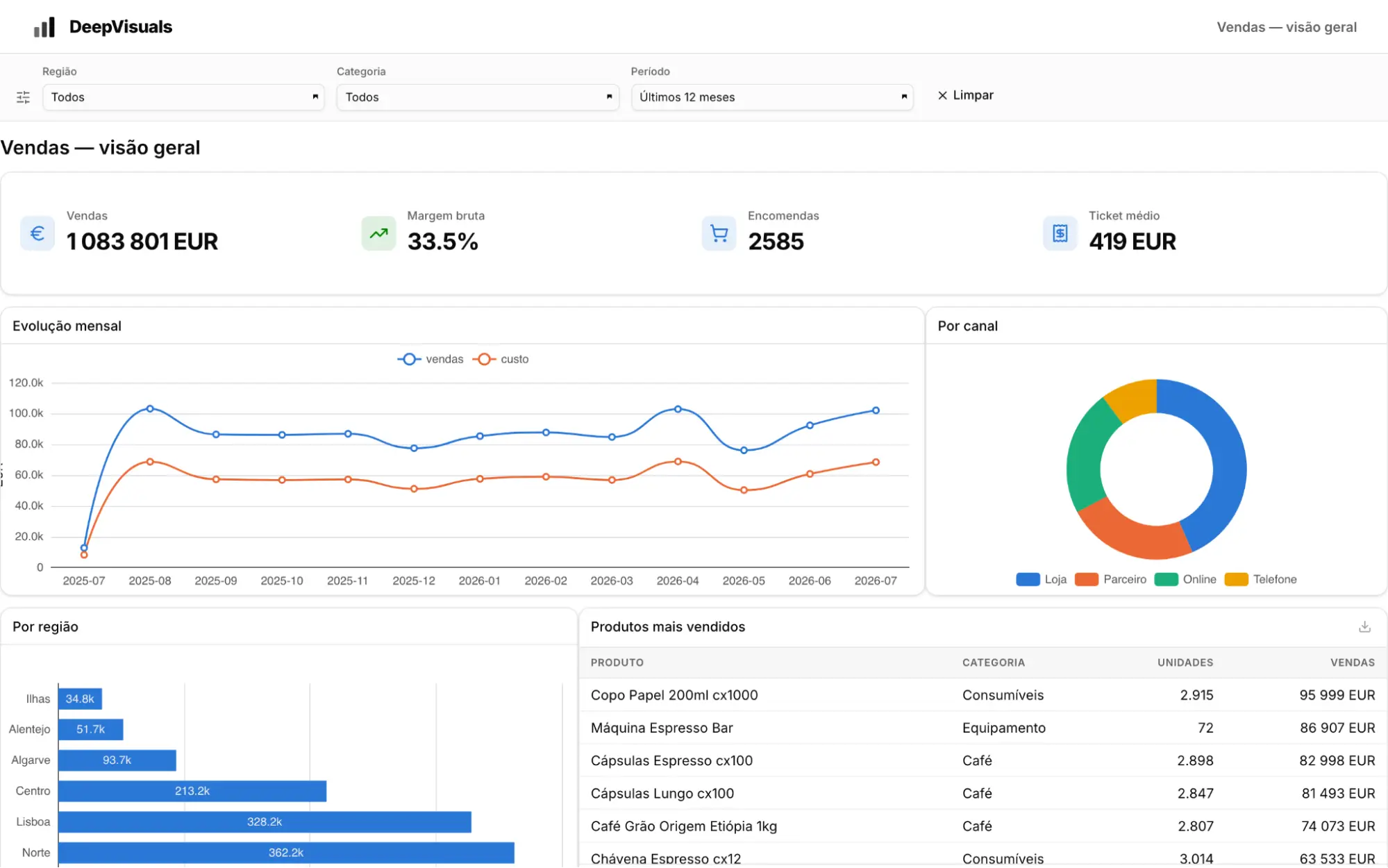
HAL ERP has local expertise in ERP implementation in Saudi Arabia; it syncs data workflows, automates repetitive tasks, creates advanced reports, and aligns operations with business goals.
Run your business effortlessly and efficiently with HAL ERP Software, trusted by over 200 companies. It leverages AI to understand user intent and features customizable apps.
HAL's AI-powered apps include Accounting and Finance, Sales, HR & Payroll, Procurement & Manufacturing, and Smart Supply. These apps support management and operations in real time, reducing manual processes.
Pros
- From my use of the software, I have found the interface intuitive and easy to navigate across its various functions.
- I also noted that the system provides up-to-date data, which helps monitor operations and, consequently, make more accurate decisions.
- Furthermore, the system offers training materials designed to help users understand its functions.
Cons
- Based on my experience, the software may not suit large organizations; therefore, it is advisable to verify this before subscribing.
- I also noticed that the software's speed can vary depending on the tasks being performed, so it is worth testing performance before committing to a subscription.
- Additionally, I found that some updates may require reconfiguring certain settings or providing further staff training.
HAL ERP Software Pricing Plan
| Plan Type | Monthly Price (Approx.) |
| Gold plan | 1999 SAR Per User / Year |
| Platinum plan | 4999 SAR Per User / Year |
| On-Demand | Customizable for mid-to-large businesses |
7- SAP ERP Software
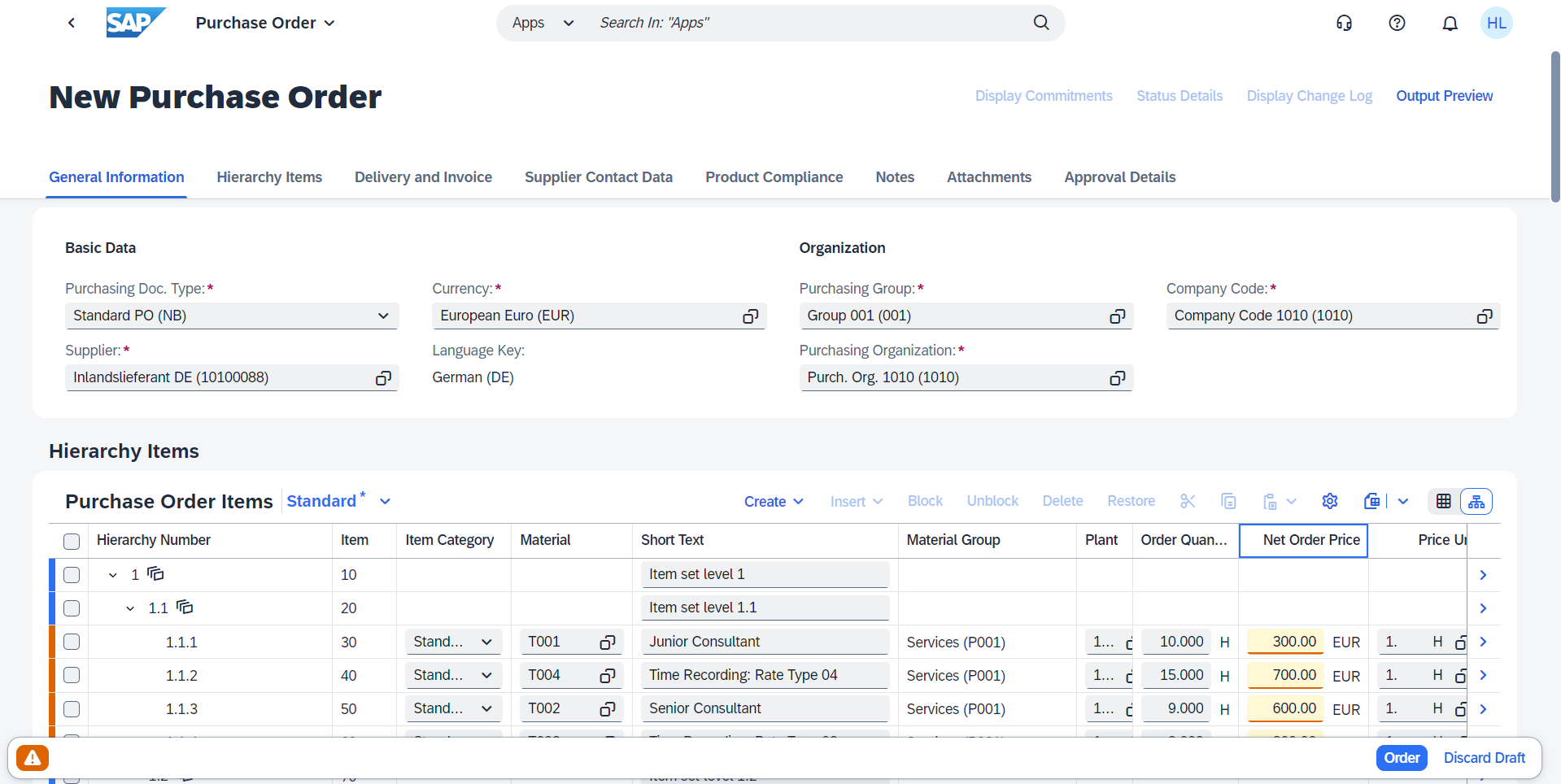
SAP software includes accounting and finance, supply chain management, sales, sourcing and procurement, human resources, and customer relationship management (CRM) applications.
The system streamlines processes and improves productivity by providing real-time insights through tools that manage accounts payable and receivable and support tax compliance. It also automates sales processes that drive revenue growth and other features.
Pros
- From my experience using the SAP ERP system, I have observed that it integrates artificial intelligence features to automate certain tasks, thereby reducing the need for manual data entry.
- I also noted that the software can be customized to an organization's specific requirements.
- Furthermore, the system provides controls that help ensure data protection.
Cons
- On the other hand, I found the system relatively expensive compared to other software solutions.
- Additionally, an intermediary (middleware) solution is required to ensure that invoices comply with ZATCA (Zakat, Tax and Customs Authority) requirements.
- I have also observed that technical support can be slow, which may hinder workflows when technical issues arise.
- Finally, the system is quite complex, so employees need technical training before they can use it.
SAP ERP Software Pricing Plan
| Plan Type | Monthly Price |
| SAP Supply Chain Premium | USD403 |
| SAP Supply Chain Base | USD295 |
If you would like to subscribe to the program, you must contact technical support to obtain information on package pricing.
8- Logix ERP
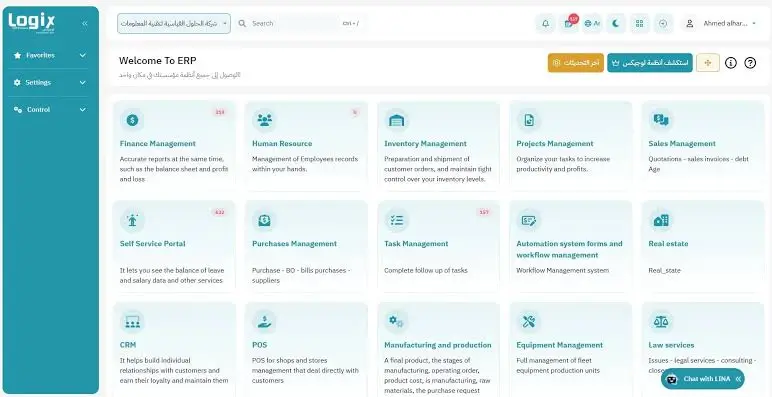
Logix ERP software supports SSO and public, private, and hybrid cloud platforms. It also supports smartphones, so you can manage your business anywhere.
The Logix system also offers advanced security, protection, and backup capabilities. Plus, there are no setup costs; you only need a browser.
Logix ERP Software is a strong choice for Saudi Arabian businesses because it complies with ZATCA (Zakat, Tax, and Customs Authority) requirements.
Pros
- In my experience using the Logix ERP system, it supports the requirements for the second phase of e-invoicing.
- The system also provides continuous technical support through various channels.
- Furthermore, I found the software flexible and fast, capable of supporting many users and suitable for a wide range of business activities.
Cons
- I found that staff need training to become familiar with its functions.
- I also found it relatively expensive, particularly for small businesses.
Logix ERP Pricing Plan
| Plan Type | Monthly Price |
| Business Start | 2,870 SAR |
| Business Growth | 6,710 SAR |
| Business Custom | Custom Pricing |
9- Orionedge ERP Software
OrionEdge is an ERP solutions and consulting provider, offering global SAP systems and developing its own HexaERP system designed to meet the needs of the local market in KSA.
Hexa ERP includes E-Invoicing as per ZATCA, human resources and payroll modules, procurement, customer relationship management, and other modules.
Hexa ERP Modules aim to manage financials, budgets, and spending efficiently, provide comprehensive employee data, and handle main accounts.
Pros
- In my experience with Orionedge ERP software, I found it offers a user-friendly interface that helps streamline workflows.
- I also noted that it offers various customization options to suit an organization's specific requirements.
- Furthermore, it offers robust technical support, ensuring issues are resolved more quickly.
Cons
- I observed that the system has limited integration capabilities with certain other applications.
- I also noticed that the system slows down when handling large volumes of data.
- Additionally, I found that the system requires significant setup time before it can be put into use.
Orionedge ERP Software Pricing Plan
There are no prices listed on the program's official website, so you must contact the support team to obtain them.
Importance of ERP Software for Saudi Companies
The importance of ERP systems for Saudi companies lies in the following points:
- Improving the management of daily operations: by linking operational and administrative processes through a single platform and thus facilitating coordination between departments
- Facilitating compliance with electronic invoicing requirements: ERP systems help issue and manage invoices and link them to accounting processes.
- Increasing the efficiency of financial management: by providing interconnected financial data to help record accounts and expenses.
- Improving inventory and purchasing management: by monitoring product quantities, inventory movements, purchases, and sales, and reducing errors from recording movements and conflicting warehouse data.
- Organizing employee and payroll management: by organizing employee data and tracking salaries, vacations, attendance, and departures, reducing repetitive administrative work.
- Reducing operational costs and errors: by automating repetitive tasks, defining powers to improve oversight, and reducing the possibility of operational and accounting errors.
- Supporting growth: ERP systems can add new users, branches, warehouses, and administrative units to match your business needs.
The following practical example illustrates the importance of ERP systems.
Based on our experience at Daftra, we once worked with a Saudi company that relied on traditional management methods. This approach made preparing monthly reports difficult and inefficient; the sales team recorded invoices and collections in separate files, while the procurement, expense, and accounts payable teams tracked their data in independent spreadsheets. As a result, the accountant had to manually review these files and reconcile the data to get an accurate picture of the company’s financial performance.
By consolidating these operations into an ERP system, the company could seamlessly link sales and procurement activities to its accounting records. This eliminated redundant data entry, significantly accelerated report preparation, and streamlined financial transaction reviews.
What to Look For in an ERP Software?
To select an appropriate ERP system for your organization, you should evaluate the following criteria:
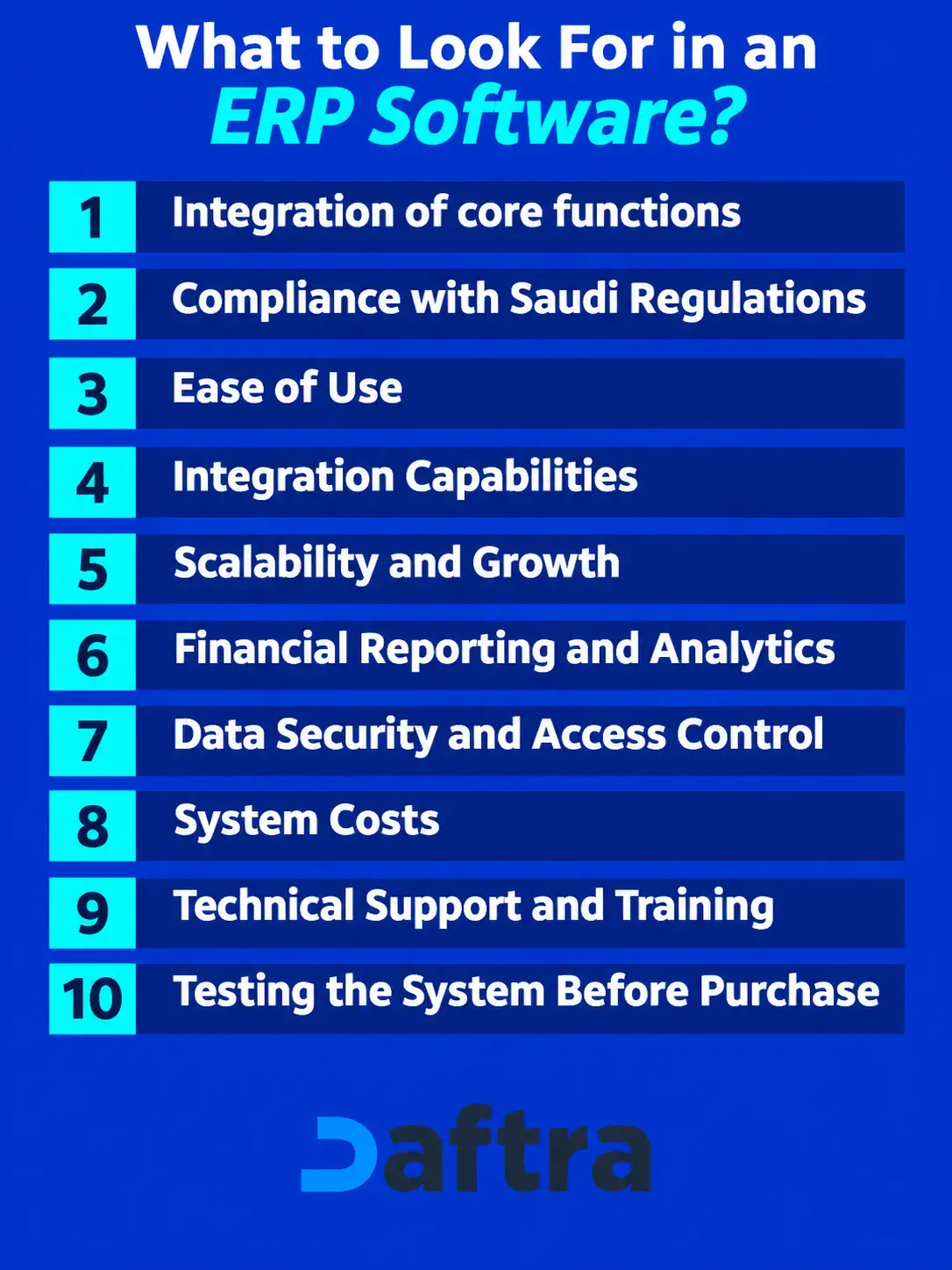
Integration of core functions
You must assess the system's ability to connect essential functions such as accounting, sales, purchasing, inventory, and human resources within a single platform. This integration aims to unify data and minimize redundant data entry.
Compliance with Saudi Regulations
Ensure the system complies with regulatory requirements in the Kingdom of Saudi Arabia, including Value Added Tax (VAT) and e-invoicing mandates, and fully supports Arabic.
Ease of Use
Choose a system with an intuitive, clear Arabic interface that lets your staff complete tasks simply, without unnecessary complexity. Test the system before purchase to make an informed decision.
Integration Capabilities
If your organization utilizes an online store, payment systems, or other operational tools, verify that they can be integrated with the ERP system. It is essential to understand the nature of this integration, whether it is direct or requires middleware applications or additional configurations.
Scalability and Growth
Confirm that the system can accommodate an increasing number of users and transactions, and allows for the addition of new branches or warehouses as your business grows, without the need to replace the system.
Financial Reporting and Analytics
Ensure the system provides reports that assist in monitoring performance and making informed decisions, such as income statements, balance sheets, and cash flow statements.
Data Security and Access Control
Verify the measures in place to protect organizational data. Assign access permissions based on individual responsibilities to prevent unauthorized viewing or modification of information. Also ensure that data backup and recovery mechanisms are in place.
System Costs
Evaluate the total cost of implementing and operating the system. This includes subscription or licensing fees, data migration, staff training, and integration with other applications.
Technical Support and Training
Ensure that technical support and training services are available when you begin using the system.
Testing the System Before Purchase
It is important to try out and test the system before subscribing. Run through scenarios such as issuing an invoice, recording an invoice, or documenting a payment to a supplier to see whether the software fits your needs before committing to a subscription.
Comparison Table
| Comparison | Daftra ERP | Odoo | Oracle | Microsoft Dynamics 365 | Focus Softnet | HAL ERP | SAP | Logix ERP | OrionEdge |
| ZATCA Compliance | ✔️ | ✔️ | ❌ | ❌ | ❌ | ✔️ | ❌ | ✔️ | ✔️ |
| Arabic language Availability | ✔️ | ✔️ | ✔️ | ✔️ | ✔️ | ✔️ | ✔️ | ✔️ | ✔️ |
| Growth and Customization | ✔️ | ✔️ | ❌ | ✔️ | ✔️ | ✔️ | ✔️ | ✔️ | ✔️ |
| Free Trial Availability | ✔️ | ✔️ | ❌ | ❌ | ✔️ | ❌ | ❌ | ❌ | ❌ |
| Artificial Intelligence (AI) | ✔️ | ✔️ | ✔️ | ✔️ | ❌ | ✔️ | ✔️ | ❌ | ❌ |
| Safety | ✔️ | ✔️ | ✔️ | ✔️ | ✔️ | ✔️ | ✔️ | ✔️ | ✔️ |
| technical support | ✔️ | ✔️ | ✔️ | ✔️ | ✔️ | ✔️ | ✔️ | ✔️ | ✔️ |
In conclusion, several factors matter when choosing ERP software for your company. SAP, Oracle, and NetSuite ERP software are mostly used by larger enterprises. Smaller businesses may find Odoo or HAL ERP more suitable.
Specific industry needs play a crucial role in selecting software; for example, Focus Softnet ERP software is a better choice for restaurants, automotive, and real estate.
Dafta Software suits businesses of all sizes and industries because it can customize its tools and programs to meet specific needs.
Also, customization requirements vary in terms of ERP flexibility and the pricing plans and components included. Don't forget the importance of app integration, which enhances business management.







 Invoicing
 POS
 Offers
 Installments
 Sales Commission
 KSA E-Invoice Software
 EGY E-Invoice Software
 JO E-Invoice Software
 E-Invoice Software
 Chart of Accounts
 Asset Management
 Cost Centers
 Expenses
 Cheque Cycle
 UAE VAT-Tax
 Product Management
 Purchases
 Purchase Cycle
 Suppliers
 Requisitions
 Stocktaking
 Organizational Structure
 Personnel Management
 Attendance and Leave
 Contracts
 Payroll
 Requests
 Work Orders
 Booking Management
 Rental and Unit Management
 Time Tracking
 Work Flow
 Lease Contracts
 Manufacturing Management
 Client Follow-Up
 Loyalty Points
 Points and Credits
 Memberships
 Insurance Management
 Daftra ERP Full App
 Point of Sales App
 Point of Sales for Desktop – Support Offline Mode
 AI Expenses Scanner App
 Employee Attendance, Sign & ESS App
 E-invoice Reader App
 Inventory Stocktaking App