-
English
-
Try for Free
No credit card needed
No credit card needed
Daftra Inventory Management Software enables you to streamline purchase order cycle and warehouse stocktaking end-to-end using a user-intuitive and automated dashboard. Add, assign, group, and track stock quantities per warehous or employee.
Get Started for Free
Free 14-Day Trial
No Credit Card Required
No Setups
All-App Inclusive
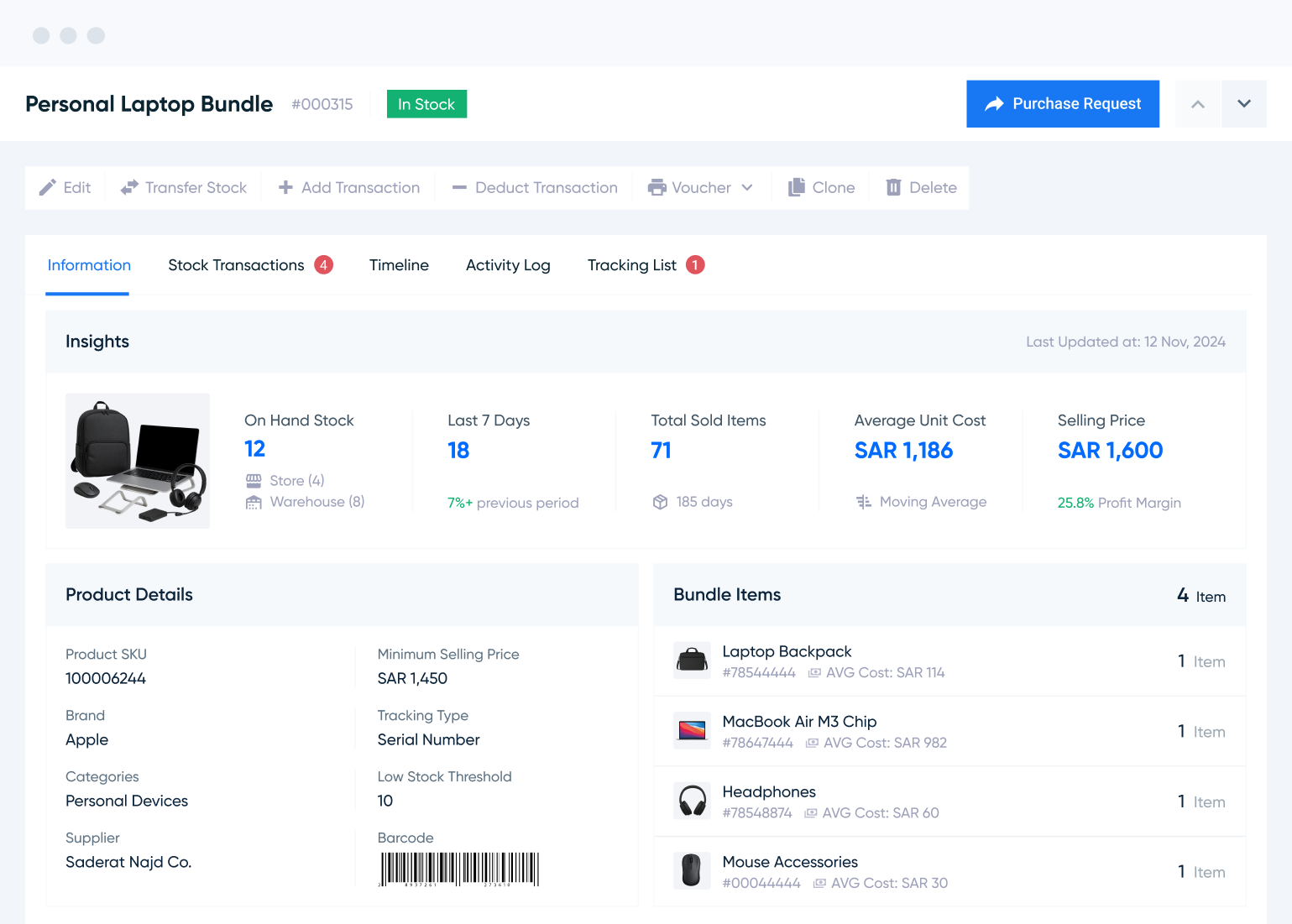
Add unlimited, distributed products across warehouses to optimize fulfillment and pricing mix.
Create a catalogue to identify products per supplier. Vet suppliers from reports to optimize sourcing.
Track stock in real time by serial, lot number, or expiry date. Get alerts to a preset low-level to replenish.
Find out your industry. Find out how Daftra fits your business for free.


Product Management

Purchase Management

Suppliers

Purchase Cycles

Requisitions

Stocktaking
Manage product flows seamlessly across warehouses. Build catalogs, bundles, and groups to accelerate bulk, recurring, or supplier-based orders. Access organized price lists with properly categorized items.
Read More Get Started for FreeAutomate counting and reconciliation of actual versus registered stock. Access clear Stocktaking Sheets with detailed balances, generate instant shortage reports, and replenish effortlessly with one click.
Read More Get Started for FreeTrack stock movements seamlessly, and choose between automated or manual requisitions. Handle inbound, outbound, and warehouse transfers with accuracy, and stay informed on stock levels and employee activities.
Read More Get Started for Free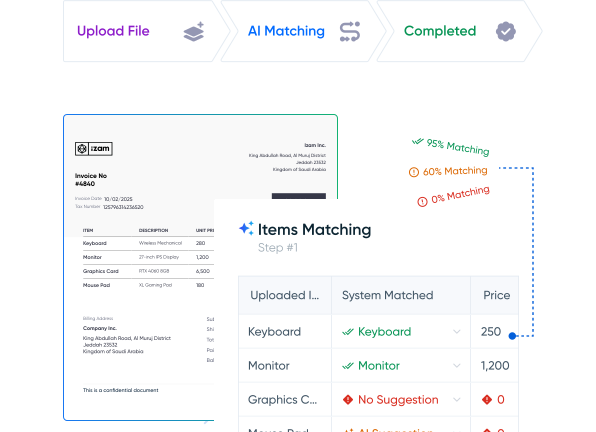

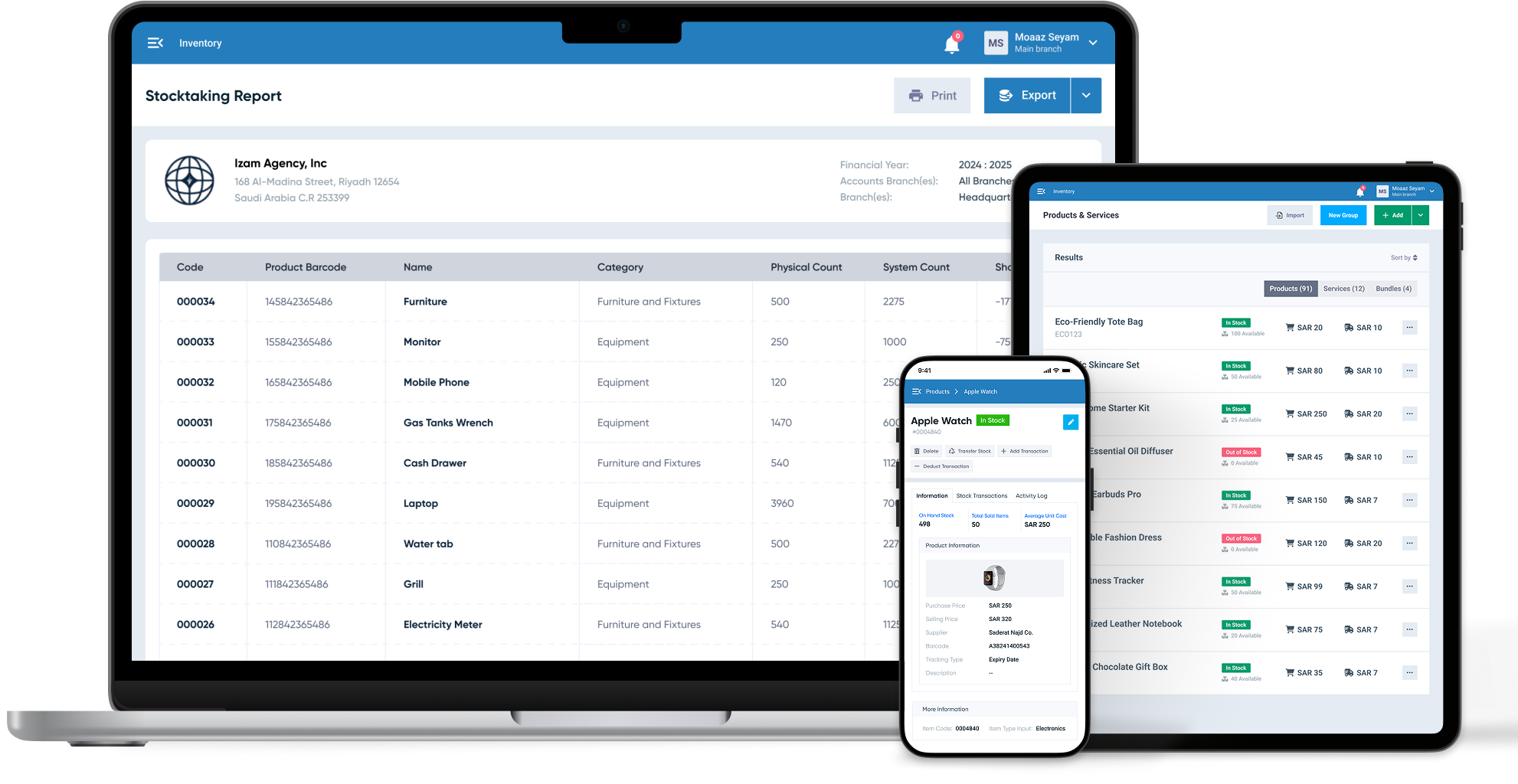
Obtain real-time information about products independently or compared to same- or different-warehouse stocks and adjust accordingly. Track product movements within and across warehouses.
Optimize warehouse operations by aligning with stock levels and demand. Assign permissions by warehouse or location. Monitor requisitions instantly and streamline product identification with barcoded packing slips.
Get Started for FreeGenerate, send, and print purchase orders in bulk or for specific suppliers. Reorder low-stock items with ease and monitor every step from source to destination using Daftra’s intuitive PO tools.
Get Started for FreeGet decision-ready insights from detailed inventory, sales, and profitability reports to go forward with your current inventory management approach or adjust accordingly.
Explore Daftra plans designed for different business needs, with flexible features that grow with you.
Free 14-Day Trial
No Credit Card
No Setups
All-App Inclusive



Daftra is rapidly and constantly growing and our support expands in response. Our forever updates, whatever your plan is, ensures your software is always covered so your business can grow with Daftra.

Daftra is GDPR-compliant, hosted on cloud-based servers, and 256-bit SSL-encrypted to ensure your data integrity, safety, and security.

Daftra support caters to every business need, 24/7, to our customer base utmost satisfaction. With or without Daftra user manuals, you are never lost looking up anything to use our system efficiently, quickly, and smoothly.

Wherever or whenever you are and from any logged-in device, get instant cloud-based access to run your business. And with Daftra’s desktop app, you can issue invoices immediately even when you’re offline.
Smartest Solution
Choose your ideal digital partner
Tailored for
Expand and scale your business with Daftra.
Yes. On Daftra, you can simply enter your employee info and grant permissions accordingly—and of course you can change permissions or employee assignment to a warehouse anytime and anywhere from any desktop or mobile device.
On Daftra, you can track stock levels ad movements in real time. That means, you can take instant actions to place purchase orders, update requisitions, follow up with suppliers, and meet demand. More, your responsible warehouse or location manager or employee gets instant notifications about stock movements to act accordingly.
Yes. The system supports an inventory voucher system, where, once enabled, saving a purchase invoice creates two entries: one for the purchase transaction, generated automatically, and another for the inventory voucher (adding goods to inventory), which only affects inventory once it's manually approved. This means the timing of receiving goods can be separated from the timing of payment. The system also lets you add a consolidated invoice for a group of inventory vouchers, meaning you can receive the goods first and issue the invoice later.
The system provides the Detailed Inventory Movement Report, which shows all incoming and outgoing transactions for each product over a specified period, along with the time, type, and warehouse associated with each transaction. It also provides the Inventory Movement Details Report for each product, which shows the inventory balance before the period, then lists each incoming or outgoing transaction with its source, warehouse, unit price, average cost, and the inventory value after each transaction.
Yes. The system supports filtering the inventory movement report by one or more warehouses, and covers movement types including internal and external inventory vouchers, transfers, stock counts, and point-of-sale transactions. It also provides the Detailed Inventory Movement Report, which shows the warehouse associated with each transaction, enabling full tracking across different branches and warehouses.
Entries are created automatically. When a purchase invoice is saved, an accounting entry is automatically generated reflecting the inventory movement resulting from the stock addition, as well as documenting the purchase transaction and VAT. The system also lets you set an account and cost center for each product on invoices and inventory vouchers, with the option to route the cost of goods sold account separately for each product.
Yes. The system generally lets you allocate expenses into a product's final cost. The system calculates inventory cost using the weighted average method:
Average Cost = (Current Total Value + New Added Value) ÷ (Current Total Quantity + New Added Quantity)
Yes. The system tracks every inventory movement precisely and identifies the source of each change in a product's balance, whether it's a sales invoice, a bundled product, a stock count, or a manual adjustment. When inventory vouchers are enabled, an inventory voucher is created after a sales order is issued and must be approved before inventory is updated, allowing full control over every outgoing transaction.

Have a feedback, suggestion or need assistance with your Daftra account? We’ll get you the help you need 24/7 for free.
Contact Support

Discover in-depth articles and step-by-step tutorials in Arabic and English that show you how to use Daftra and manage your business efficiently.
Go to Our Help Center

Our team is happy to answer your sales inquiries, including exploring use cases for your team, billing, and discussing pricing options.
Contact Sales
Call 0248837601
Call 966115030301
Call 966115030301
Call 97144986470
Call 97444463650
Call 96522207852
Call 97316609626
Call 96822711526
Call 96262229341
Approved By




Daftra
Earn With Daftra
Account
Modules

Industries
Support
Mobile Apps


Fully compliant with Phase Two of e-Invoicing
Mobile Apps

 Invoicing
 POS
POS Offers
 Installments
 Sales Commission
 KSA E-Invoice Software
 EGY E-Invoice Software
 JO E-Invoice Software
 E-Invoice Software
 Chart of Accounts
 Asset Management
 Cost Centers
 Expenses
 Cheque Cycle
 UAE VAT-Tax
 Product Management
 Purchases
 Purchase Cycle
 Suppliers
 Requisitions
 Stocktaking
 Organizational Structure
 Personnel Management
 Attendance and Leave
 Contracts
 Payroll
 Requests
 Work Orders
 Booking Management
 Rental and Unit Management
 Time Tracking
 Work Flow
 Lease Contracts
 Manufacturing Management
  Client Follow-Up
 Loyalty Points
 Points and Credits
 Memberships
 Insurance Management
 Daftra Bussiness App
 POS App
 POS desktop application
 Expense Scanner App
 ESS Application
 E-invoice Reader App
 Stocktaking App