
Asad Al-Asema success story with Daftra
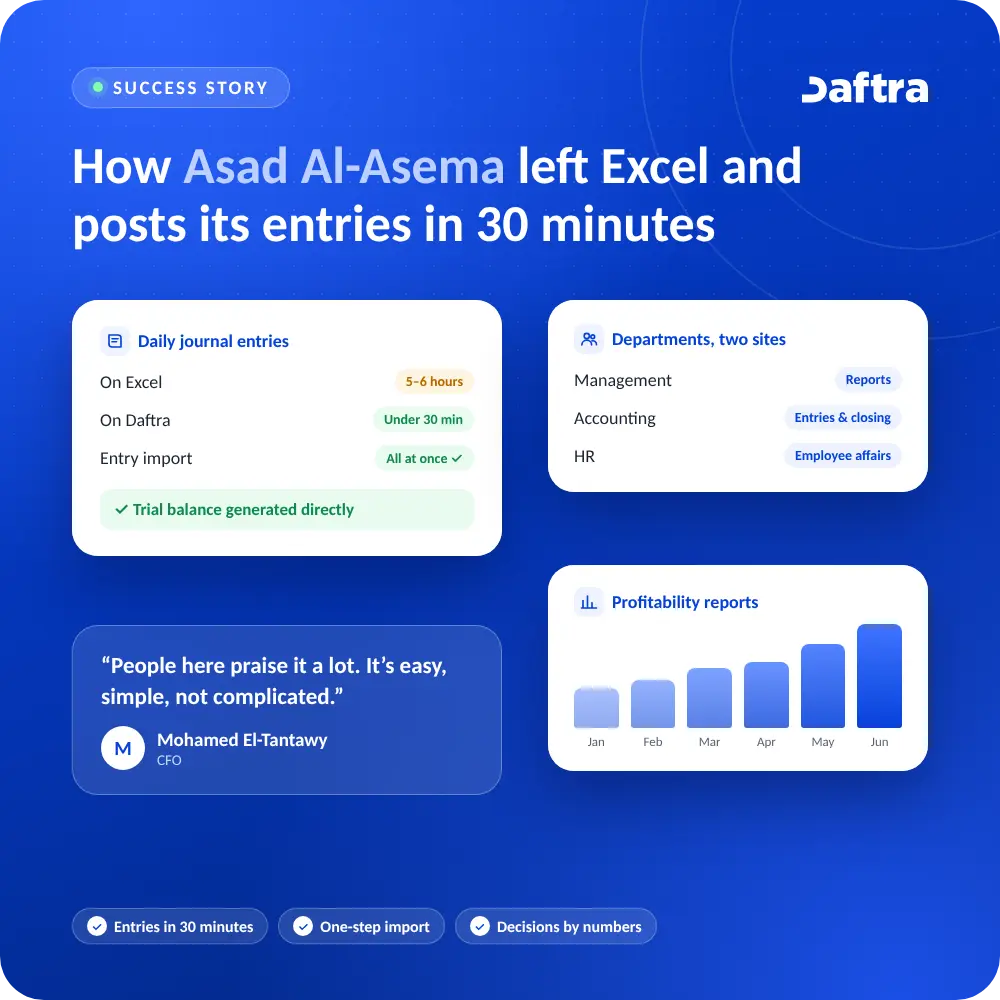
Asad Al-Asema, a Saudi textile and car mat manufacturer, moved from Excel to Daftra. Daily journal entries dropped from five or six hours to under half an hour, and the CFO now knows exactly whether the company is selling at a profit or a loss.
At a glance
| Client | Asad Al-Asema — Saudi Arabia |
| Industry | Textiles and car mats manufacturing |
| Speaker | Mohamed El-Tantawy, CFO |
| Users | Management, accounting and HR across two sites: head office and factory (about 60 employees) |
| Key features used | Journal entries and imports, trial balance, profitability reports, HR |
Key results
✓Daily journal entries in under half an hour instead of 5–6 hours.
✓Management reports ready in 30 minutes at most, not by the end of the day.
✓Trial balance and financial reports generated directly.
✓All journal entries imported at once when moving from Excel.
About Asad Al-Asema
Asad Al-Asema is a Saudi manufacturer of textiles and car mats, with about 60 employees and two sites: its head office and its factory. It used to run its accounts, inventory and invoices in Excel files.
The story is told by Mohamed El-Tantawy, the company’s CFO.
The challenge: a full workday lost to data entry
01
5–6 hours a day
Entering daily journal entries alone took up most of the CFO’s day.
02
Late reports
When the general manager asked for a report, the answer was: ready by the end of the day.
03
Decisions without numbers
Sales and pricing decisions were made without a clear view of profitability.
“When I worked on Excel I couldn’t make the right decision, because I didn’t know exactly whether I was selling at a profit or a loss.”
— Mohamed El-Tantawy, CFO
The solution: comparing before deciding
The company didn’t pick the first name it found. Its team compared several ERP systems on the Saudi market before settling on Daftra.
“We compared several companies and found Daftra to be the best ERP on the market right now for us.”
— Mohamed El-Tantawy
Three criteria settled the choice
“Daftra saved us a lot of time and effort, and money too because it isn’t expensive, and we got our work under control.”
— Mohamed El-Tantawy
Importing entries all at once
Moving the data out of Excel was not an obstacle.
“Daftra has a very good feature that lets you import all your entries at once, so we brought them in without it taking long.”
— Mohamed El-Tantawy
Three departments, two sites
The company uses Daftra at its head office and its factory.
| Department | Use |
|---|---|
| Management | Follow-up and reports |
| Accounting | Entries and closing |
| HR | Employee affairs |
The results in numbers
| Area | Before Daftra | With Daftra |
|---|---|---|
| Daily journal entries | 5–6 hours | Under half an hour |
| Management report | By end of day | 30 minutes at most |
| Trial balance and financial reports | Built by hand | Generated directly |
“On Daftra I can now print a report that shows whether I’m selling at a loss or a profit. I can do all of this in a short time.”
— Mohamed El-Tantawy
The team’s experience
01
Easy for everyday users
The team calls Daftra easy, simple, and uncomplicated, with financial reports easier than before.
02
Recommended beyond the company
The CFO has suggested Daftra to several friends.
“People here praise it a lot. It’s easy, simple, not complicated, and we get financial reports more simply than before.”
— Mohamed El-Tantawy
The bottom line
With 60 employees and two sites, Asad Al-Asema moved from Excel to a full cloud ERP without stopping work. More importantly, its decisions now rest on numbers that arrive on time.
“
“I recommend Daftra to medium and large companies.”
— Mohamed El-Tantawy, CFO
Running a factory or manufacturing business? Start your success story with Daftra.
FAQs
How long does moving from Excel to Daftra take?
Daftra imports entries and data from Excel files in one go, which shortens the move considerably compared with manual entry.
Is Daftra suitable for manufacturers and factories?
Yes. It covers accounting, inventory, invoicing, and HR across several sites, such as at Asad Al-Asema’s head office and factory.
What’s the difference between Excel and a cloud ERP?
In Excel, every entry and report is done manually. In an ERP, a transaction is recorded once and flows automatically into the accounts, inventory, and reports.







 Invoicing
 POS
 Offers
 Installments
 Sales Commission
 KSA E-Invoice Software
 EGY E-Invoice Software
 JO E-Invoice Software
 E-Invoice Software
 Chart of Accounts
 Asset Management
 Cost Centers
 Expenses
 Cheque Cycle
 UAE VAT-Tax
 Product Management
 Purchases
 Purchase Cycle
 Suppliers
 Requisitions
 Stocktaking
 Organizational Structure
 Personnel Management
 Attendance and Leave
 Contracts
 Payroll
 Requests
 Work Orders
 Booking Management
 Rental and Unit Management
 Time Tracking
 Work Flow
 Lease Contracts
 Manufacturing Management
 Client Follow-Up
 Loyalty Points
 Points and Credits
 Memberships
 Insurance Management
 Daftra ERP Full App
 Point of Sales App
 Point of Sales for Desktop – Support Offline Mode
 AI Expenses Scanner App
 Employee Attendance, Sign & ESS App
 E-invoice Reader App
 Inventory Stocktaking App