



Table of contents:
- Key Summary
- What are the UAE electronic invoice mandatory field requirements?
- Why do the mandatory fields matter in UAE e-Invoicing?
- What is the difference between mandatory fields in a tax invoice and a commercial electronic invoice?
- How are the mandatory fields grouped in a UAE electronic invoice?
- Which UAE-specific identifiers and flags matter most?
- How do mandatory fields connect with PINT AE, XML, and validation?
- Common mistakes businesses make with UAE electronic invoice fields
- How should businesses prepare for the UAE mandatory field requirements?
- Frequently asked questions about UAE electronic invoice mandatory fields
- Conclusion
Most businesses understand that E-Invoicing in UAE is coming, yet they fail to grasp one of the most crucial parts of the e-invoicing requirements. The Ministry of Finance, along with the Federal Tax Authority, has set guidelines in the e-invoicing official documentation.
As per a governmental decision, electronic invoicing is mandatory for any person conducting business in the UAE, regardless of their VAT status, unless specifically excluded. The compliance requirements pertain to the issuance, transmission, and reporting of electronic invoices. To comply, you need to ensure that you present all mandatory requirements in your transactions.
One of the key e-invoice requirements is the set of mandatory fields; if they are incorrectly structured, the e-invoice would be considered invalid. This article is your guide to everything you need to know about the mandatory fields in e-invoices.
What are the UAE electronic invoice mandatory field requirements?
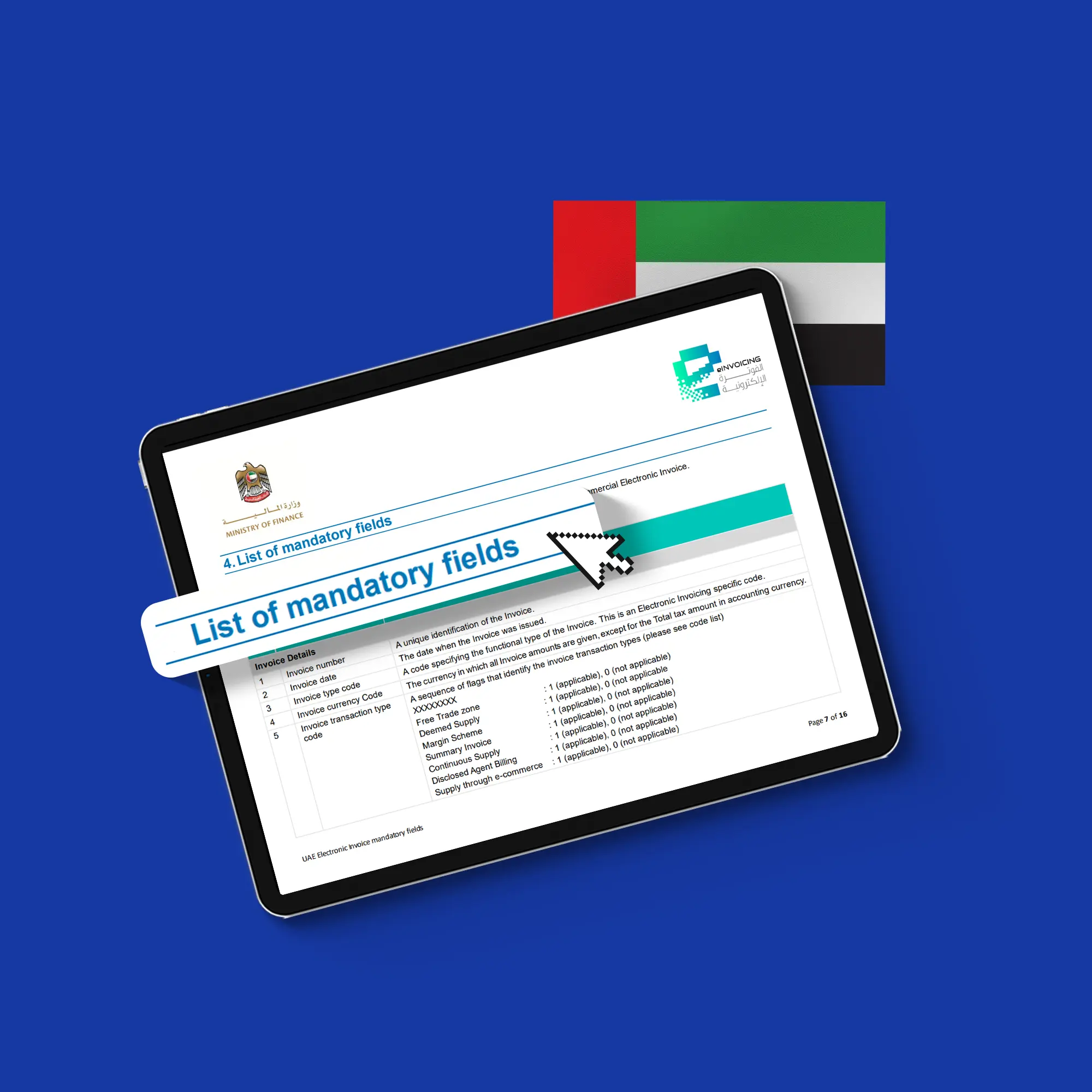
The Ministry of Finance has issued official guidelines and documentation that define the mandatory fields, how to capture them, and best practices for compliance. The documentation defines the mandatory fields as the minimum required data that must be captured in the e-invoice for validation.
If the invoice issuer failed to meet the mandatory field requirements, the system would not process or validate the invoice. Some of the fields concern the supplier, some the buyer, and, most importantly, the VAT slots. The mandatory fields apply to both tax and commercial invoices, though their nature differs. The tax invoice mandates much more VAT information and details than the commercial invoice.
The PINT AE format is the official data dictionary defining the mandatory fields in the UAE e-invoicing system. Under the PINT AE specifications, data elements are categorized by transaction type and scenario as mandatory, conditional, or optional.
Here is each field group and its detailed breakdown:
Field group | Field name |
| Invoice details | Number, date, type code, currency code, transaction type code, payment due date, business process type, specification identifier, payment means type code |
| Seller details | Name, electronic address, electronic identifier, legal registration identifier, LRI type, tax identifier, tax scheme code, address line 1, city, country subdivision, country code |
| Buyer details | Name, electronic address, electronic identifier, tax identifier, tax scheme code, address line 1, city, country subdivision, country code |
| Document totals | Sum of invoice line net amount, total amount without tax, total tax amount, total amount with tax, amount due for payment |
| Tax breakdown | Tax category taxable amount, tax category tax amount, tax category code, tax category rate |
| Invoice line | Identifier, invoiced quantity, unit of measure code, net amount, item net price, item gross price, item price base quantity, tax category code, tax rate, VAT line amount in AED, invoice line amount in AED, item name, item description |
Why do the mandatory fields matter in UAE e-Invoicing?
Considering that the mandatory fields are an essential step in issuing the e-invoice, understanding their nature, grouping, and importance is vital to compliance.
Mandatory fields are structured datasets.
Businesses sometimes mistakenly treat mandatory fields as an e-invoicing compliance checklist that you just have to fill out. The reality is that mandatory fields are structured datasets designed to be machine-readable, not just for humans. Which helps the entire system in:
- Systems can process the invoice
- Tax authorities can validate the transaction
- Businesses can integrate the invoicing system into their accounting and reporting database
That is why, when mandatory fields are missing, the system can’t process the invoice; it becomes a broken document that doesn't function properly.
Missing fields break validation, exchange, and reporting
Mandatory fields directly affect validation; if an essential field is missing, that can lead to:
- The invoice will be rejected
- The system won’t process the invoice
- It won’t get reported to the tax authorities
This is not unique to missing fields; if the calculations are inconsistent with the total, the invoice won’t be processed altogether.
The extent beyond the tax team
Mandatory fields affect the whole business, from accounting to IT, not just the tax team, as :
- The finance team depends on the calculations and tax breakdown from the invoices
- The operations team relies on the correct customer and transaction data from the invoice
- The IT team is responsible for proper data capture and transmission
- Tax teams need a compliant and validated invoice for reporting
If the invoice is inconsistent or incorrect, the entire workflow is disrupted.
Mandatory fields are a must for system-readiness
How you handle mandatory fields is critical to understanding the entire invoicing process and, ultimately, your system readiness. It is not just about generating invoices electronically; it is a fully integrated system that needs to be fully implemented. Your system should be able to:
- Capture all required data
- Store said data in a structured format
- Align the data with the UAE rules and regulations
- Produce consistent calculations and outputs
This is why businesses that start preparing late often face compliance challenges.
You can also review Daftra’s UAE e-invoice settings guide to understand how required invoice and tax data can be configured before issuing compliant e-invoices.
What is the difference between mandatory fields in a tax invoice and a commercial electronic invoice?
The UAE invoicing guidelines define two types of mandatory fields for invoices: one for tax invoices and another for commercial invoices. This is one of the most frequently asked questions about the UAE e-invoicing.
The distinction between the tax and commercial invoices is in their nature of interest. It is not only a 51 vs 49 comparison, but also much deeper than that; both are designed with the same structure, but for different business and regulatory purposes.
Here is a breakdown for both:
Tax invoice
Tax invoices are primarily made for tax reporting and validation purposes. This means they must include:
- Detailed VAT information
- Clear tax breakdown
- Strict validation requirements
Tax invoices must include the amount of VAT charged, the taxable amount, and a statement of whether the transaction complies with the UAE’s rules. This is why tax invoices are much more VAT-heavy.
Commercial invoice
Commercial invoices are mainly built for business-to-business transactions. They are still mandated to follow structured data requirements, but it is less detailed as they characteristically:
- Less tax-heavy
- Concerned with commercial details
- Aligned with trade and operational processes
This means commercial invoices are much more focused on the transaction itself: what was sold, to whom, and the commercial terms.
Here is a quick checklist for each invoice's mandatory fields:
Field group | Tax invoice | Commercial invoice |
Invoice details | ✔ | ✔ |
Seller details | ✔ | ✔ |
Buyer details | ✔ | ✔ |
Line item details | ✔ | ✔ |
Invoice totals | ✔ | ✔ |
VAT breakdown | ✔ | Not always needed |
Tax category and VAT rate | ✔ | Depends on the transaction scenario |
Original invoice reference | ✔ (credit/ debit notes only) | ✔ (In case of invoice adjustment) |
PINT AE technical fields | ✔ | ✔ |
Helpful Template: tax invoice format uae
How are the mandatory fields grouped in a UAE electronic invoice?
Each element in the mandatory fields serves a specific role in the invoice; they are not just a list of information. The UAE framework categorizes them into logical field groups:
Invoice details
The invoice details define the identity and context of the invoice, including:
- Invoice number
- Issue date
- Invoice type
- Currency
- Payment due date
- Business process type
- Specification identifier
- Payment method
Seller and buyer details
This group describes who is involved in the invoice transaction, including:
- Legal names
- Addresses
- Tax registration number
- Electronic addresses and identifiers
If your supplier or customer data is inconsistent or incomplete, your invoice won't be validated.
Document totals and tax breakdown
This group summarizes the financial information of the invoice, including:
- Total before tax
- Total tax amount
- Total after tax
- Amount due
- Taxable amount
- Tax category rates
This part is crucial for processing your invoice; the totals must match the line items, the taxes must be correct, and the overall calculations must be consistent.
Invoice-line details
This group is concerned with the goods or services being invoiced, including:
- Line ID
- Item name and description
- Quantity
- Unit of measure
- Price per unit
- Line total
- Tax category and rate per line
These groups reflect how the invoice is processed, from identifying the document and parties to validating the money and the transaction itself.
Which UAE-specific identifiers and flags matter most?
The UAE’s framework introduces a set of local-specific identifiers and flags that determine how the e-invoices are interpreted, validated, and reported. They are also crucial for the system to process the invoice.
Participant identifier based on TIN
One of the most important parts of the invoice requirements is the participant identifier (PI). It is essential for:
- Identifies every business in the e-invoicing system
- Connect the invoice to the right taxpayer
The role of the participant identifier is very important regarding who the invoice belongs to; without it, validation and reporting might fail.
Seller electronic identifier (fixed value 0235)
The e-invoice framework introduces a seller electronic identifier (value 0235) specifically for UAE-registered businesses. It is important because it standardizes and identifies the seller’s registration in the UAE’s e-invoicing system.
Business process type and specification identifier
These fields are important for defining how the invoice should be processed.
- Business process type → defines the transaction flow nature
- Specification identifier → define the invoice specific standard
This part is critical for clarifying the invoice so the system can process it.
Transaction type code and scenario flag
These fields tell the system what type of transaction this is and how it should be reported for VAT. It includes:
- Free trade zone transaction
- Deemed supply
- Margin scheme
- Summary invoices
- Continuous supply
- Disclosed agent billing
- E-commerce transactions
- Exports
It is crucial to capture the previous elements correctly on the invoice; otherwise, reporting will fail, or another tax treatment will be applied.
How do mandatory fields connect with PINT AE, XML, and validation?
The entire e-invoicing model in the UAE is a single, integrated system; everything assists and complements the others. One should view the e-invoicing system and its specifications as layers to better understand their relationships with one another.
Mandatory fields
As mandatory fields detect what information must be present in the invoice, missing certain elements results in the invoice not being validated. It includes:
- Invoice number
- Seller and buyer details
- Tax amount
PINT AE
The PINT AE format in UAE e-invoicing defines how data should be structured; it is considered the rulebook governing the information within the e-invoice and how the system interprets it. It governs the following:
- Fields relationship to one another
- Validation rules and regulations
- Code lists
XML
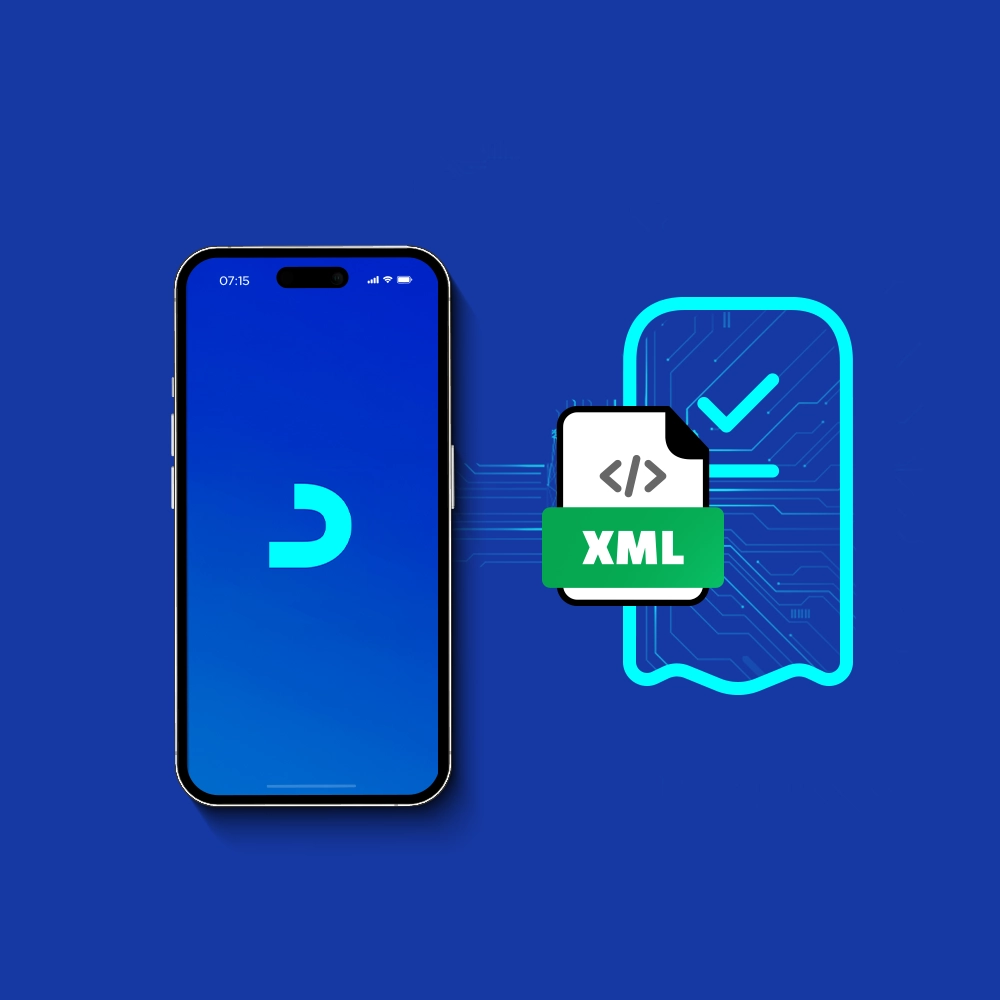
UAE standard e-invoice XML format is the official structured, machine-readable format used to encode invoices for exchange among systems. XML is responsible for:
- Organizing data into a structured file
- Enables systems to interpret and transmit invoices automatically
Validation
It is the check in the process of e-invoicing, it entails checking if:
- Mandatory fields are present
- Data is captured according to PINT AE
- XML is structured correctly
All these elements work together to produce a successful invoice. The mandatory fields define the required data; PINT AE lays down the rules; XML structures the data; and validation checks everything at the end.
Common mistakes businesses make with UAE electronic invoice fields
Most businesses tend not to pay attention to the information on the invoice, treating it as just another item on the e-invoice compliance checklist for the UAE. This leads to noncompliance issues; missing or wrong data will invalidate your invoice. In the e-invoicing application, operational mistakes are more common than technical ones. Here are some examples:
The use of invoice templates
Assuming that the current invoice templates capture everything needed for the e-invoicing system is a very common mistake.
While this was the case, after the e-invoicing initiative, traditional templates are no longer an option, as they are human-readable rather than machine-readable, as required.
Weak customer and supplier master data
Master data is one of the most critical pieces of party data that needs to be properly reviewed in the invoice. Some of the wrong practices include:
- Incorrect TIN
- Wrong legal names
- Inconsistent addresses
- Outdated records
Missing registration identifiers
Registration identifiers are considered essential for the successful validation of the invoice; they might get linked to the wrong entity. Some mistakes include:
- Using the wrong format
- Leaving the identifiers blank
- Confusing official IDs with internal ones
Using the wrong scenario flag
Some businesses fall into the mistake of applying a default transaction type to every invoice. Which impacts how the invoice is interpreted, this leads to:
- Wrong tax treatment
- Fail in invoice reporting
Inconsistent total and line-level details
Confusing calculations with one another is very common when issuing invoices; some people mismatch line-item calculations, invoice totals, and tax amounts. Calculations should be handled carefully, as they trigger rejection of the invoice. Mistakes often appear when:
- Calculations are done manually
- The system is not integrated correctly
Waiting too long to review data readiness
Businesses that delay data review often face struggles with go-live. Some mistakes businesses face:
- Missing fields in the system
- Poor data quality
- Lack key data points
It is advisable to understand the system early on so that your business is ready to go-live, as fixing these mistakes is known to be costly and disruptive to your workflow. This is where ERP systems like Daftra come in handy, not just to assist your invoice generation but to eliminate the risk of data errors.
Daftra supports capturing required field data accurately, reduces manual-entry errors, and properly maintains clear master data.
How should businesses prepare for the UAE mandatory field requirements?
Preparing for the UAE mandatory fields is not a single action; the entire process, including data, teams, and systems, needs to be aligned before go-live.
Here is how to prepare:
- Review your current invoice data capture; compare it to the UAE requirements.
- Assess whether your current software stores the required fields; you might need to make adjustments or implement a new system. (Daftra provides structured data capture and error-free FTA- approved invoice generation)
- Standardize master data; validation depends heavily on it.
- Align finance, IT, and tax teams; to avoid disrupting the invoice process or workflow.
- Test the data flow before go-live; evaluate your readiness before the mandatory date to avoid errors and penalties.
Frequently asked questions about UAE electronic invoice mandatory fields
What are the mandatory fields for electronic invoice in UAE?
The mandatory fields in the e-invoice UAE are the minimum data required for validation.
What information is mandatory on an invoice?
Mandatory information typically includes invoice, supplier, and buyer details, a description of the goods or services, and VAT details.
Is e-invoicing mandatory in the UAE?
E-invoicing is set to launch in July 2026, with a phased roll-out plan, as the application is compulsory for in-scope businesses.
Who is required to use e-invoicing?
Every business operating in the UAE, regardless of its VAT status, is required to comply with the e-invoicing initiative, unless specifically exempted.
What are common e-invoicing mistakes?
Some common mistakes when issuing e-invoices include submitting incorrect details, using invalid formats, and miscalculations in VAT and total amounts.
Conclusion
As the e-invoicing system is established as a single, integrated model, each element supports the others in fulfilling the entire process. The mandatory fields sit at the core of validation; they define what the invoice is about, which parties are involved, and how this data must be treated for tax purposes.
Mandatory fields are treated as datasets that preserve the invoice core at the outset, paving the way for the remaining invoicing elements to be processed afterward. Missing mandatory fields or capturing them incorrectly leads to issues in invoice processing and penalties that must be compensated.
This is why understanding the importance of the mandatory fields and what they represent in the process is critical to your compliance with the system as a whole.











 Invoicing
 POS
POS Offers
 Installments
 Sales Commission
 KSA E-Invoice Software
 EGY E-Invoice Software
 JO E-Invoice Software
 E-Invoice Software
 Chart of Accounts
 Asset Management
 Cost Centers
 Expenses
 Cheque Cycle
 UAE VAT-Tax
 Product Management
 Purchases
 Purchase Cycle
 Suppliers
 Requisitions
 Stocktaking
 Organizational Structure
 Personnel Management
 Attendance and Leave
 Contracts
 Payroll
 Requests
 Work Orders
 Booking Management
 Rental and Unit Management
 Time Tracking
 Work Flow
 Lease Contracts
 Manufacturing Management
  Client Follow-Up
 Loyalty Points
 Points and Credits
 Memberships
 Insurance Management
 Daftra ERP Full App
 Point of Sales App
 Point of Sales for Desktop – Support Offline Mode
 AI Expenses Scanner App
 Employee Attendance, Sign & ESS App
 E-invoice Reader App
 Inventory Stocktaking App