



Table of contents:
- Key Summary
- Benefits of Using Procurement Software
- What to look for in procurement management software?
- Best Procurement Management Software
- 1- Daftra Procurement Management Software
- 2- Dexef Procurement Management software
- 3- DoubleClick Procurement Management Software
- 4- FlexSoft Procurement Management software
- 5- Al-Badr Procurement Management Software
- Common mistakes to avoid when choosing procurement management software
- Conclusion
How can procurement management software be the key to securing the best price and quality for inventory while efficiently managing transactions with suppliers?
The answer likely lies in the vital role this software plays in automating and improving procurement and purchasing operations, managing inventory, and distributing resources effectively to enhance operational and production processes. This, in turn, positively impacts sales, profits, and the overall financial health of organizations.
That is why, in this article, we present a guide to the best procurement management software, designed to help business owners and financial managers streamline procurement workflows, process invoices, manage purchase contracts, and analyze spending trends accurately and easily.
Benefits of Using Procurement Software
As a business grows, purchasing can quickly become difficult to manage when requests, approvals, supplier communications, and invoices are spread across emails and spreadsheets. Procurement software brings these activities into a structured workflow, giving businesses better control over spending, suppliers, and day-to-day purchasing.
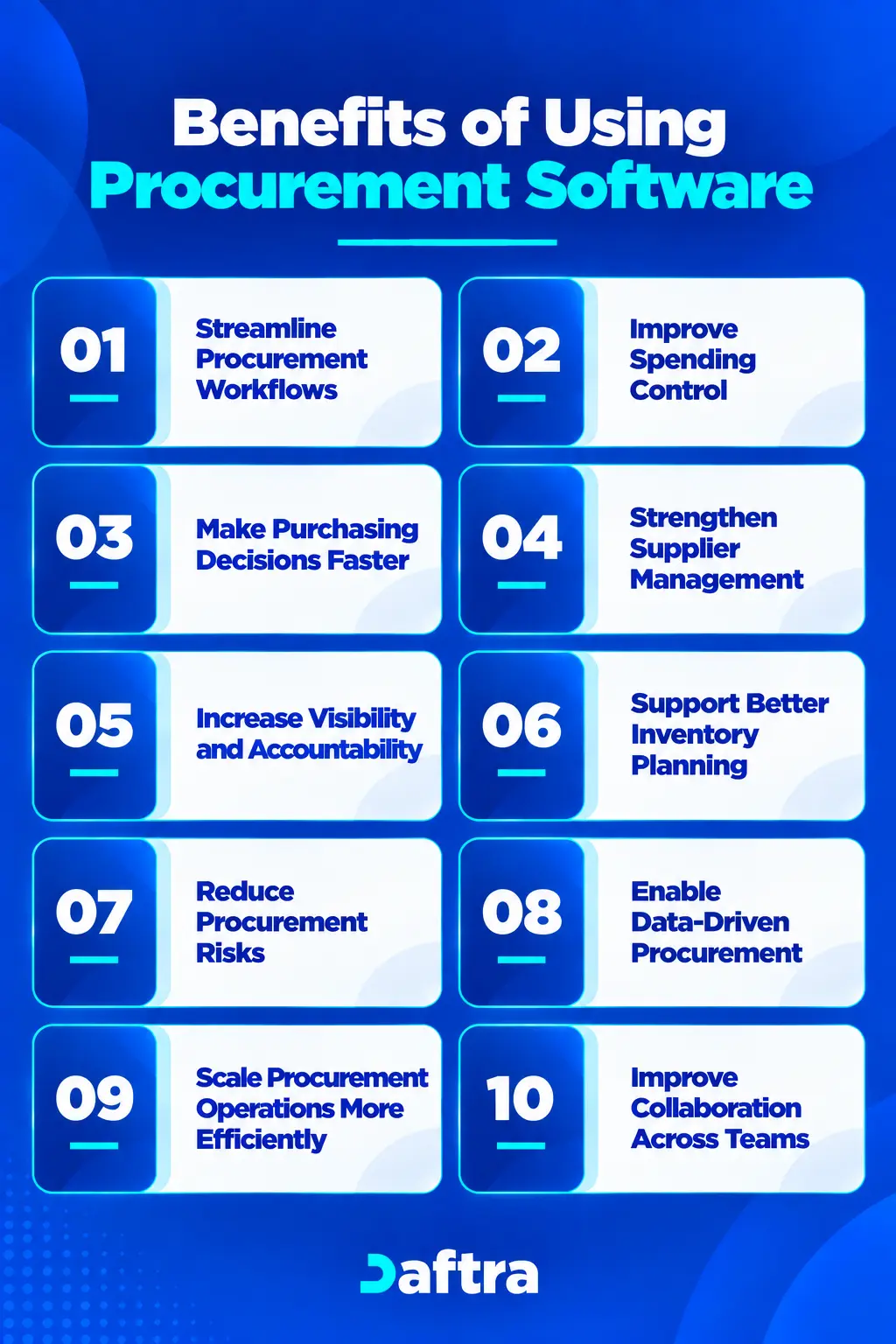
1. Streamline Procurement Workflows
Procurement software can remove much of the manual work from purchasing. Employees can submit purchase requests, route them to the appropriate approvers, and generate purchase orders through a defined workflow.
Instead of relying on email chains and repeated follow-ups, everyone can track a request's progress and know what happens next.
2. Improve Spending Control
Having purchasing information in one place makes it easier to see where money is being spent. Teams can review spending by supplier, category, department, or individual purchase and identify unnecessary purchases or potential budget overruns earlier.
This visibility also gives managers a better basis for reviewing spending and keeping purchases aligned with approved budgets.
3. Make Purchasing Decisions Faster
Procurement decisions often depend on having the right information at the right time. A centralized system gives procurement teams access to purchase history, supplier information, pricing details, and outstanding requests without searching through different files and conversations.
With this information readily available, managers can review requests and make purchasing decisions faster.
4. Strengthen Supplier Management
Managing several suppliers becomes more challenging as a company grows. Procurement software keeps supplier information and purchasing records organized, making it easier to compare suppliers, follow orders and deliveries, and review supplier performance.
Having a consistent record of supplier transactions can also support better communication and more informed sourcing decisions.
5. Increase Visibility and Accountability
A well-structured procurement process makes it easier to track a purchase from the initial request through approval, ordering, delivery, and payment.
Approval records and user activity can also provide a clearer history of each transaction. This makes internal reviews easier and helps teams maintain the documentation they need for compliance and auditing.
6. Support Better Inventory Planning
For businesses that purchase and store goods, procurement and inventory are closely connected. Linking purchasing activity with inventory information gives teams a clearer view of what's available and what needs reordering.
Over time, purchasing history can also provide useful information for planning future orders and avoiding unnecessary stock purchases.
7. Reduce Procurement Risks
Manual purchasing leaves more room for missed approvals, incomplete records, unauthorized purchases, and other errors. Procurement software can reduce these risks by applying defined approval workflows, purchasing controls, and centralized record-keeping.
Reporting and transaction histories also make it easier to spot issues and address them before they become larger problems.
8. Enable Data-Driven Procurement
Procurement generates a large amount of useful information, but it's hard to act on when it is scattered across spreadsheets and separate systems.
Procurement software brings purchasing data together so businesses can review spending patterns, supplier performance, purchasing trends, and procurement KPIs. These insights can help identify opportunities to control costs and improve purchasing processes.
9. Scale Procurement Operations More Efficiently
As the number of employees, suppliers, and purchase transactions increases, manual processes require more time to maintain. Automating routine activities allows procurement teams to handle higher volumes without adding the same level of administrative work.
This becomes particularly useful when a growing business adds new departments, branches, or locations.
10. Improve Collaboration Across Teams
Purchasing usually involves more than the procurement team. Employees submit requests, managers approve them, finance processes payments, and warehouse teams receive goods.
A shared procurement system gives these teams access to the information relevant to their role. This reduces unnecessary status requests and makes it easier to keep everyone aligned throughout the purchasing process.
Overall, procurement software helps businesses replace fragmented purchasing processes with a more structured, visible way to manage procurement. By bringing workflows, spending information, supplier records, inventory data, and reporting together, it gives growing businesses greater control over their purchasing operations.
Last year, a growing retail company in Riyadh was managing purchase requests, supplier quotations, purchase orders, and inventory receiving through spreadsheets and separate communication channels. As purchasing activity increased, the company found it increasingly difficult to compare supplier prices and determine which orders had actually been received.
The company addressed this by adopting an integrated procurement management system that connected purchase requests, supplier quotations, purchase orders, invoices, and inventory receipts within a single workflow. The team could then track each purchase from the initial request through receipt, compare supplier quotations more easily, and match received inventory to the relevant orders and invoices.
This gave the company a more organized way to manage its growing purchasing activity, with clearer visibility into order status and supplier transactions.
What to look for in procurement management software?
Choosing procurement management software is not simply a matter of comparing feature lists. A system may have a long list of capabilities and still fall short of what your business actually needs. Start the selection process with your current procurement challenges, and consider how the software will fit into your existing operations and future plans.
1. Features That Match Your Procurement Needs
Start by defining the purchasing processes you want the software to handle. These might include purchase requisitions, approval workflows, supplier quotations, purchase orders, invoices, inventory receiving, supplier management, reporting, or contract management.
The goal is not to choose the system with the most features. Instead, make sure its core capabilities match your actual requirements. If your procurement needs are likely to change, check whether the platform can accommodate additional modules or functions as the business develops.
2. Ease of Use and User Experience
Even a capable procurement system will have limited value if employees find it difficult to use. The interface should make common tasks clear and straightforward for employees, managers, procurement teams, and other stakeholders.
When evaluating a solution, ask the vendor to walk you through realistic purchasing scenarios. A trial or detailed demonstration can also show whether employees can easily submit requests, approve purchases, and find the information they need.
3. Integration With Existing Systems
Procurement rarely operates in isolation. The software should fit your existing technology environment and, where needed, connect to your ERP, accounting, inventory, or other business systems.
Check which integration methods are available, such as APIs or prebuilt connectors, and ask about the expected implementation effort. It is also useful to find out whether the provider has experience integrating the solution with systems similar to yours.
4. Automation and Workflow Flexibility
Look for a system that can automate routine procurement tasks while still allowing workflows to reflect your company's policies.
For example, approval routes, spending controls, notifications, and purchasing processes may need to vary by department, purchase value, or request type. The software should provide enough flexibility to accommodate these requirements without creating unnecessary manual work.
5. Scalability
Your procurement needs will change as the business grows. More employees, suppliers, transactions, branches, and locations can all increase the demands placed on the system.
Consider whether the software can accommodate additional users and business units, and whether you can add new modules as needed. Also assess pricing in the context of growth, especially if the provider charges by user, permission, or subscription level.
6. Reporting and Procurement Visibility
Good procurement management software should make purchasing information easy to understand and act on. Look for reporting tools that provide visibility into spending, purchase activity, suppliers, approvals, and other relevant procurement metrics.
Having this information available in one system makes it easier to monitor budgets, understand purchasing patterns, and identify areas where the procurement process could be improved.
7. Implementation Requirements and Support
Implementation can be just as important as the software itself. Before making a decision, ask how long deployment is expected to take, what configuration or data migration will be required, and how much time your team will need to contribute.
It is equally important to understand what happens after implementation. Check the available support channels, expected response times, training options, and whether the provider offers a dedicated customer success contact.
8. Security and Compliance
Procurement systems contain business and supplier information that should be properly protected. Consider security from the start of the selection process, not after implementation.
Review the provider's security measures, relevant certifications, access controls, data protection practices, and approach to backups and monitoring. If your organization has specific security requirements, involve the IT or security team during the evaluation.
9. Vendor Reliability and Product Maturity
The provider matters as much as the software. Look into its experience, customer base, product development plans, and ability to provide long-term support.
A newer provider may offer a developing product and a more direct relationship with customers, while an established provider may have a longer operating history. What matters is whether the provider has the resources, experience, and product maturity your business needs.
10. Total Cost of Ownership
The subscription price is only one part of the cost. When comparing solutions, consider implementation, integrations, training, user licenses, additional modules, support, and the potential cost of expanding the system later.
A clearer view of the total cost makes it easier to compare solutions on more than their initial price and determine whether the investment fits your business requirements and expected operational improvements.
Best Procurement Management Software
Gaining comprehensive insights into procurement costs contributes to better financial decision-making, stronger supplier relationships, and improved operational efficiency in Purchase Management.
For these reasons and more, it's worth leveraging the smart automation solutions offered by procurement management software to cut costs, analyze purchasing data, and ultimately achieve organizational goals of growth and sustainable success.
Here is a list of the top 5 procurement management software solutions, with a detailed overview of their features and components:
- Daftra
- DEXEF
- FlexSoft
- DoubleClick
- Al-Badr
1- Daftra Procurement Management Software
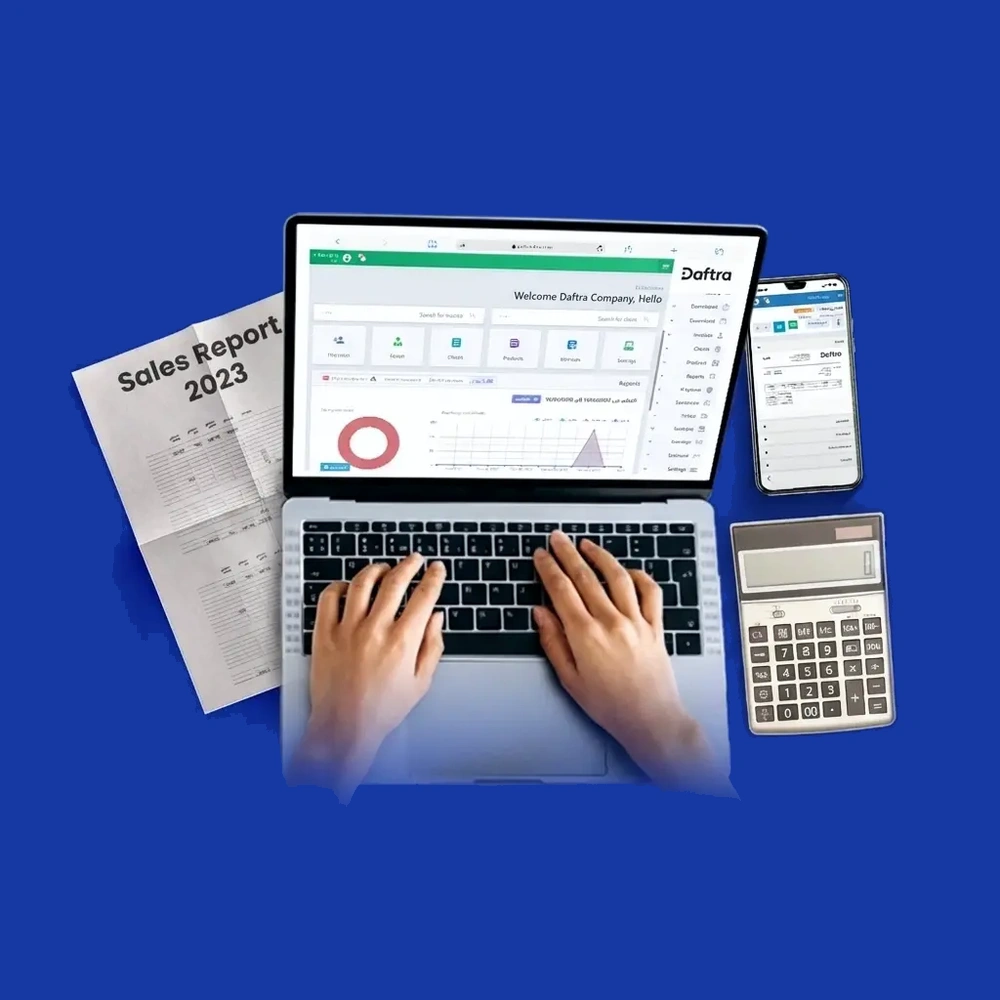
Daftra’s Purchase Management Software is one of the enterprise resource planning (ERP) solutions that operates on smart cloud technologies, enabling business management anytime and anywhere.
The system provides a wide range of management software and applications covering more than 50 different areas customized to business needs. It simplifies managing point of sale, customer relationships, employees, sales, warehouses, and even electronic invoicing, fully integrated with e-billing systems.
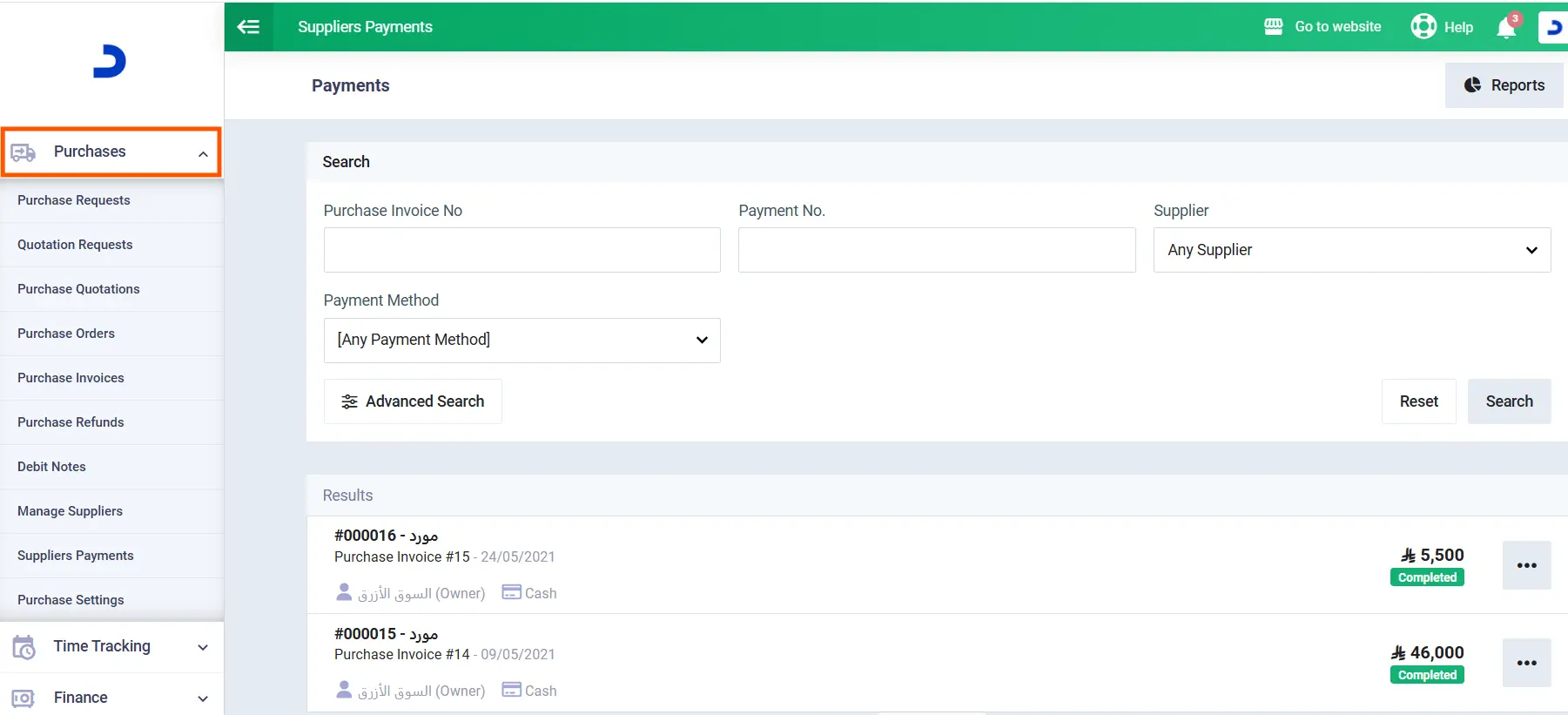
Advantages provided by procurement management software in Daftra
- Managing purchases and communicating with suppliers easily through the software interface, which is characterized by ease of use and supports the Arabic language.
- The ability to control the way the procurement software in Daftra works through the purchase cycle application, which allows structuring the stages of the purchasing process according to business needs and choosing whether the process goes through its full steps or even starting from any specific point as the user desires.
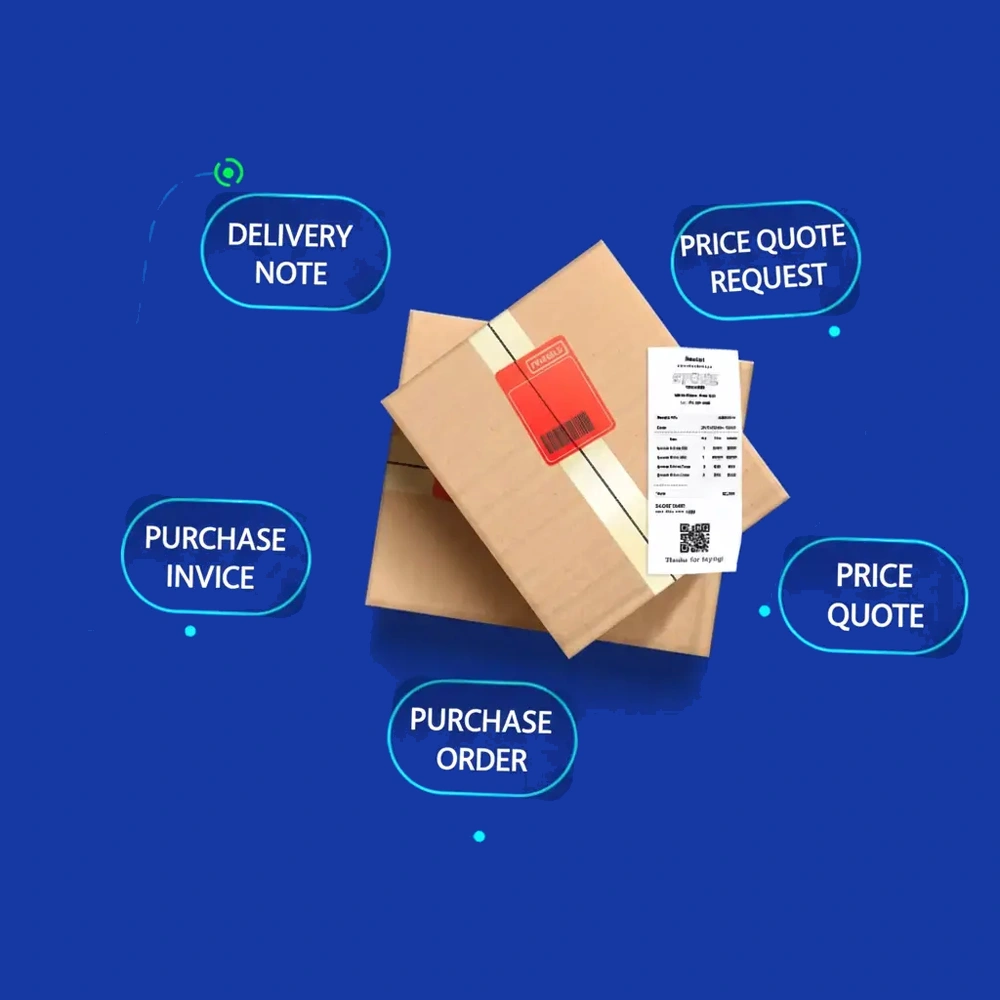
- The purchase cycle software in Daftra achieves linking and integration between the stages of the purchasing process, starting from recording the purchase request, going through tracking its status with the procurement officers, recording the purchase invoice, and finally receiving the required resources and products, which helps to eliminate the wasted time and effort of sending routine requests from all departments to the procurement department.
- Through Daftra’s procurement management application,businesses can select the required products and quantities from their inventory and manage the related purchasing needs through their supplier records.
- Easy sending of requests for quotations, required quantities, and any other notes to a group of suppliers at the same time, with just one click to facilitate the comparison process between suppliers and choose the most suitable one, which saves the hassle of conducting many individual transactions with each supplier separately.
- Through supplier management software, you can send purchase orders to specified suppliers directly via email, without external applications, by converting the supplier's quotation into a purchase order after the user approves it.
- Daftra’s procurement management software provides detailed reports on stock inventory, purchasing data, and payment statuses for various suppliers, enabling the timely settlement of obligations.
- You can create professional purchase invoices based on the selected items, their classification, prices, quantities, supplier information, purchase date, and payment method. Payment schedules, if available, are also clarified.
- The desired payment method can be determined through the various options available in the procurement management software in Daftra, such as direct payment when creating the invoice, deferred payment after issuing the purchase invoice, or allowing the software to automatically determine the payment method based on the user’s credit balances with suppliers.
- Daftra's inventory management software can organize purchased products in warehouses with high accuracy and professionalism by confirming receipt of products based on purchase invoices, activating warehouse permissions for purchases (such as addition or transfer notes), and recording additions to new inventory, thereby updating product quantities in inventory records.
Daftra Procurement Software Pricing
The software offers multiple subscription packages to suit different business needs and budgets. Below is the price table:
| Package Type | Monthly Price | Annual Price |
| Basic Package | 95 SAR | 1140 SAR |
| Advanced Package | 155 SAR | 1860 SAR |
| Comprehensive Package | 225 SAR | 2700 SAR |
Some of the feedback from Dafta users
.png)
.png)
Read also: Best Invoicing Software in Saudi Arabia
2- Dexef Procurement Management software
Dexef is an accounting management system for institutions and companies. It aims to simplify financial and accounting operations through smart tools and applications that help manage and organize financial data related to purchases, sales, profits, assets, and liabilities.
The software accurately tracks financial transactions and provides essential reports to support informed decision-making, including profit and loss statements, balance sheets, and tax reports. It also supports integration with electronic invoicing systems.
Services of Dexef Procurement Management software:
- The Dexef procurement management software sends periodic notifications about inventory levels to help make purchasing decisions and avoid shortages of specific items.
- Manage supplier payments and schedule them according to due dates.
- Ability to deal with suppliers in different currencies other than the local currency.
- Create and update purchase orders anytime and anywhere using the cloud-based services on which the system operates.
- Generate comprehensive reports from the Dexef procurement software, such as item returns, item purchase comparisons, and identification of slow-moving items.
Dexef Procurement Management software
DEXEF offers several software packages designed to meet the needs of businesses of different sizes and budgets. The available packages and their prices are listed below:
| Package Type | Annual Price |
| POS | 1725 SAR |
| GREEN | 3450 SAR |
| BLUE | 5751 SAR |
| RED | 8625 SAR |
Some User Feedback on Dexef software
Read Also: Best Inventory Management Software
3- DoubleClick Procurement Management Software
DoubleClick is a cloud-based system that provides more automated solutions for managing investment activities and business operations across various fields, including manufacturing, human resources, real estate investment, production, and others.
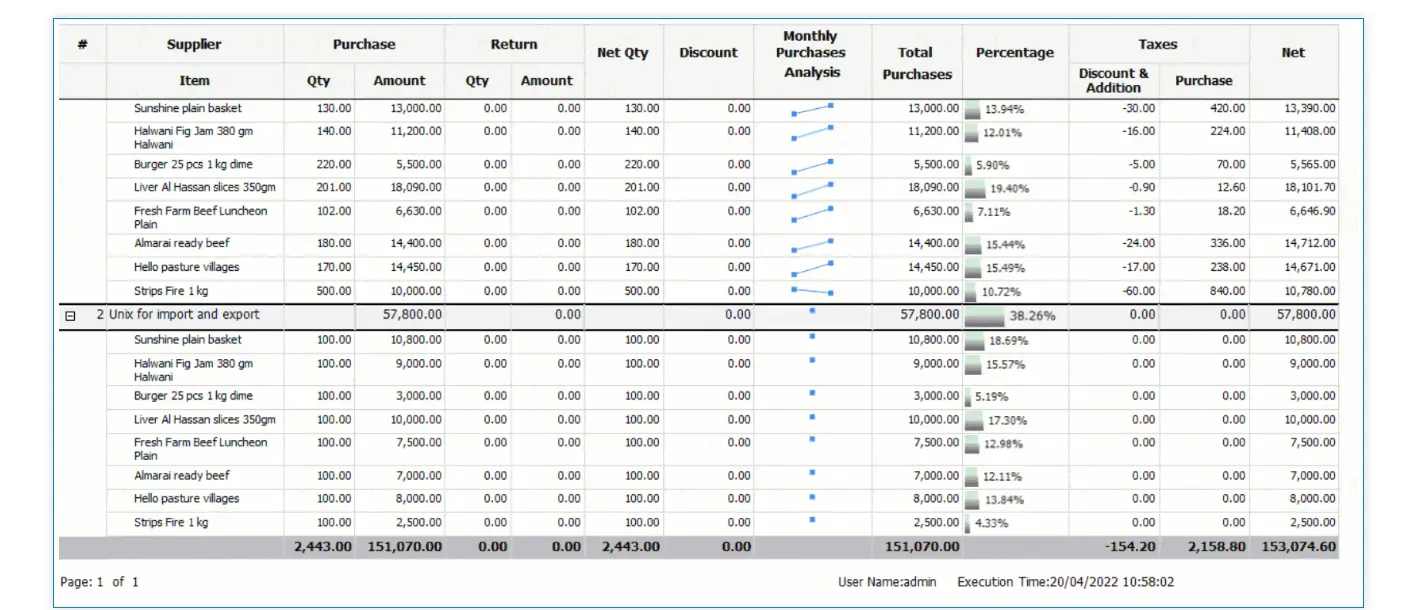
Procurement Management and Supplier Accounts Services in DoubleClick
- Manage the procurement cycle in all its stages, such as issuing purchase requests between internal departments to identify unavailable items, then sending quotations to suppliers, selecting the best offers, and finally issuing purchase orders.
- The software handles different types of purchase invoices, whether for goods or services.
- Ability to record purchase invoices simultaneously with purchase orders to save time and effort.
- Automatic updating of supplier account statements once invoices are saved.
- Recording purchase returns with reasons stated and reflecting the effect of these returns on accounts.
- Issuing monthly reports on purchases, supplier accounts, quotations, purchase orders, and withholding and value-added tax reports on purchases.
DoubleClick Pricing
DoubleClick does not publish fixed pricing for its Procurement Management software on its website. Businesses need to submit a Request for Quote to receive pricing based on their specific requirements.
Read also: Best accounting software in Saudi Arabia
4- FlexSoft Procurement Management software
FlexSoft is an ERP software designed to manage projects at the lowest costs and with the highest accuracy. The software provides a suite of applications for managing accounting operations and financial transactions smoothly and flexibly. Its applications include inventory management, procurement management, and sales management systems.
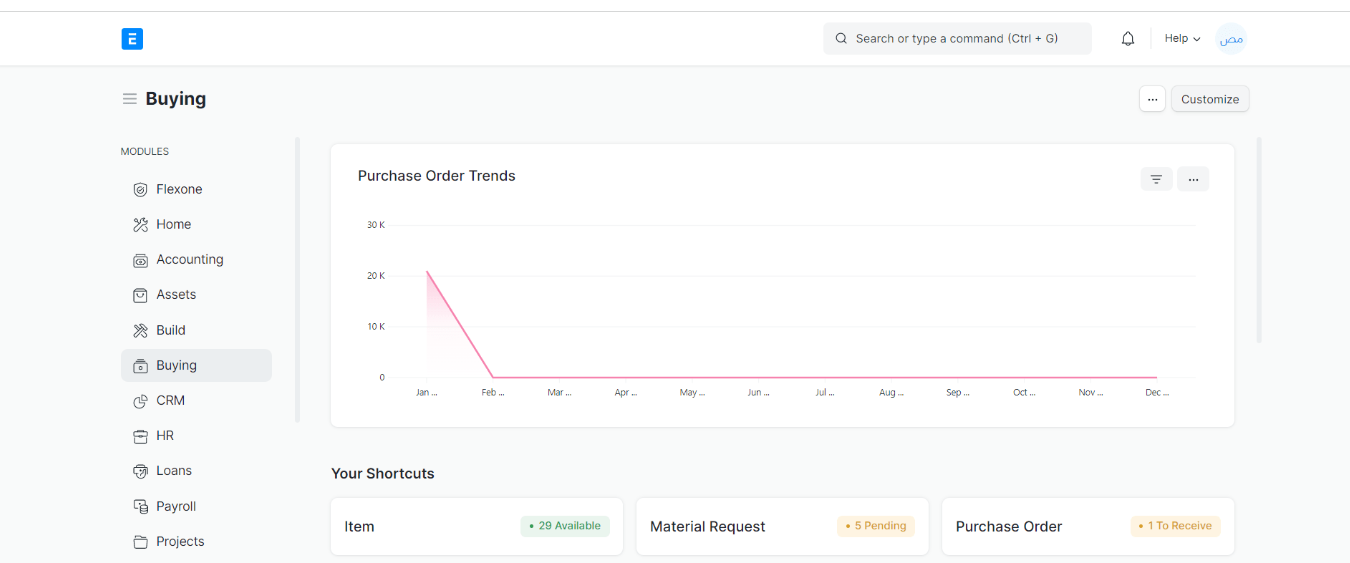
Procurement Management Services in FlexSoft
- Enable employees to submit material and goods requests, whether for resale or for internal consumption, such as office supplies.
- Send requests for quotations and receive them from suppliers to compare and choose the best option for purchase.
- Create purchase orders for goods and resources and track the actual delivery time.
- Generate purchase invoices to record supplier balances, set payment due dates, and monitor outstanding balances.
FlexSoft Subscription Prices
The software is available in several packages, with annual pricing varying by package. The pricing details are outlined below:
| Package Type | Annual Price |
| Basic Package | 4000 SAR |
| Advanced Package | 10000 SAR |
| Overall package | 14000 SAR |
| Comprehensive Package | Price upon request |
5- Al-Badr Procurement Management Software
Al-Badr Software helps calculate business profits and losses through detailed reports, allowing accurate, easy monitoring of customer balances and account statements.
Procurement Management Services in Al-Badr
- Supplier Records: Create supplier profiles by entering essential information such as the supplier's name, contact details, and payment terms.
- Debt Tracking: Track outstanding debts for each supplier by updating invoices and generating supplier debt reports, which provide a detailed statement of the user’s financial obligations toward suppliers.
- Receipt Entries: Record receipt vouchers that document and register the goods or materials received from suppliers.
- Purchase Returns: Record returns of goods or materials sent back to suppliers due to issues such as quality defects or non-compliance with specifications.
Al-Badr Subscription Prices
Al-Badr offers two subscription packages, with annual prices as follows:
| Package | Annual Price |
| Premium Package | 2,178 SAR |
| Comprehensive Package | 2,799 SAR |
Common mistakes to avoid when choosing procurement management software
To make the selection process more effective, avoid these common mistakes before committing to a procurement management solution:
Conclusion
Procurement management software can help businesses organize purchasing activities, improve spending visibility, manage supplier transactions, and connect procurement with inventory and accounting processes. However, choosing the right solution requires more than comparing features or subscription prices.
Before deciding, businesses should evaluate their procurement requirements, existing systems, user needs, scalability, security, implementation needs, and total cost of ownership. Comparing these factors with each solution's capabilities can help businesses choose procurement software that supports efficient purchasing operations and long-term growth.










 Invoicing
 POS
POS Offers
 Installments
 Sales Commission
 KSA E-Invoice Software
 EGY E-Invoice Software
 JO E-Invoice Software
 E-Invoice Software
 Chart of Accounts
 Asset Management
 Cost Centers
 Expenses
 Cheque Cycle
 UAE VAT-Tax
 Product Management
 Purchases
 Purchase Cycle
 Suppliers
 Requisitions
 Stocktaking
 Organizational Structure
 Personnel Management
 Attendance and Leave
 Contracts
 Payroll
 Requests
 Work Orders
 Booking Management
 Rental and Unit Management
 Time Tracking
 Work Flow
 Lease Contracts
 Manufacturing Management
  Client Follow-Up
 Loyalty Points
 Points and Credits
 Memberships
 Insurance Management
 Daftra ERP Full App
 Point of Sales App
 Point of Sales for Desktop – Support Offline Mode
 AI Expenses Scanner App
 Employee Attendance, Sign & ESS App
 E-invoice Reader App
 Inventory Stocktaking App