


What Is a Payment Voucher, Its Format and Components, with a Downloadable Template

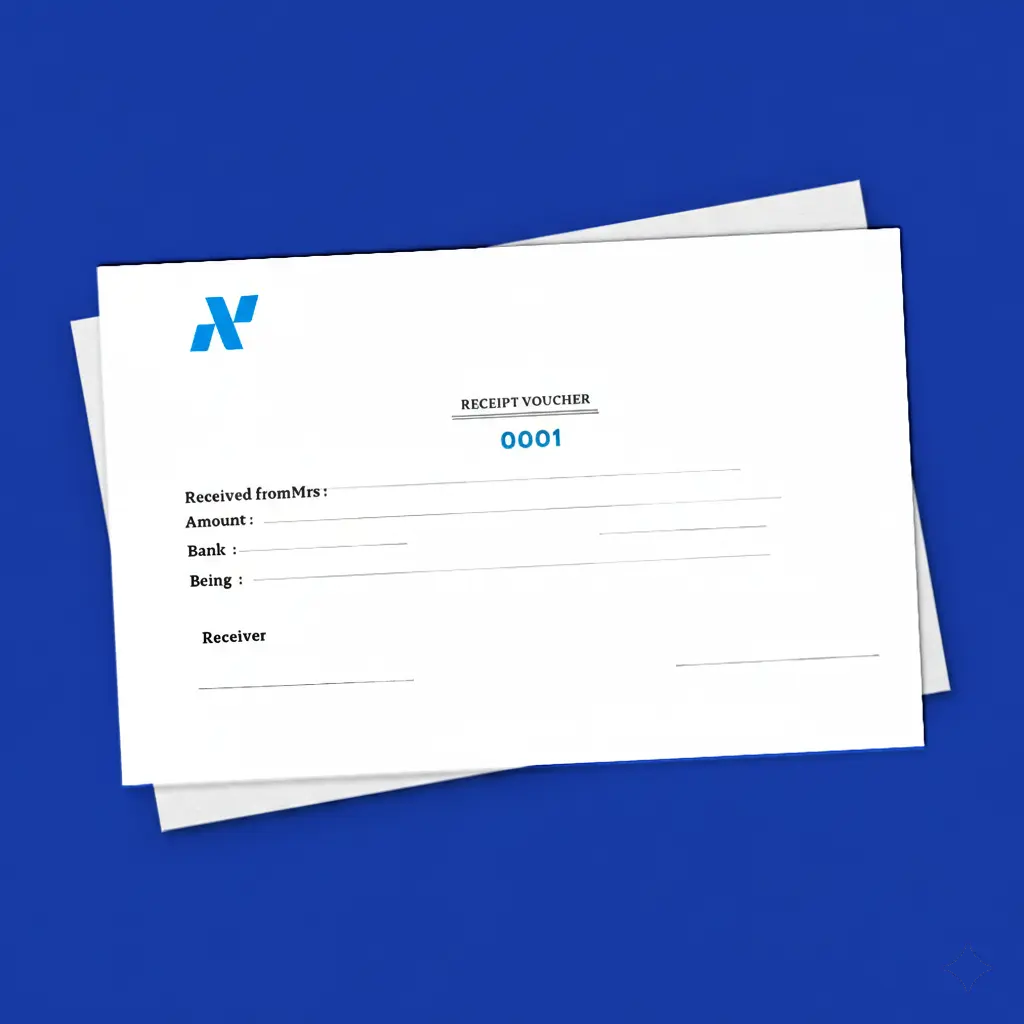
Expenses are a core component and a key factor in proving the quality of the accounting process and determining net profit or loss at the end of the fiscal year. Therefore, this article discusses one of the pillars of expense management: the payment voucher. What is it? How can it be created? What is the difference between it and a receipt voucher? And more in this comprehensive guide.
What Is a Payment Voucher?
A payment voucher, which may also be referred to as a “disbursement voucher,” is “a document prepared by the cashier based on an approved cash disbursement order in favor of a beneficiary, who may be one of the suppliers or one of the company’s creditors, to prove the date and destination of funds disbursed from the treasury.”
A payment voucher whether cash or check is used when funds are disbursed from the organization, for purchasing, settling financial liabilities, granting an advance, or other financial procedures. A payment voucher should have three copies:
- The first: provided to the party receiving the payment.
- The second: attached to the files.
- The third: recorded in the ledger and kept as a backup copy.
The Format and Elements of a Payment Voucher
The format and wording of a payment voucher are not fixed; rather, they vary from one entity to another. However, a set of elements and data must be included in any payment voucher for it to meet the requirements for approval as an accounting document. These elements are:
- Document title: “Payment Voucher” is the title that should be stated at the top to distinguish it from other accounting documents.
- Payment voucher number: Payment vouchers issued by the treasury should be numbered to facilitate reference during review or audit.
- Issue date: The issue date must be included on the payment voucher.
- Company name: The issuing company's name is written and often placed at the top right of the page, below the logo.
- Recipient name: The name of the person to whom the cash is paid must be stated, even if the payment is not for them personally (for example, if they are a representative of a company); the name of the person who received the cash must be written.
- Amount: The payment voucher must state the monetary value in both numeric and word form.
- Check number: If the payment is made by check, the check number should be provided.
- Reason for payment: The reason for disbursing the cash should be clarified.
- Cashier’s signature: The cashier signs the payment order for approval.
- Recipient’s signature: The recipient signs the payment voucher to confirm receipt of the cash or check.
These are the basic elements that must be present in any payment voucher for it to be complete and approved as an accounting document.
What Is the Difference Between a Receipt Voucher and a Payment Voucher?
Both the payment voucher and the receipt voucher are important and essential accounting documents in every organization. They share a main objective, which is recording financial transactions, but they differ in the type of transaction being recorded.
A payment voucher is prepared to document the disbursement of cash or checks. Accordingly, the company’s treasury is debited when a payment voucher is issued, thereby reducing its cash balance.
A receipt voucher, on the other hand, is prepared to document the receipt of cash or checks. Accordingly, the company’s treasury is debited when a receipt voucher is issued, and therefore,e its impact on the company’s treasury is positive.
The main differences between them can be summarized in the following points:
- Purpose: A payment voucher aims to record amounts disbursed from a financial account, while a receipt voucher aims to record amounts received into a financial account.
- Account nature: In a payment voucher transaction, the account nature is credit; in a receipt voucher transaction, it is debit.
- Impact on the treasury: With a payment voucher, the company’s treasury is negatively affected, while with a receipt voucher, it is positively affected.
- Information: A payment voucher includes the disbursement date, the amount paid, the recipient’s name, and other details. A receipt voucher includes the date of receipt, the amount received, and other details.
Read also: Warehouse Issue Permit and Its Stages
Explanation of How to Create a Payment Voucher Using the Daftra Program
The steps for recording a payment voucher in the Daftra system are as follows:
Log in to the Daftra system, then make sure the Finance application is activated so you can add expenses.
From the main menu, click on “Finance,” then choose “Expenses.”
Click the “Payment Voucher” button at the top left of the screen to add a new payment voucher.
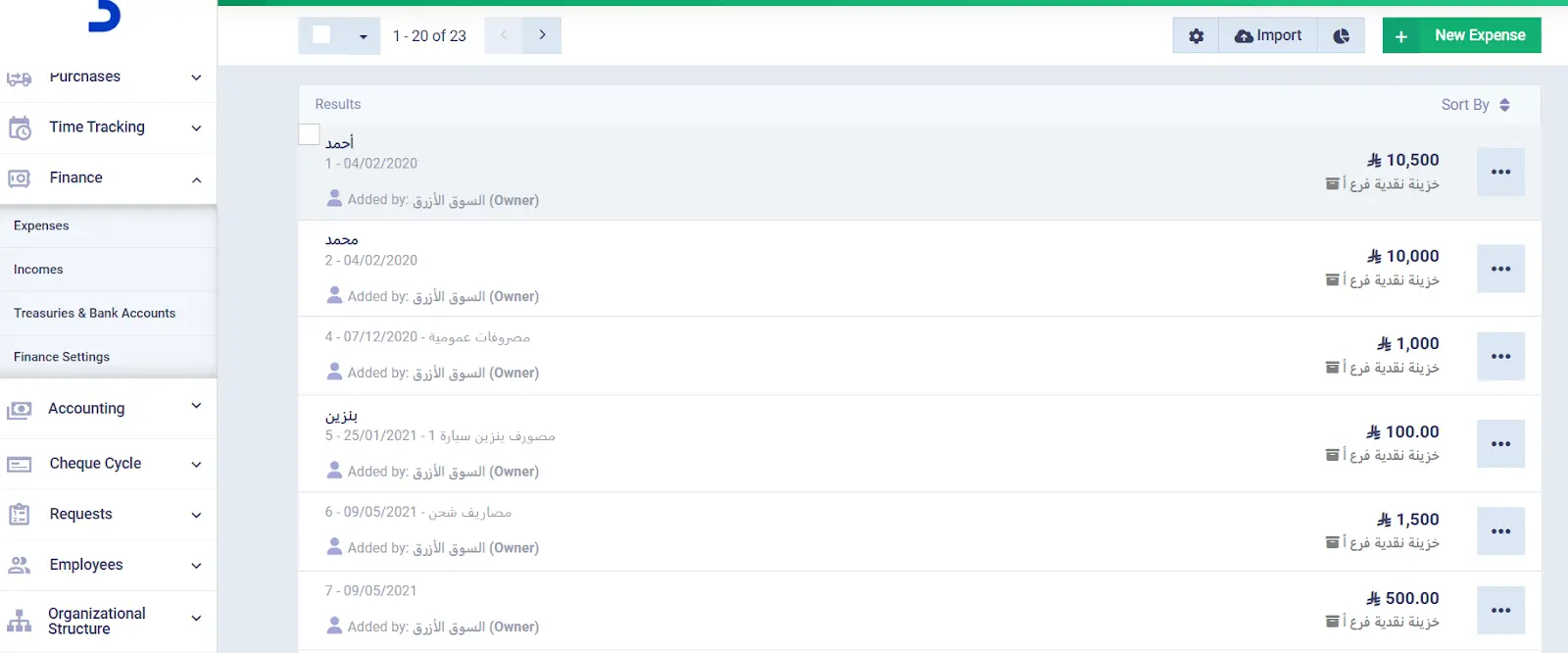
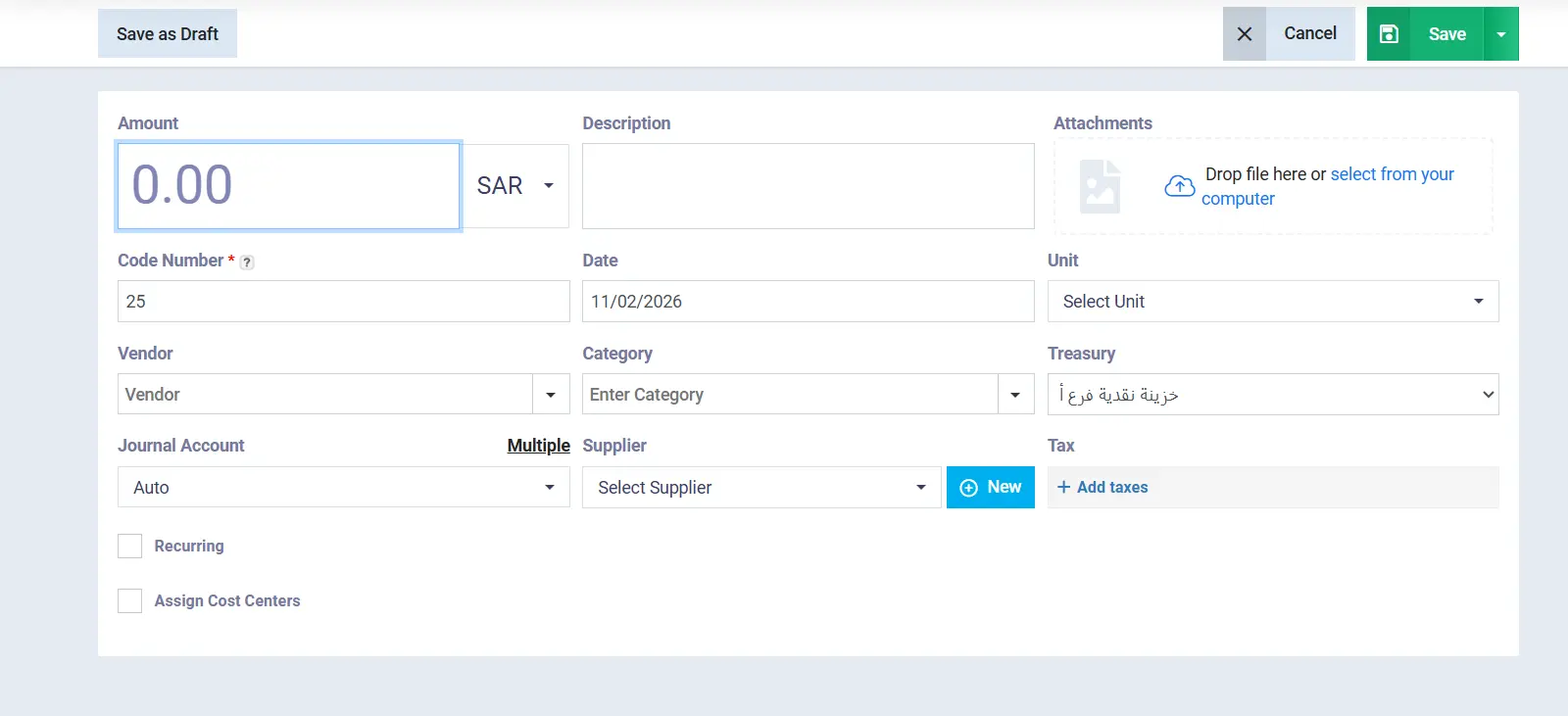
Fill in the required payment voucher details as follows:
- Amount: Specify the disbursed amount and its currency.
- Description: Add a description of the expense or a note if desired.
- Attachments: Attach any images or documents related to the payment voucher.
- Code number: The code number is the payment voucher's serial number; it is automatically entered and can also be changed.
- Date: Specify the date of creating the payment voucher.
- Unit: This field appears if you have units within the Units and Rentals module in the system.
- Recipient: Specify the person receiving the payment voucher amount.
- Category: Place the payment voucher under a category to make it easier to access later.
- Treasury: Specify the treasury or bank account from which the payment will be made.
- Sub-account: This feature allows redirecting the debit party of the expense by selecting the required account from the list. Note that if no sub-account is selected, the system will direct the expense to the “Other Expenses” account.
In addition to the above, there are some additional features in the Daftra program that you can use, including:
- Multiple: Used to add more than one account related to the specified expense in the payment voucher.
- Add taxes: Used to assign a tax to the payment voucher, if applicable.
- Recurring: Used to set up recurrence settings for the payment voucher amount.
- Assign cost centers: Used to link all or part of the expenses to a cost center in the account. However, you must first ensure that a cost center has been added in your general accounts.
After filling in all the required payment voucher details, click “Save.” You can also print the payment voucher, save it as a PDF, or email it.
How Can You Benefit from Daftra in Managing Expenses?
Daftra provides an integrated set of features and tools to help you manage your expenses accurately and easily. You can record expenses in the accounts through payment vouchers and journal entries, and have them automatically directed to the chart of accounts.
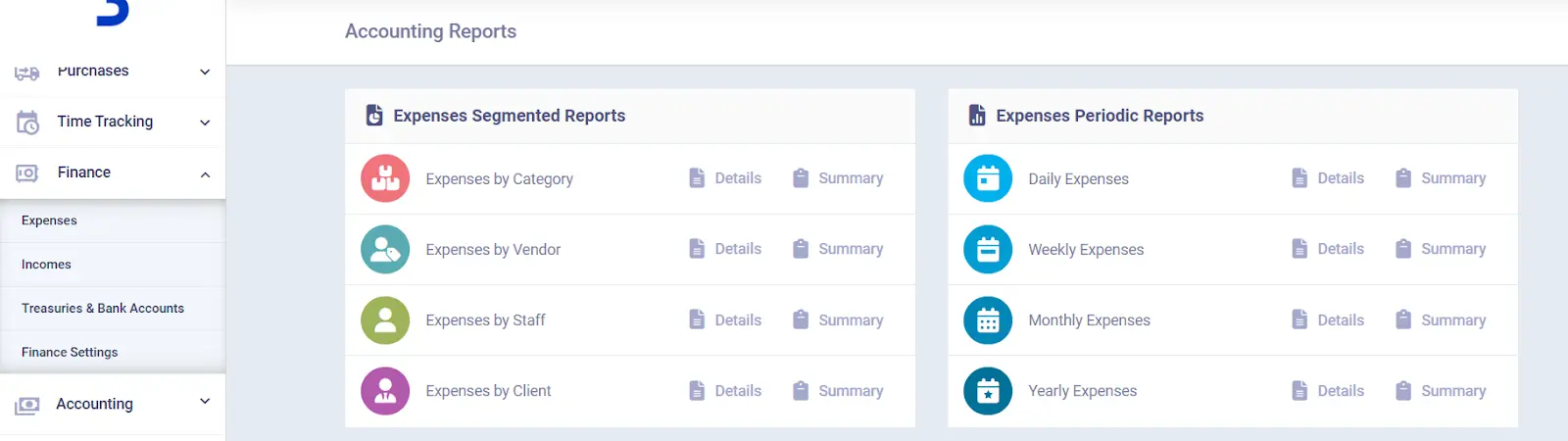
In addition, you can add recurring expenses, assign categories to expenses and payment vouchers for easier control, and generate periodic reports about them.
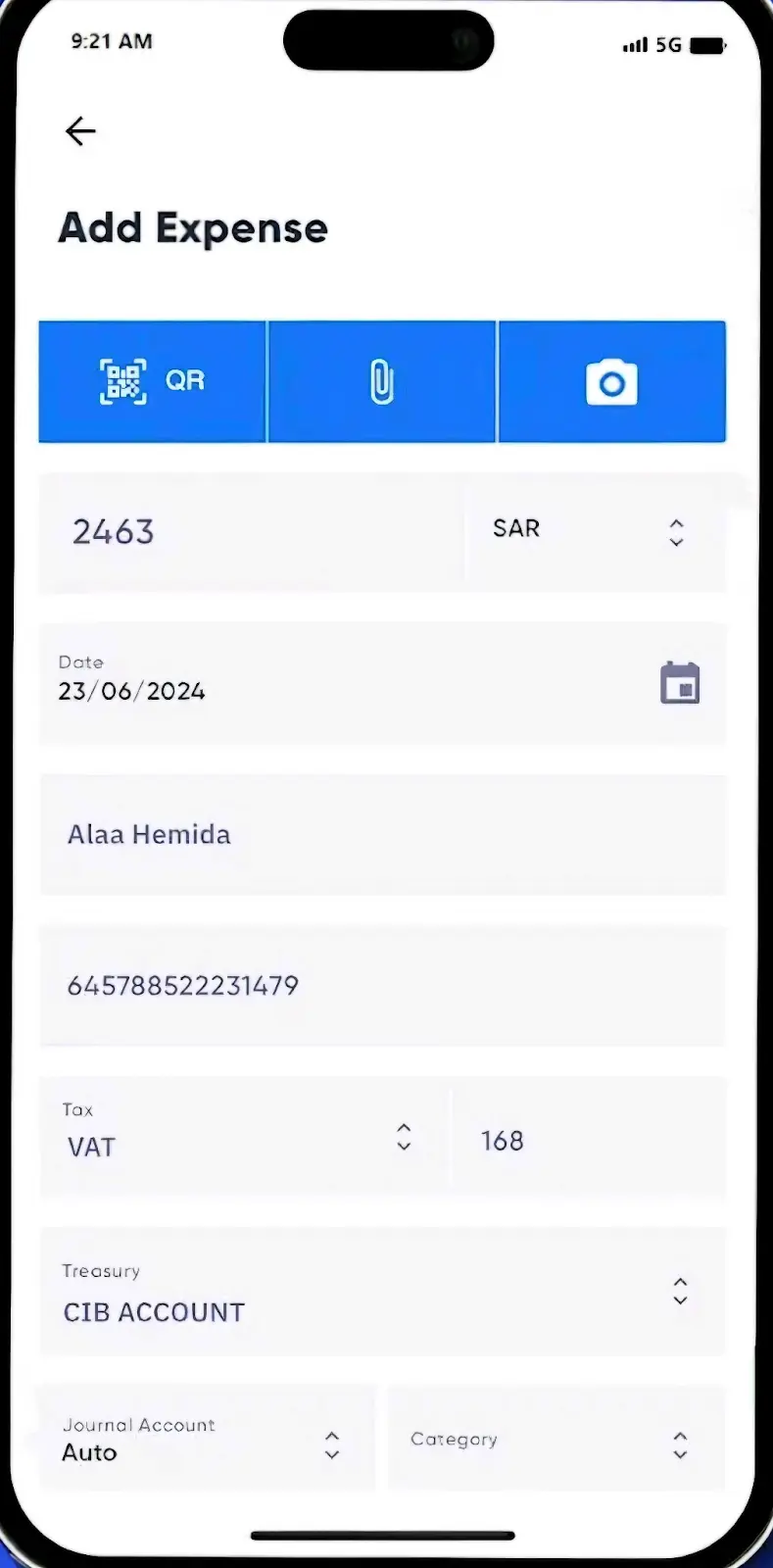
Daftra has also recently launched a mobile application that lets you record invoice expenses by scanning the invoice QR code or entering the expense details manually on your mobile phone. Once this is done, the expense data is automatically synchronized with your Daftra account.
In conclusion, electronic accounting systems such as the Daftra system, have become more widely accepted and commonly used due to their proven high efficiency in processing complex accounting operations, especially those related to expenses, which are sensitive accounts that must be managed with precision to ensure management achieves its financial objectives.









 Invoicing
 POS
POS Offers
 Installments
 Sales Commission
 KSA E-Invoice Software
 EGY E-Invoice Software
 JO E-Invoice Software
 E-Invoice Software
 Chart of Accounts
 Asset Management
 Cost Centers
 Expenses
 Cheque Cycle
 UAE VAT-Tax
 Product Management
 Purchases
 Purchase Cycle
 Suppliers
 Requisitions
 Stocktaking
 Organizational Structure
 Personnel Management
 Attendance and Leave
 Contracts
 Payroll
 Requests
 Work Orders
 Booking Management
 Rental and Unit Management
 Time Tracking
 Work Flow
 Lease Contracts
 Manufacturing Management
  Client Follow-Up
 Loyalty Points
 Points and Credits
 Memberships
 Insurance Management
 Daftra ERP Full App
 Point of Sales App
 Point of Sales for Desktop – Support Offline Mode
 AI Expenses Scanner App
 Employee Attendance, Sign & ESS App
 E-invoice Reader App
 Inventory Stocktaking App