


Posted on 7 October 2026
Advance Payments Template
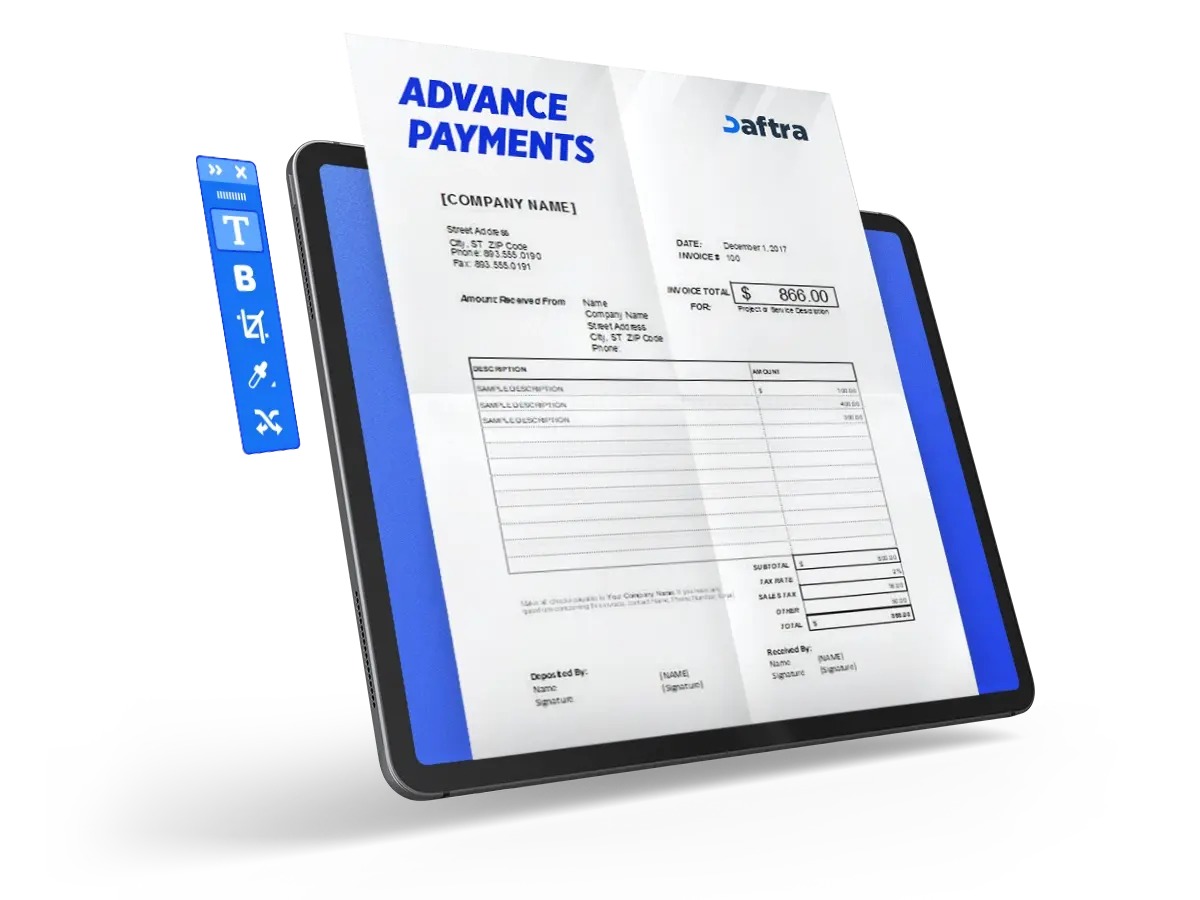
- An advance payment template is a financial document that confirms the amount a customer pays before delivery, either to secure the transaction or cover initial costs.
- The template protects both parties' rights. It helps the seller collect part of the value in advance and gives the buyer legal proof of payment.
- The seller is one of the main beneficiaries, as the template improves cash flow, covers initial costs, and reduces the risk of non-payment.


 Register with Daftra and manage advance payments automatically
What Is an Advance Payments Template?
An Advance Payments Template is a document that records the amount a customer pays before the actual delivery of goods or services. It differs from regular deferred invoices because the amount is paid in advance to secure the transaction, ensure commitment, or cover initial costs. From the buyer's accounting perspective, this invoice may be recorded as a prepaid expense in the balance sheet under the accrual accounting method.
Why Is an Advance Payments Template Important?
An Advance Payments Template matters because it provides an official, documented way to protect the rights of both the seller and the buyer.
For the seller, this template helps ensure that part of the transaction value is collected in advance to cover initial costs and reduce the risk of non-payment.
For the buyer, the template serves as legal proof of the advance payment and helps secure the right to receive the product or service.
What Are the Elements of an Advance Payments Template?
An Advance Payments Template includes the following components:
- Basic invoice details: These include the invoice number and issue date, which help document and clearly identify the transaction.
- Seller details: These include the company name, address, commercial registration number, and tax number to confirm the identity of the invoice issuer.
- Customer details: These include the customer or company name, address, commercial registration number, and tax number to identify the party receiving the product or service.
- Payment details: These clarify the payment method used, whether cash, bank transfer, cheque, or card.
- Advance payment details: These include the description, such as "advance payment for products or services," along with the quantity, unit price, amount, tax value, and total.
- Totals: These include the total amount before tax, total tax, total invoice amount including tax, the amount paid in advance, the collection percentage, and the remaining balance due.
- Terms and conditions: These state the clauses governing the advance payment, such as refund terms or how the payment is linked to the final invoice.
How to Create an Advance Payments Template
Follow these steps to create an Advance Payments Template:
1- Set the Document Title
Write the title at the top of the document as: "Advance Payment Invoice."
2- Add the Invoice Number and Issue Date
Specify the invoice number and issue date to document the transaction.
3- Enter Seller Details
Enter the seller or company details, including the legal name, address, commercial registration number, and tax number.
4- Enter Customer Details
Enter the customer details, including the individual or business name, address, commercial registration number, and tax number.
5- Add the Advance Payment Description
Add a payment description, such as "advance payment for products or services." You may also mention the quotation number or purchase order number, if available.
6- Record Line Item Details
Record the item details, including the product or service name, quantity, unit price, and amount before tax.
7- Calculate and Add Tax
Add the applicable tax rate and tax amount for each item or for the total, according to the tax system in force.
8- Specify Payment Details
Specify the payment method, such as cash, bank transfer, cheque, or card, along with the reference number or account details when needed.
9- Review the Totals
Review the total before tax, total tax, total invoice amount including tax, the value of the advance payment collected, the collection percentage, and the remaining balance due.
10- Add Terms and Conditions
Add the terms and conditions, such as the refund policy, how the advance payment will be linked to the final invoice, and cancellation terms.
How to Enable Advance Payments in Daftra
Daftra accounting software enables advance payments only for accounts registered in Saudi Arabia. Check our Advance Payments Guide, or follow the steps:
- From the main menu, click Settings.
- Choose App Management.
- Enable the Saudi E-Invoicing application.
- Click Save.
- From the main menu, click Sales.
- From the drop-down menu, choose Settings.
- Enable the button next to Advance Payment.
- From the main menu, click Sales.
- From the drop-down menu, choose Invoice Management.
- Click the arrow next to the Add button, then choose New Advance Payment Invoice.
- Enter the basic details, just as you would in a sales invoice: customer name, product or service name, line item, and unit price. You may also add notes or attachments when needed.
- Note that the Already Paid icon cannot be edited because this invoice represents a payment that has already been received and recorded in the treasury.
- After completing the entry, click Save to issue the invoice.
How Is an Advance Payments Template Used?
An Advance Payments Template is usually used when the seller needs to secure payment or cover initial costs before delivering products or services. The most common cases include:
1- High Risk of Non-Payment
If there are doubts about the customer's business stability or ability to pay, such as startups or financially distressed companies, the advance invoice becomes a protection tool for the seller.
2- Custom or Highly Specialized Products
When producing goods that are designed for a very limited group of customers, canceling the order after production may cause major losses. Therefore, the supplier requests an advance payment to confirm the customer's commitment.
3- High Initial Cost of the Order
When fulfilling the order requires significant upfront investment or expense from the supplier, the advance invoice helps cover these costs without costly additional financing.
4- Subscription-Based or Recurring Revenue Models
In subscription models, advance invoices are common because they give the customer clarity and ease of payment while providing the seller with regular cash flow.
5- Long-Term Business Operations
In industries where production takes a long time, whether months or years, advance invoices help finance the ongoing production stages and reduce pressure on the company's working capital.
You Can Also Download
Who Benefits from an Advance Payment Template?
- Seller or supplier: Improves cash flow, covers initial costs, and reduces the risk of non-payment.
- Customer or buyer: Proves the right to reservation or fulfillment and provides an official document confirming the amount paid in advance.
- Finance and accounting teams: Facilitate accounting reconciliation, link the payment to the final invoice, and support tax control.







 Invoicing
 POS
POS Offers
 Installments
 Sales Commission
 KSA E-Invoice Software
 EGY E-Invoice Software
 JO E-Invoice Software
 E-Invoice Software
 Chart of Accounts
 Asset Management
 Cost Centers
 Expenses
 Cheque Cycle
 UAE VAT-Tax
 Product Management
 Purchases
 Purchase Cycle
 Suppliers
 Requisitions
 Stocktaking
 Organizational Structure
 Personnel Management
 Attendance and Leave
 Contracts
 Payroll
 Requests
 Work Orders
 Booking Management
 Rental and Unit Management
 Time Tracking
 Work Flow
 Lease Contracts
 Manufacturing Management
  Client Follow-Up
 Loyalty Points
 Points and Credits
 Memberships
 Insurance Management
 Daftra ERP Full App
 Point of Sales App
 Point of Sales for Desktop – Support Offline Mode
 AI Expenses Scanner App
 Employee Attendance, Sign & ESS App
 E-invoice Reader App
 Inventory Stocktaking App