


Posted on 22 October 2026
Emergency Leave Request Template
- An emergency leave request template is an official document used to request immediate leave due to unexpected circumstances.
- It helps document the leave request and organize workflow when unforeseen situations arise.
- Employees benefit from the template because it allows them to submit the request formally and helps protect them from administrative issues.


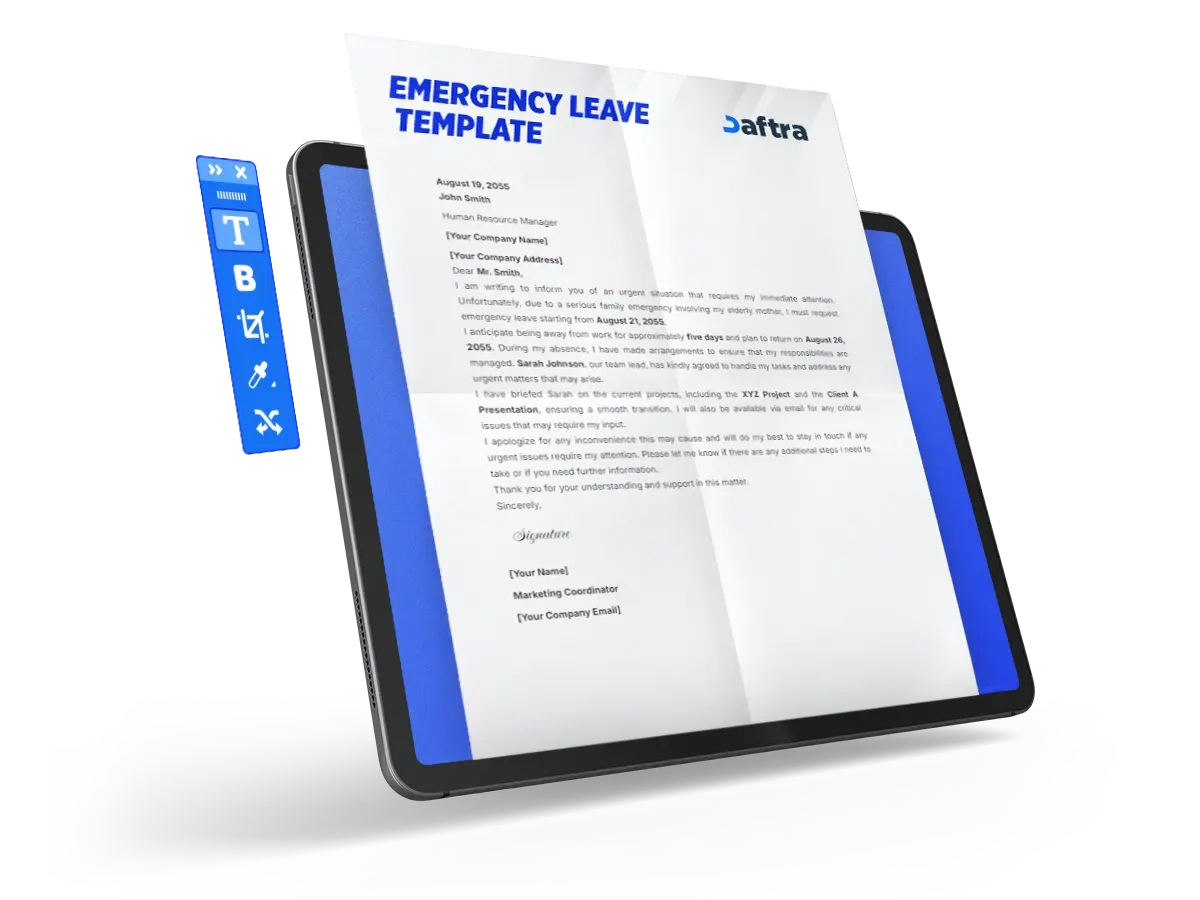
 Keep Employee Leave Requests Organized with Daftra
What Is an Emergency Leave Request Template?
An emergency leave request is an official document submitted to a manager in which an employee or student requests immediate leave due to unexpected circumstances.
Why Is an Emergency Leave Request Template Important?
The importance of an emergency leave request template lies in the fact that it:
- Formally documents the leave request and ensures management is aware of the employee’s or student’s emergency absence.
- Helps organize work by specifying the period of absence and clarifying how responsibilities will be managed during that time.
- Protects the employee from administrative issues arising from an unexpected absence without formal notice.
- Makes it easier for management to make a decision by providing clear information about the reason for the leave and its duration.
- Supports business continuity by establishing an alternative plan or identifying who will handle the employee’s responsibilities during the absence.
What Are the Components of an Emergency Leave Request Template?
To write a clear and effective emergency leave request letter for use at school, university, or the workplace, the employee should consider the following essential elements:
- Employee Name and Address: Begin by entering your full name and current address.
- Date: Enter the date on which the leave request is submitted.
- Recipient Name and Address: State the name of your manager or the Human Resources department, along with the organization’s or company’s address.
- Subject: Clearly state the purpose of the request, such as “Emergency Leave Request.”
- Salutation: Address the recipient appropriately, such as “Mr.” or “Ms.” followed by the last name if the organization uses formal salutations.
- Message: This is the main part of the request and may include:
- The reason for requesting emergency leave.
- The required leave duration.
- The person who will handle your responsibilities during your absence.
- The expected date of your return to work.
- Signature: Conclude the letter with “Kind regards,” then sign your name and include your job title or contact details. You may replace the job title with contact information if preferred.
You May Also Download
Annual Leave Entitlement Calculation Template
How to Create an Emergency Leave Request Template
To create an emergency leave request template, follow these steps:
1- Specify the Employee’s Details
Start by entering your full name and current address, along with the date of submission.
2- Identify the Recipient and Subject
State the name of the manager or Human Resources department, the organization’s address, and clearly specify the subject, such as “Emergency Leave Request.”
3- State the Reason for Leave
Clearly explain the reason for the emergency leave without disclosing any personal details you do not wish to share. Reasons may include personal illness, family emergencies, or medical appointments.
4- Specify the Leave Period and Contact Details
State the required leave period and provide a way to contact you if necessary during your absence.
5- Explain How Responsibilities Will Be Managed
Clarify how your duties will be handled during your absence to ensure business continuity, such as redistributing certain tasks among team members.
6- Closing and Signature
End the template with an appropriate closing such as “Kind regards,” and sign your name, including your job title and contact information.
By following these steps, you will have a clear and well-organized emergency leave request template that can be submitted to management in either printed or electronic format.
You can also use Daftra HR Management Software to submit a leave request easily through the employee profile by following these steps:
1- Log in to the System
From the main menu, select Attendance, then choose Leave Requests.
2- Add a New Request
Click the Add Leave Request button.
3- Enter the Employee and Leave Details
- Select the employee from the drop-down list; the employee number and email address will appear automatically.
- Check the employee’s available leave balance.
- Specify the number of days, start date, and end date.
4- Select the Leave Type and Add Details
- Choose the leave type (regular, sick, or casual leave).
- Enter a description and attach any supporting documents, if applicable.
5- Save the Request
Click Save to submit the request. Its status will be set to Pending until the manager reviews and approves or rejects it.
How Is an Emergency Leave Request Template Used?
An emergency leave request template is used when leave is required due to unexpected circumstances. In such cases, the employer should be notified immediately to avoid any disruption to workflow. Examples of emergencies include:
- Medical Emergencies: When you or a family member experiences an urgent medical condition.
- Family Crises: Such as the death of a relative or similar unexpected events.
- Accidents: If you or a close family member is involved in an accident.
Who Benefits from an Emergency Leave Request Template?
- Employee: Submits the leave request formally and avoids issues caused by an unexpected absence.
- Management: Organizes workflow and documents leave requests clearly.
- Colleagues: Understand how responsibilities will be covered during the employee’s absence.







 Invoicing
 POS
POS Offers
 Installments
 Sales Commission
 KSA E-Invoice Software
 EGY E-Invoice Software
 JO E-Invoice Software
 E-Invoice Software
 Chart of Accounts
 Asset Management
 Cost Centers
 Expenses
 Cheque Cycle
 UAE VAT-Tax
 Product Management
 Purchases
 Purchase Cycle
 Suppliers
 Requisitions
 Stocktaking
 Organizational Structure
 Personnel Management
 Attendance and Leave
 Contracts
 Payroll
 Requests
 Work Orders
 Booking Management
 Rental and Unit Management
 Time Tracking
 Work Flow
 Lease Contracts
 Manufacturing Management
  Client Follow-Up
 Loyalty Points
 Points and Credits
 Memberships
 Insurance Management
 Daftra ERP Full App
 Point of Sales App
 Point of Sales for Desktop – Support Offline Mode
 AI Expenses Scanner App
 Employee Attendance, Sign & ESS App
 E-invoice Reader App
 Inventory Stocktaking App