


Posted on 3 September 2026
Sick Leave Request Template
- A Sick Leave Request Template is a document submitted by an employee to the employer in order to formally request leave due to illness.
- This template allows the employee’s absence to be documented officially and helps management track requests and add them to the Human Resources file.
- The employee benefits from a Sick Leave Request Template because it ensures that the absence is documented properly and helps protect the employee’s right to use their sick leave balance.


 Register in Daftra HRM software and track leaves automatically.
What Is a Sick Leave Request Template?
A Sick Leave Request Template is a document submitted by an employee to the employer when requesting leave due to illness. This template is used when the employee is unable to attend work and is considered a key requirement for using the sick leave balance instead of the annual leave balance.
Why Is a Sick Leave Request Template Important?
A sick leave letter allows you to formally document your request for leave due to illness, whether short-term or long-term. Through this letter, you can state the dates of absence and the related details, which helps everyone understand the reason for and duration of your absence.
The letter is also considered an official record that can be added to your Human Resources file. In some cases, submitting a written letter may be a basic requirement, so it is always advisable to check with the Human Resources department to determine whether they have a preferred template to use.
What Are the Elements of a Sick Leave Request Template?
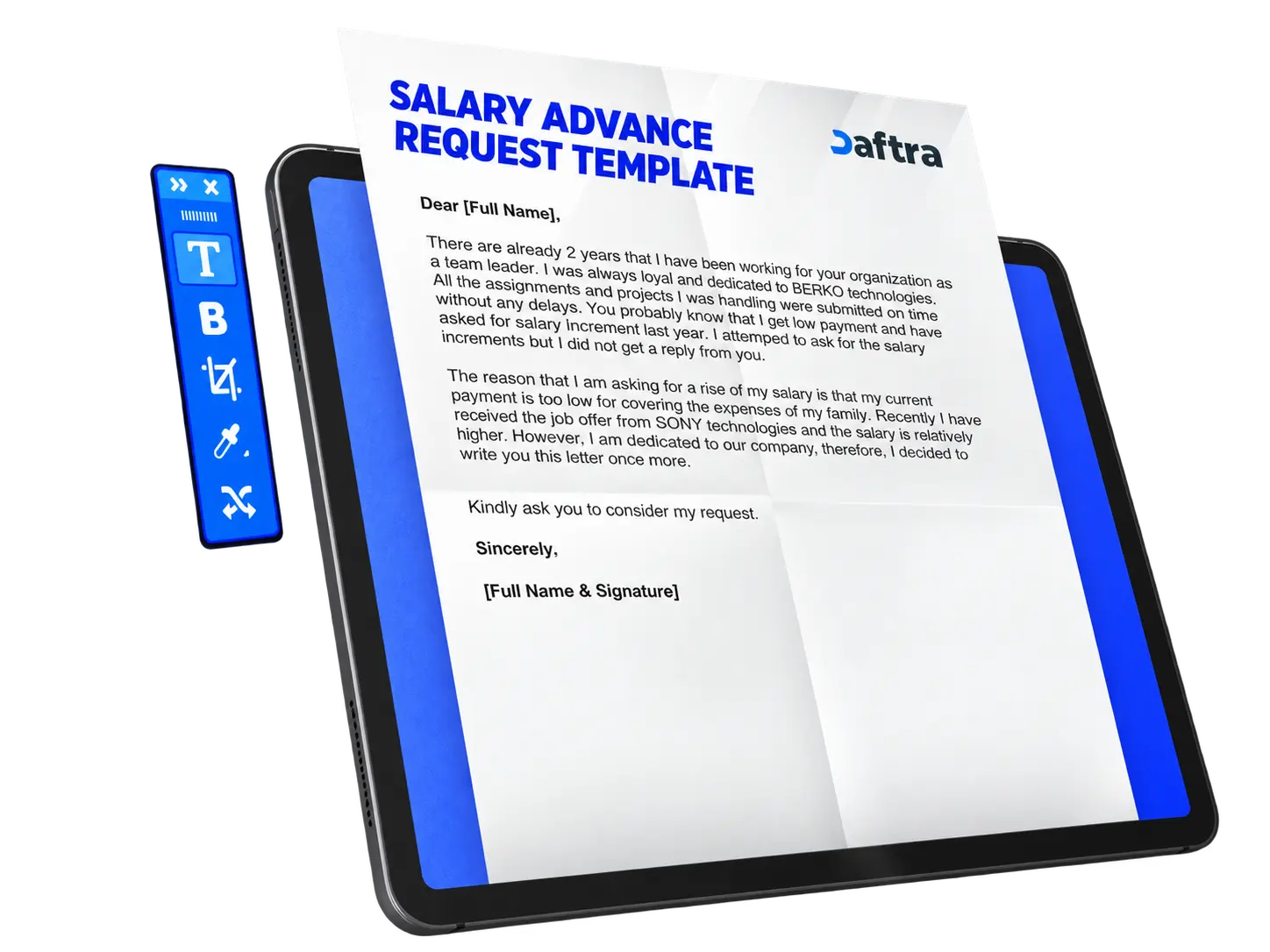
- Title: The title of the letter should be clear from the beginning, such as “Sick Leave Request,” so that the manager can immediately understand the purpose of the letter.
- Polite and formal salutation: Use a professional greeting such as “Dear [Manager Name].”
- Specific reason for the leave: Clarify the medical reason or illness that requires the leave so that the request is justified and clear.
- Exact dates and duration: State the leave period clearly, such as “one-day sick leave on [date].”
- Supporting documents (optional): If you have a medical report or certificate confirming your health condition, you may indicate that it is attached to the request.
- Closing with appreciation: End the letter politely, expressing thanks for the manager’s understanding, such as “Thank you for your understanding. Kind regards.”
Templates You May Also Find Useful
How to Prepare a Sick Leave Request Template?
- Define the purpose of the template: The template should clearly indicate from the outset that it is intended for submitting a request for sick leave. It is important to state the situations in which the template is used, such as illness or any health condition that prevents the employee from attending work. This clarification helps employees understand why the template exists and how to use it properly.
- Add the employee’s basic information: The employee’s key details should be included in the template, such as the full name, employee number or ID, and the department or division to which the employee belongs. This information is necessary to identify the employee, link the leave request to company records, and make it easier for management to review and approve the request.
- Specify the leave period and dates: The template should include fields for the leave start date, end date, and the total number of days requested. This helps management plan work during the employee’s absence and ensure that workflow is not disrupted.
- Clarify the reason for the sick leave: A field should be included to explain the medical reason for the leave clearly, whether it is a specific illness or a medical treatment appointment. Including this field makes the request more formal and improves the likelihood of approval.
- Supporting documents (optional): The template may include an option to attach a medical document or certificate proving the employee’s health condition. This increases the credibility of the request and helps management verify its validity when needed.
- Digital or handwritten signature: Space should be provided for the employee’s signature to confirm the accuracy of the information. For electronic templates, a digital signature tool may be used, while printed copies should be signed by hand above the printed name.
- Add additional features to improve usability: The template may be enhanced by adding features such as showing or hiding fields as needed, and customizing colors, fonts, and the overall layout to make it clearer and easier to use. This makes the template more flexible and adaptable to the company’s requirements.
You can also use Daftra HR management software to add a sick leave request easily through the employee file by using the Add Leave Request feature, following these steps:
- Access the software: From the main menu, click Attendance, then choose Leave Requests.
- Add a new request: Click the Add Leave Request button.
- Enter employee and leave details: Choose the employee from the drop-down list, where the employee number and email address will appear automatically. Check the available leave balance, then specify the number of days, start date, and end date.
- Determine the leave type and details: Choose the leave type such as annual, sick, or emergency leave. Enter the description and attach any supporting documents if available.
- Save the request: Click Save to submit the request. The request will then remain in pending status until reviewed by the manager for approval or rejection.
How Is a Sick Leave Request Template Used?
A Sick Leave Request Template is used to document the employee’s request for leave due to illness in an official manner. The template allows the dates and details of the absence to be stated clearly, which helps management follow up on the employee and understand the reason for and duration of the absence. It is also considered an official record that is added to the employee’s file in the Human Resources department, and is sometimes used as a required document when requesting formal leave.
Who Benefits from a Sick Leave Request Template?
- The employee: because it enables the employee to submit an official request for leave due to illness, ensures the absence is documented properly, and helps protect the employee’s right to use the sick leave balance.
- Management or the Human Resources department: because it provides an official way to record and track employee leave, and helps with workforce planning and verifying the validity of requests through supporting documents such as medical certificates.







 Invoicing
 POS
POS Offers
 Installments
 Sales Commission
 KSA E-Invoice Software
 EGY E-Invoice Software
 JO E-Invoice Software
 E-Invoice Software
 Chart of Accounts
 Asset Management
 Cost Centers
 Expenses
 Cheque Cycle
 UAE VAT-Tax
 Product Management
 Purchases
 Purchase Cycle
 Suppliers
 Requisitions
 Stocktaking
 Organizational Structure
 Personnel Management
 Attendance and Leave
 Contracts
 Payroll
 Requests
 Work Orders
 Booking Management
 Rental and Unit Management
 Time Tracking
 Work Flow
 Lease Contracts
 Manufacturing Management
  Client Follow-Up
 Loyalty Points
 Points and Credits
 Memberships
 Insurance Management
 Daftra ERP Full App
 Point of Sales App
 Point of Sales for Desktop – Support Offline Mode
 AI Expenses Scanner App
 Employee Attendance, Sign & ESS App
 E-invoice Reader App
 Inventory Stocktaking App