


Everything You Need to Know About Egypt’s Electronic Receipt System


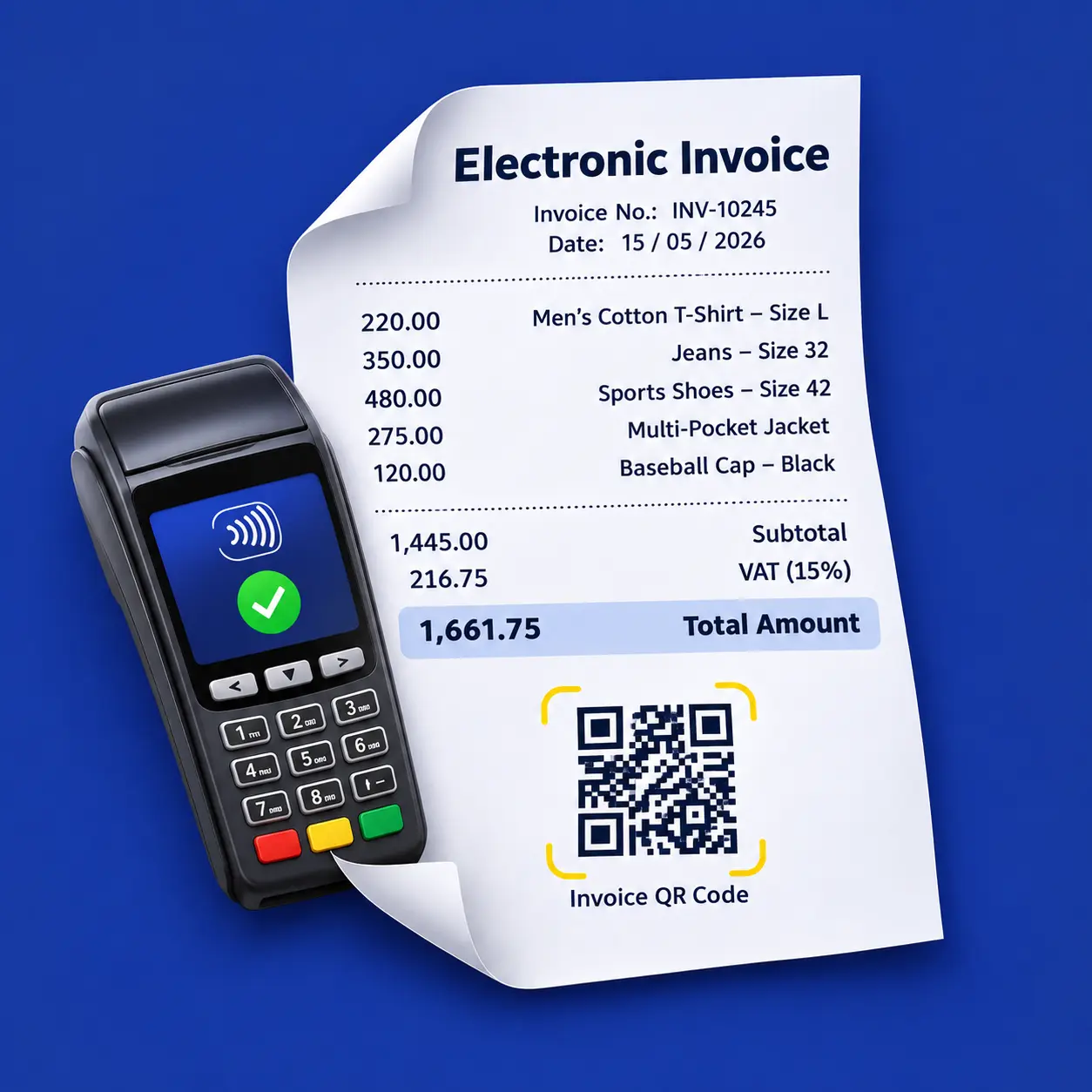
Table of contents:
- What Is an Electronic Receipt?
- What Is the Difference Between an Electronic Receipt and an Electronic Invoice?
- Businesses Required to Issue Electronic Receipts and Exemptions
- How to Check Whether a Taxpayer Is Required to Issue Electronic Receipts
- What Are the Electronic Receipt Implementation Phases and Deadlines?
- What Should Businesses Do to Connect to the Electronic Receipt System?
- What Documents Are Required to Join the Electronic Receipt System?
- How to Connect POS Systems to the Electronic Receipt System?
- How to Add a POS System When the POS Provider Is Approved
- How to Add a POS System When the POS Provider Is Not Approved
- How to Check the Status of a POS Device
- How to Verify That a POS System Is Approved Before Purchasing
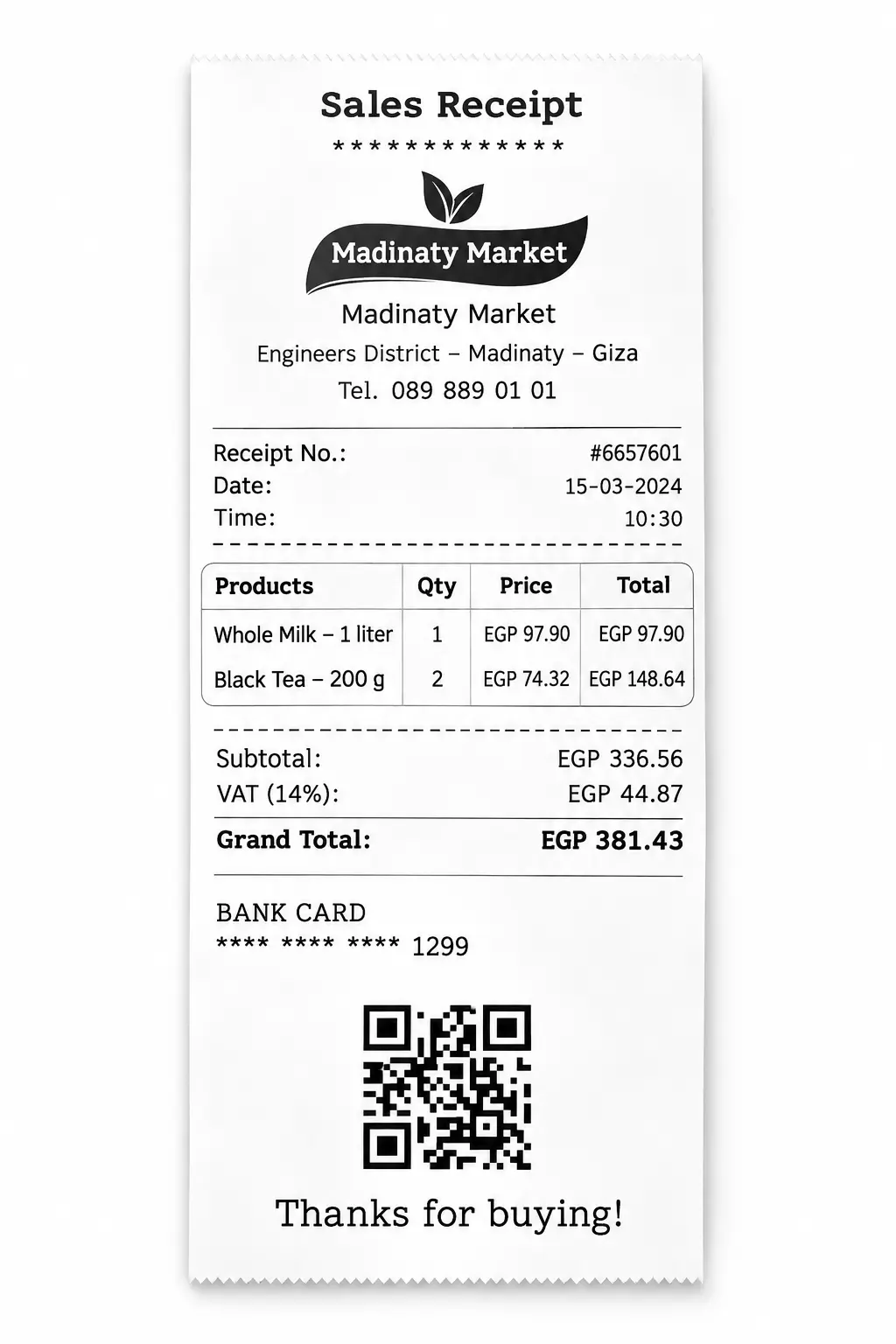
- What Does an Electronic Receipt Look Like?
- Frequently Asked Questions About Electronic Receipts
Since late 2020, the Egyptian Tax Authority (ETA) has been gradually requiring certain businesses to issue electronic invoices. The rollout was implemented in eight phases, with the final phase completed on December 15, 2022.
But does every type of business fall within the scope of the Egyptian e-Invoicing system?
Think about your everyday purchases. When you buy a few items from a supermarket, do you always receive an invoice?
And when you dine at a restaurant, is the bill you receive the same type of invoice used in business-to-business transactions?
Not necessarily.
Everyday transactions between businesses or service providers and end consumers can take different forms. While an electronic invoice is generally used to document transactions between businesses, companies and government entities, or transactions involving professionals registered with the Egyptian Tax Authority, consumers may receive other forms of proof of purchase.
For example, you may receive a receipt from a supermarket cashier or a printed bill from a restaurant after finishing your meal.
This distinction led the Egyptian Tax Authority to introduce the Electronic Receipt System, which complements the country's Electronic Invoicing System.
What Is an Electronic Receipt?
An electronic receipt is a digital document issued when a business or service provider completes a sale with an end consumer.
You may already be familiar with the paper receipt you receive from a restaurant, café, or supermarket. The main difference is that, under the Electronic Receipt System, the transaction data is also transmitted electronically to the Egyptian Tax Authority, even where the customer continues to receive a printed receipt.
What Is the Difference Between an Electronic Receipt and an Electronic Invoice?
An electronic invoice is generally used for business-to-business (B2B) transactions or transactions between a business and a government entity (B2G). In these cases, the parties involved are typically registered taxpayers with tax identification records.
For example, when one business sells goods or services to another, the seller issues an electronic invoice and submits the required invoice data to the Egyptian Tax Authority. The transaction can then be reflected in the buyer's tax and accounting records.
An electronic receipt, on the other hand, is designed for transactions with end consumers (B2C), who may not have a tax file or require a full tax invoice for the purchase.
The Egyptian Tax Authority has also planned mechanisms to encourage consumers to retain and report electronic receipts, including incentives aimed at increasing consumer participation in monitoring transactions and improving tax compliance.
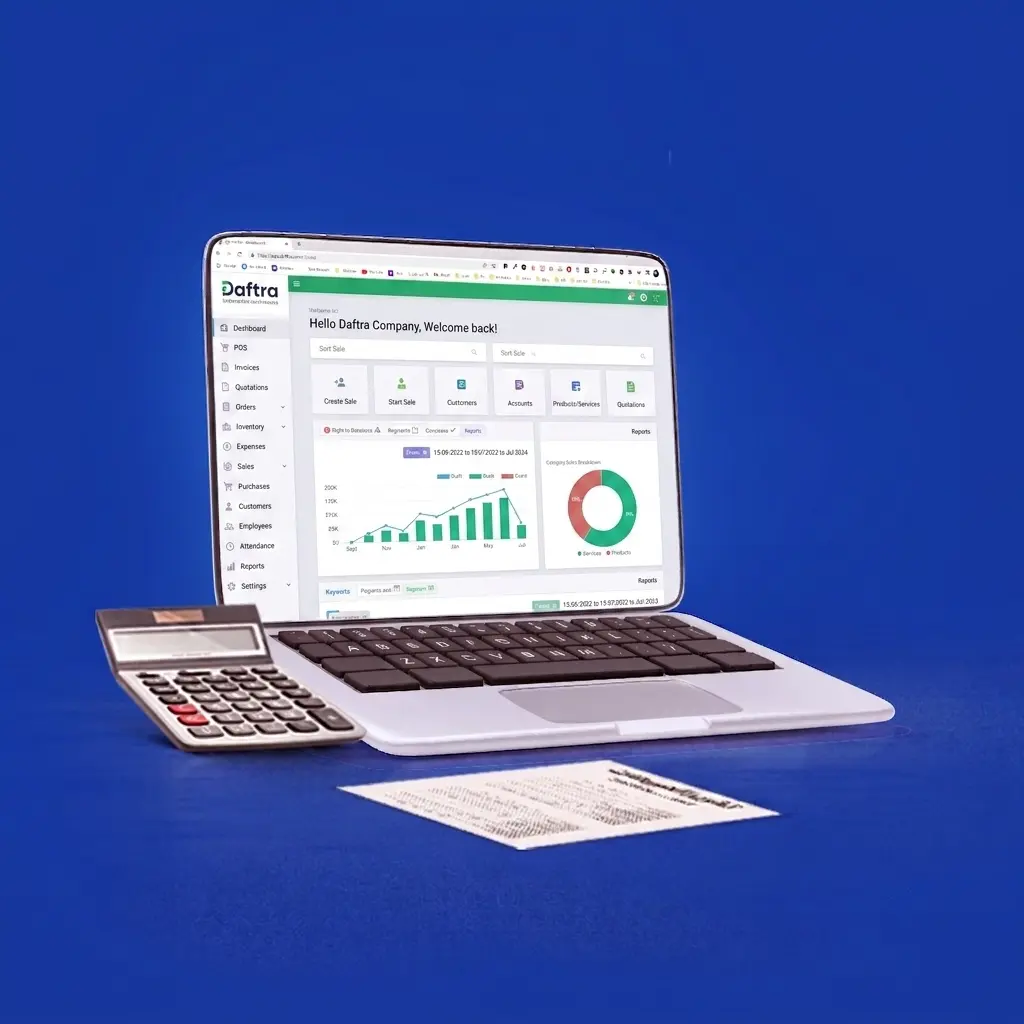
Because businesses issuing electronic receipts often deal directly with consumers, the system is commonly integrated with Point-of-Sale (POS) systems. The Egyptian Tax Authority has approved several technology providers whose POS solutions can issue compliant receipts, including Daftra.
The Electronic Receipt System is therefore an important extension of Egypt's broader electronic tax compliance framework. By bringing consumer-facing transactions into the digital reporting ecosystem, the system is intended to improve transaction visibility, strengthen tax compliance, and help address the informal economy.
Businesses Required to Issue Electronic Receipts and Exemptions
The Electronic Receipt System complements Egypt’s Electronic Invoicing System and primarily applies to businesses that issue receipts for sales transactions, particularly consumer-facing businesses and high-volume retail operations, as well as businesses that primarily operate on a B2C basis rather than B2B transactions.
In general, taxpayers that conduct transactions with end consumers are required to join the Electronic Receipt System, with implementation taking place gradually in phases.
How to Check Whether a Taxpayer Is Required to Issue Electronic Receipts
You can check whether your business is required to join the Electronic Receipt System by visiting the Egyptian Tax Authority’s Electronic Receipt Inquiry page and entering your tax registration number in the designated field.
The system will indicate whether your business must currently comply with the Electronic Receipt System or will be included in a later implementation phase.
What Are the Electronic Receipt Implementation Phases and Deadlines?
What Should Businesses Do to Connect to the Electronic Receipt System?
Businesses can register for the Electronic Receipt System either through their designated tax office or through the self-registration process.
If you choose to register online, the main steps include:
- Appoint an authorized representative: Register a person who will act on behalf of the business, such as an accountant or another employee assigned to handle registration and communicate with the Egyptian Tax Authority.
- Register your ERP or POS system: Register the ERP or Point-of-Sale (POS) system used by your business and connected to the Egyptian Tax Authority. This is the system that will generate your electronic receipts. The system must be approved by the Egyptian Tax Authority, such as Daftra's online and offline POS solution.
- Complete the integration process: Follow the required steps to integrate your POS devices and systems with the Electronic Receipt System.
- Set up product and service codes: Assign the required codes to the products and services sold by your business.
- Start issuing compliant receipts: Once the required setup and integration steps are complete, you can process sales and issue compliant electronic receipts through your POS or ERP system.
What Documents Are Required to Join the Electronic Receipt System?
Businesses can complete the registration process either after receiving a mandatory compliance notice or voluntarily before they are required to join the system. In either case, the following information and documents may be required:
- The company's tax registration number.
- A copy of the company's tax card.
- The company's email address and mobile phone number.
- The authorized representative's name in both Arabic and English.
- The representative's email address and phone number.
- A copy of the representative's national ID card.
How to Connect POS Systems to the Electronic Receipt System?
POS systems must undergo technical and security checks to ensure they meet the Electronic Receipt System requirements.
During integration, the Egyptian Tax Authority distinguishes between approved and non-approved POS solutions. Businesses using a non-approved POS system may be required to demonstrate that it meets the applicable technical requirements before using it, and the system may not be accepted if it fails to meet those requirements.
For this reason, taxpayers should select an approved POS solution from the outset. Doing so helps businesses maintain uninterrupted operations, complete the integration process smoothly, and reduce the risk of non-compliance or applicable penalties.
How to Add a POS System When the POS Provider Is Approved
The taxpayer should log in to the Electronic Receipt System through the designated portal.
From the Authorized Representatives section, select POS, then click Register POS.
A form for the new POS device will appear. Enter the following information:
- Branch: Select the company branch where the POS device will be used.
- Provider and Model: If the POS provider is approved, enter the provider's name and the approved POS device model.
- Name: Enter the name assigned to the POS device.
- Description: Add a brief description of the POS device.
- Active From: Enter the date on which the POS device will start operating.
- Active To: Enter the date on which the POS device will be deactivated or will stop operating. If there is no predetermined end date, leave this field blank.
- Serial Number: Enter the POS device's serial number.
After entering all required information, click Register POS.
How to Add a POS System When the POS Provider Is Not Approved
The taxpayer must log in to the Electronic Receipt System or create a new account through the designated portal.
To register a POS system from a non-approved provider, select POS and then click Request Taxpayer Visit.
Submit the visit request by providing the following information:
- The branch code for the location where the non-approved POS device will be inspected.
- The name of the person responsible at the branch.
- The responsible person's phone number.
- The branch address.
- Comment: Add any relevant notes or information.
Important: If you need to request another inspection for the same branch, mention that you already submitted an earlier request. Inspection requests for the same taxpayer are generally grouped together so that they can be handled during a single visit.
You can select Visit Requests to view your submitted inspection requests and check their current status.
Read Also: Best Accounting Software in Egypt
How to Check the Status of a POS Device
To check the status of a registered POS device, select POS Devices from the POS section in the main menu.
You will see a list of your registered POS devices along with their current status.
Select the POS device you want to review to view its details.
The details page shows the device's current status and, if the device has been rejected, the reason for the rejection.
If a POS device is rejected, it cannot be used to issue compliant electronic receipts. The taxpayer must therefore connect the account to another approved POS solution.
To avoid integration issues and the risk of the Egyptian Tax Authority rejecting a POS device, businesses should use an approved POS solution, such as Daftra's POS system.
Note: If electronic receipts are issued directly through an ERP system, the ERP system only needs to be registered once as a POS.
How to Verify That a POS System Is Approved Before Purchasing
Before purchasing a POS system, you can verify whether the device or system has been approved by the Egyptian Tax Authority through the e-Tax portal.
Follow these steps:
- Select the POS device model.
- Enter its serial number.
- Click Verify.
The system will indicate whether the Egyptian Tax Authority has approved the POS solution.
What Does an Electronic Receipt Look Like?
Electronic receipts and electronic invoices share many similarities. However, there are some differences in the information and requirements applicable to each document.
For example, an electronic receipt does not require an electronic signature in the same way an electronic invoice does, and it can contain a simpler set of information.
Businesses can also include the same information used on an electronic invoice when issuing an electronic receipt, provided that the applicable requirements are met.
Frequently Asked Questions About Electronic Receipts
1. If a company is already registered with the Electronic Invoicing System and submits both B2C and B2B transactions, does it also need to join the Electronic Receipt System?
Yes. Companies already registered with the Electronic Invoicing System that conduct B2C transactions must submit their electronic receipts through the Electronic Receipt System by integrating their systems with the receipt platform and using the relevant APIs.
B2B transactions should continue to be submitted through the Electronic Invoicing System.
If all of the company's transactions are B2C, its receipts should be submitted through the Electronic Receipt System.
2. What information must an electronic receipt contain?
The printed receipt must include the receipt's Unique Identification Number (UUID) and a QR code.
These details allow the end consumer to look up or verify the receipt through the Electronic Receipt System using either the UUID or the QR code.
3. How quickly must electronic receipts be submitted online or offline?
Electronic receipts are generally expected to be transmitted to the system in real time when goods or services are sold.
The system does not accept receipts submitted more than 24 hours after the transaction.
4. How does integration work if a business does not use a POS system and only has an accounting system?
In this case, the accounting system can be registered as a POS and treated as a Software POS (SW POS) when the taxpayer has a single branch or point of sale.
If the business operates multiple points of sale and issues receipts through a centralized accounting system, it must register each point of sale separately as a POS within the system.
Daftra supports both accounting sales systems and POS systems, and both are approved by the Egyptian Tax Authority for issuing electronic invoices and electronic receipts.
5. What should a company do if it uses the EGS coding system but its EGS codes have not yet been approved by the Egyptian Tax Authority?
Until the company's EGS codes are approved, the company can select GS1 as the code type and enter the GPC Code Brick (Level 4) in the product code field.
Once the company's EGS codes are approved, it can use the approved EGS codes for its electronic receipts.







 Invoicing
 POS
 Offers
 Installments
 Sales Commission
 KSA E-Invoice Software
 EGY E-Invoice Software
 JO E-Invoice Software
 E-Invoice Software
 Chart of Accounts
 Asset Management
 Cost Centers
 Expenses
 Cheque Cycle
 UAE VAT-Tax
 Product Management
 Purchases
 Purchase Cycle
 Suppliers
 Requisitions
 Stocktaking
 Organizational Structure
 Personnel Management
 Attendance and Leave
 Contracts
 Payroll
 Requests
 Work Orders
 Booking Management
 Rental and Unit Management
 Time Tracking
 Work Flow
 Lease Contracts
 Manufacturing Management
 Client Follow-Up
 Loyalty Points
 Points and Credits
 Memberships
 Insurance Management
 Daftra ERP Full App
 Point of Sales App
 Point of Sales for Desktop – Support Offline Mode
 AI Expenses Scanner App
 Employee Attendance, Sign & ESS App
 E-invoice Reader App
 Inventory Stocktaking App