


Posted on 2 November 2026
Custody Settlement Template
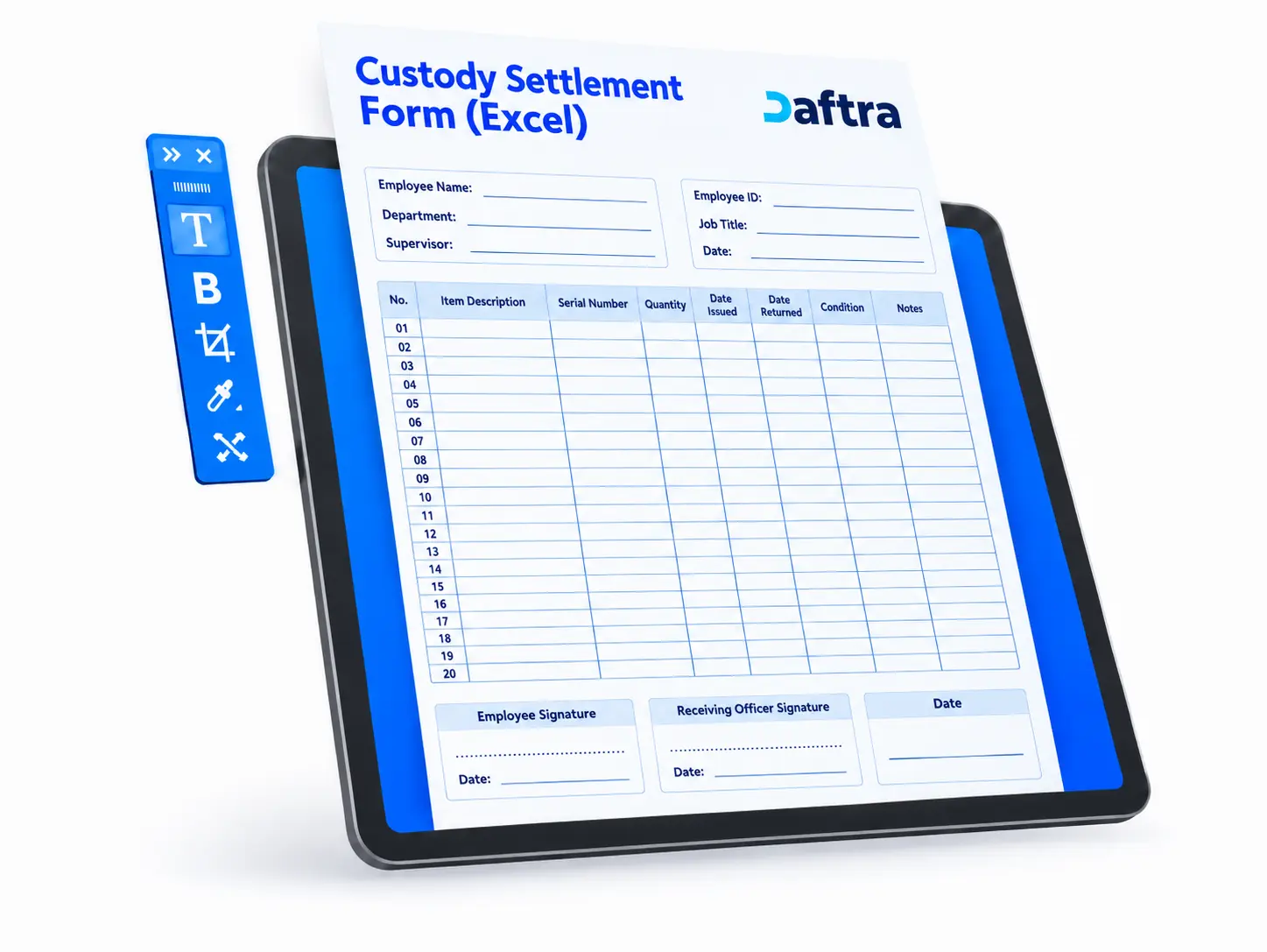
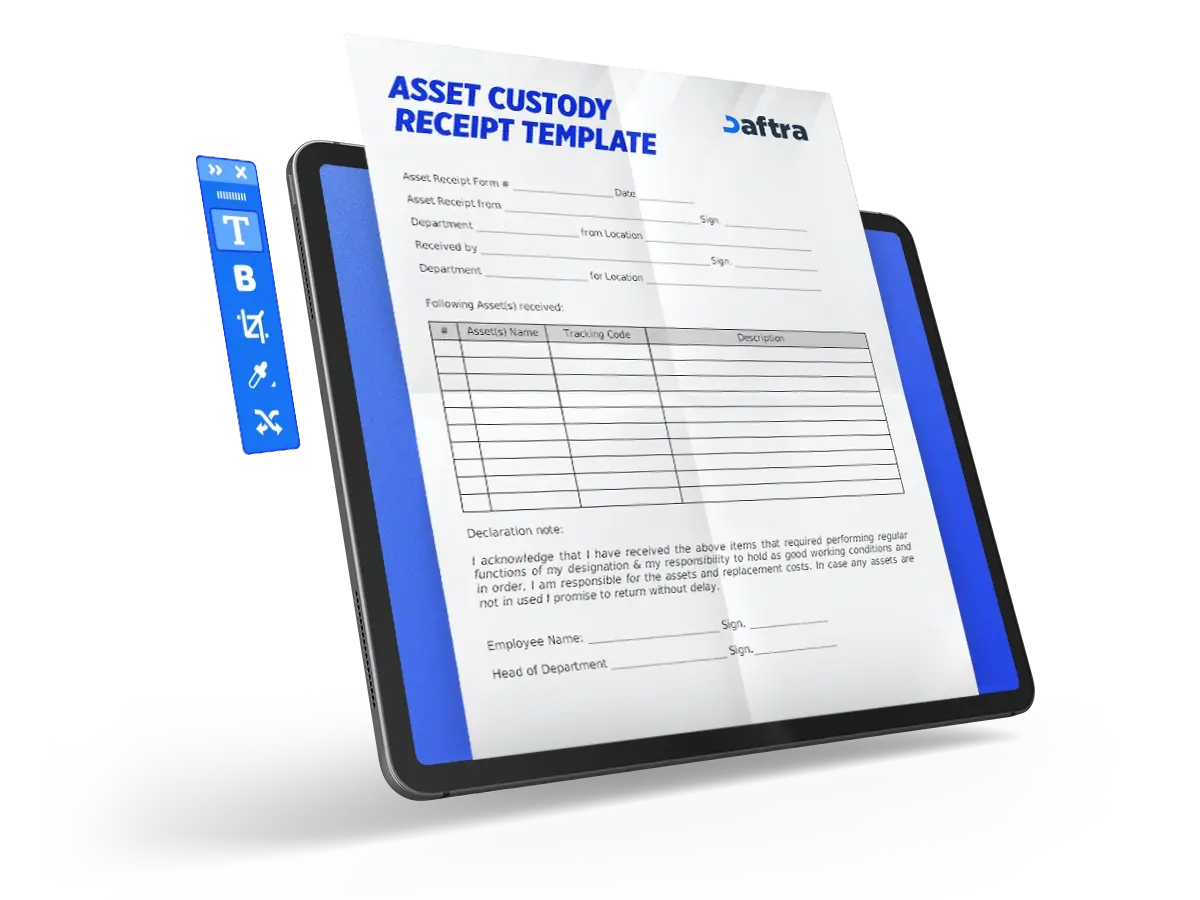
- A custody settlement template is an official document in which an organization records details of its property that was in an employee’s possession and must be returned when the employee’s service ends, including the asset details, condition, and return date.
- This form helps protect company assets and ensures the return of equipment or devices, reducing costs arising from lost or replaced property.
- The Human Resources Department benefits from the template by completing the employee clearance and termination procedures in an organized and formal manner.


 Manage Employee Custody with Daftra
What Is a Custody Settlement Template?
A custody settlement template is a document used by organizations to record all company property issued to an employee and required to be returned when the employee’s service ends. The form typically includes detailed information about the employee’s assigned assets, such as serial numbers, condition, and return dates.
Why Is a Custody Settlement Template Important?
An employee custody settlement template is essential for several important reasons, including:
- Enhanced security: It protects sensitive company and customer information from unauthorized access.
- Financial accountability: It ensures the recovery of high-value devices and equipment, such as computers and headsets, thereby reducing replacement costs.
- Inventory management support: It helps track assets and resources accurately and improves inventory management efficiency within the organization.
What Are the Elements of an Excel Custody Settlement Template?
An employee custody settlement template includes several key elements:
- Employee basic information: Employee name, employee ID, job title, department, supervisor, date of hire, and last working day.
- Custody details table: Description of each asset, asset number, date received, date returned, asset condition (good, acceptable, or poor), and the employee’s signature.
- Employee acknowledgment: A statement confirming that the employee has returned all assets received during employment, noting that failure to return them may result in legal liability, together with the employee’s signature and the date.
- Employer recipient acknowledgment: A statement confirming that the employer’s representative has received the assets from the employee and inspected their condition.
How to Create a Custody Settlement Template
To prepare a custody settlement form, follow these steps:
1- Prepare the employee’s basic information
Include the employee’s name, employee ID, job title, department, supervisor’s name, date of hire, and last working day.
2- Create the custody details table
Include a description of each asset, its number, the date received, the date returned, its condition, and the employee’s signature.
3- Add the employee acknowledgment
Include a statement confirming that the employee has returned all assigned assets, with the date and signature.
4- Add the employer recipient acknowledgment
Include a statement confirming receipt of the assets and verification of their condition, together with the recipient’s signature and the receipt date.
5- Review and retain the form
Review the completed form and keep a copy in the employee’s file as an official reference.
How Is a Custody Settlement template Used?
A custody settlement template is used when an employee’s service ends, or when the employee is transferred or assigned new duties, to confirm that all company property issued to the employee has been returned, whether devices, tools, or documents. The form serves as an official record of the condition of the assets upon return and confirms that the employee has been cleared of any related obligations.
Who Benefits from a Custody Settlement Template?
- The company or organization: To protect its property and assets and avoid the loss of equipment or data.
- Finance and warehouse departments: To update asset and inventory records after receiving the returned items.
- Human Resources Department: To complete the employee clearance and termination procedures.
- The employee: To prove that all assigned assets have been returned and to clear any financial or legal liability toward the company.
Managing Employee Custody in Daftra
Daftra’s Inventory Management Software allows companies to assign inventory custody to an employee, making it easier to settle that employee’s custody later.
1- Create a new warehouse in the employee’s name: From the Inventory menu, select Warehouses, then New Warehouse. Enter details such as the warehouse name (for example, Employee Ahmed’s Custody), shipping address, and whether the warehouse is active or designated as the primary warehouse.
2- Assign warehouse permissions to the employee: From Warehouses, select the warehouse assigned to the employee, then grant the following three permissions: view warehouse, create invoice, and edit warehouses.
3- Limit the employee’s account to one warehouse: Grant the employee access only to the assigned warehouse, while other employees retain access to the remaining warehouses except for the custody holder’s warehouse.
4- Transfer products to the employee’s warehouse: From Inventory Transaction Management, select Manual Transfer. Specify a transfer from the main warehouse to the employee’s warehouse, then select the products and quantities.
Key Benefits of Assigning Employee Custody in Daftra
- View the warehouse movement report: From Reports, select Inventory Reports, then Detailed Inventory Movement. Select the employee’s warehouse and apply filters by date and movement type.
- Conduct an inventory count for the employee’s warehouse: From Inventory Count Management, select New, choose the employee’s warehouse, enter the required information, select the products to be counted, and complete the settlement process to address any shortages or surpluses.
- Simplify custody settlement: A comprehensive inventory count can identify any shortages or surpluses, while detailed reports document all movements related to the assigned custody. The system can also settle inventory automatically to resolve differences and ensure that all products are returned or that any shortage is recorded in accordance with formal procedures.





 Invoicing
 POS
 Offers
 Installments
 Sales Commission
 KSA E-Invoice Software
 EGY E-Invoice Software
 JO E-Invoice Software
 E-Invoice Software
 Chart of Accounts
 Asset Management
 Cost Centers
 Expenses
 Cheque Cycle
 UAE VAT-Tax
 Product Management
 Purchases
 Purchase Cycle
 Suppliers
 Requisitions
 Stocktaking
 Organizational Structure
 Personnel Management
 Attendance and Leave
 Contracts
 Payroll
 Requests
 Work Orders
 Booking Management
 Rental and Unit Management
 Time Tracking
 Work Flow
 Lease Contracts
 Manufacturing Management
 Client Follow-Up
 Loyalty Points
 Points and Credits
 Memberships
 Insurance Management
 Daftra ERP Full App
 Point of Sales App
 Point of Sales for Desktop – Support Offline Mode
 AI Expenses Scanner App
 Employee Attendance, Sign & ESS App
 E-invoice Reader App
 Inventory Stocktaking App