


Posted on 13 October 2026
Purchase Supply Order Template
- A Purchase Supply Order Template documents all the details and terms of the purchase process, such as quantity, price, shipping terms, and other related information.
- It makes communication with suppliers easier by ensuring there is a clear agreement between both parties.
- It also helps track shipments and ensure they arrive on time.


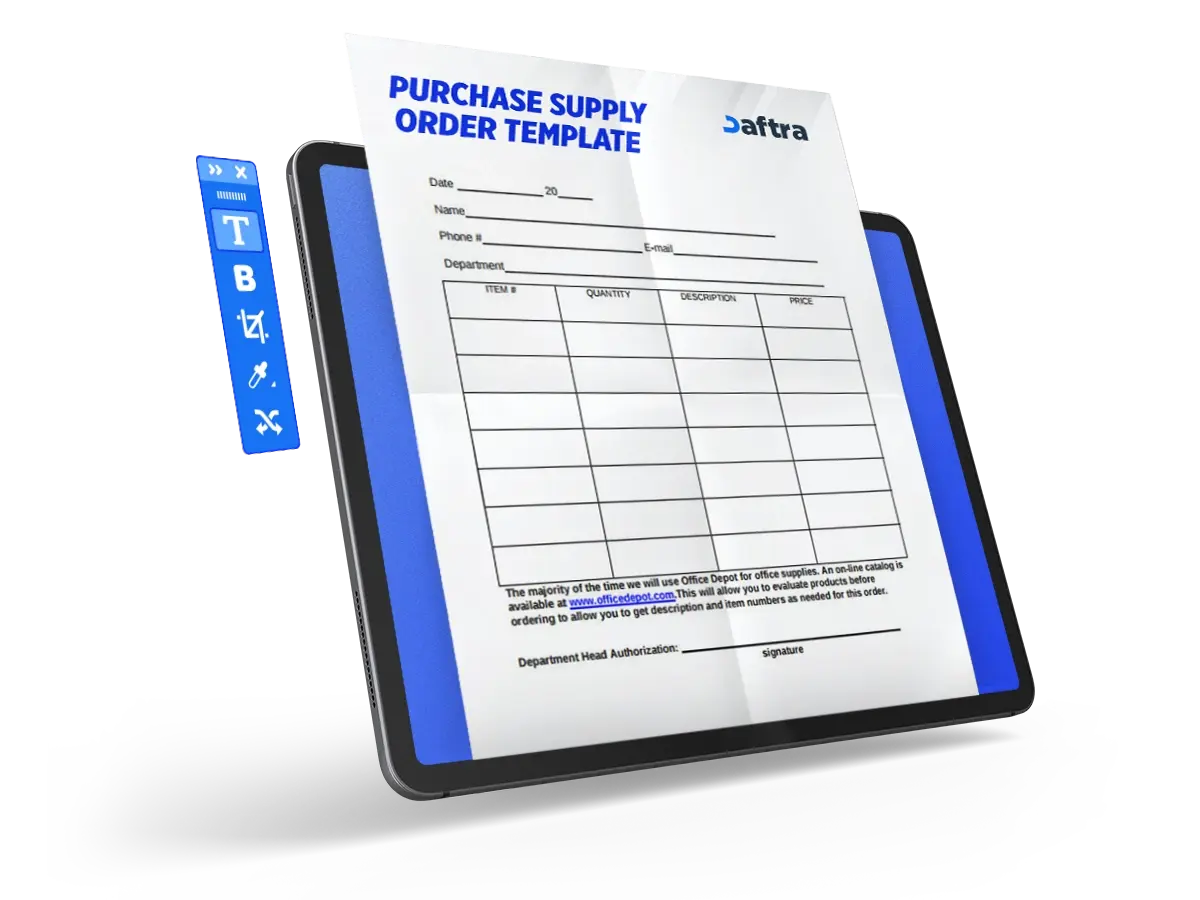
 Register with Daftra and generate purchase supply order automatically
What Is a Purchase Supply Order Template?
A Purchase Supply Order Template is an official document that records all details related to ordering goods from suppliers, including supplier information, required quantities, shipping terms, and other purchase details.
Use the Saudi VAT calculator to calculate any VAT rate automatically and free of charge.
What Are the Elements of a Purchase Supply Order Template?
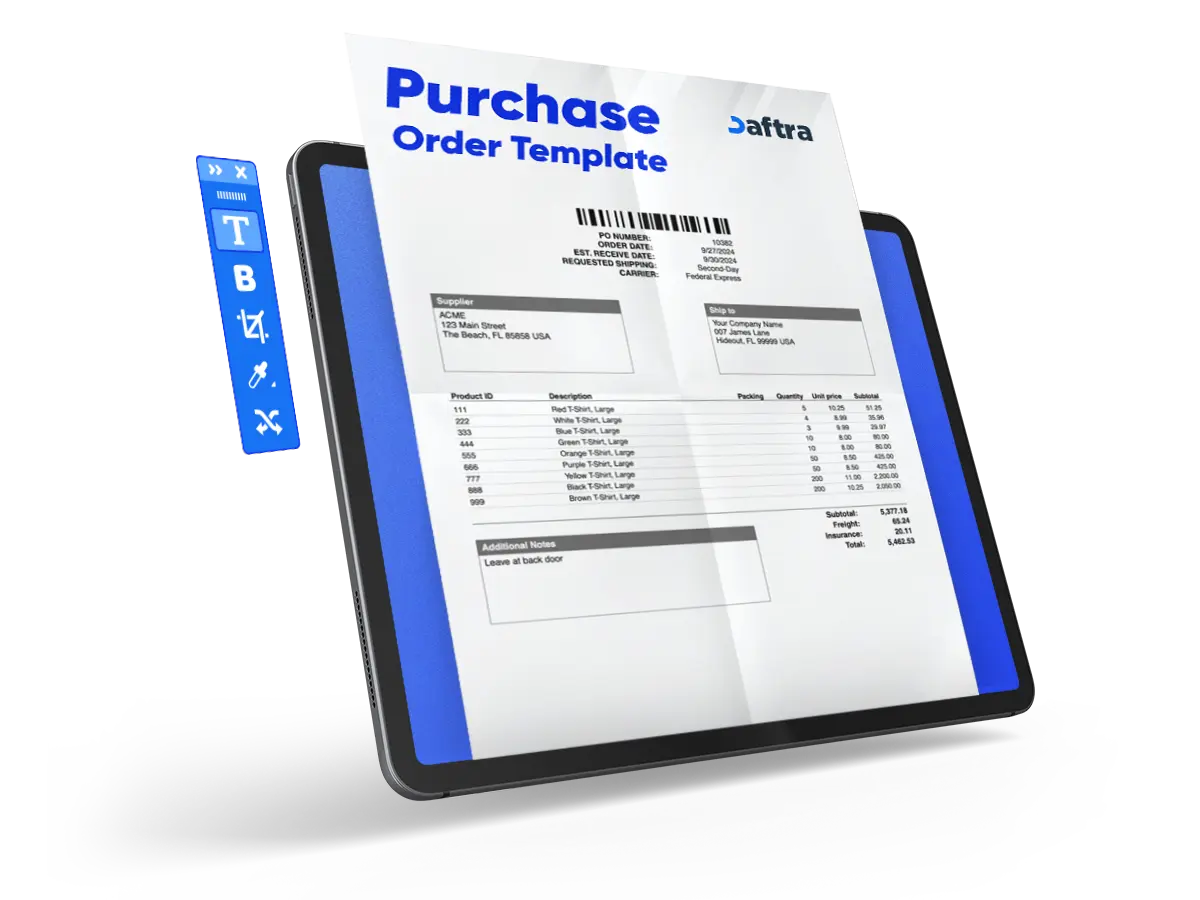
The template includes all the essential elements related to a purchase order:
- Company name: The name of the company responsible for ordering the goods.
- Company address: The full address of the company submitting the order.
- Phone and fax number: The company contact details, such as phone and fax numbers, used for communication when needed.
- Purchase order number: The serial number assigned to each purchase order.
- Date: The date on which the order is submitted.
- Requester: The name of the person who submitted the purchase request.
- Supplier details table: A table that contains the seller details, including address and contact information.
- Ship-to table: A table that contains the details of the party receiving the goods, including address and contact information.
- Goods details table: A table that includes the details of the requested goods, such as item, description, requested quantity, unit price, and total required price.
- Shipping method: The agreed method for shipping the goods, whether by land, sea, or air.
- Shipped via: The means through which the goods will be shipped, such as a specific shipping company or postal service.
- Shipping terms: The agreed shipping terms, such as who assumes responsibility after the goods leave the loading point.
- Subtotal: The total value of purchases before adding taxes or any other fees.
- Tax: The tax amount to be added.
- Shipping: The shipping cost, if applicable.
- Other: Any additional costs.
- Total: The final total after adding taxes, shipping, and any other costs.
- Notes and comments: Any notes or special instructions related to the order.
Why Is a Purchase Supply Order Template Important?
The template contributes to several important areas:
1- Cost Management
It helps manage costs by documenting purchase details, such as unit price, taxes, and shipping costs. This makes it easier for the company to control costs according to its budget.
2- Purchase Management
It provides accurate data on the purchase request process and documents all supplier purchases, making it easier to track shipments and ensure on-time delivery.
3- Supplier Tracking
It facilitates communication with suppliers by ensuring there is a clear agreement between both parties regarding delivery terms, quantity, and quality. It also provides accurate supplier data for easy communication when needed.
4- Inventory Management
By documenting the required products, companies can manage inventory and ensure the needed goods are available when required, reducing the likelihood of stock shortages.
5- Avoiding Disputes
The template documents all purchase data and terms, such as quantity, price, and shipping terms. This promotes transparency and helps avoid disputes.
Related Templates
How Is a Purchase Supply Order Template Used?
The template is used by following these steps:
1- Collect Data
Identify the required goods and collect details such as quantities, prices, and specifications. Also collect supplier details, such as name, address, and contact information.
2- Enter the Data
After collecting the data, enter the order details into the designated fields, such as product names, required quantities, unit price for each product, delivery date, and shipping method.
3- Review the Data
After entering all data, review the template to ensure the information is accurate and correct before sending it to the supplier.
4- Send the Template
Send the template to the supplier through any approved communication channel to confirm the order and begin preparing the shipment.
5- Track Shipping and Delivery
After sending the supply order, follow up with the supplier and confirm the agreed shipping terms to ensure the goods arrive on time and meet the required quality.
6- Save a Copy
Finally, save a copy of the template so it can be accessed when needed.
Who Benefits from a Purchase Supply Order Template?
Many parties benefit from the template, including:
1- Business Owners
It helps business owners monitor and document purchasing operations, giving them a clear view of purchase activities and their costs.
2- Purchasing Team
The template helps them track purchasing processes, document related data, organize it, and simplify supplier management.
3- Inventory Team
It helps them manage inventory by ensuring required goods are available, reducing the likelihood of stock shortages.
4- Accountants
It helps accountants prepare financial reports by documenting the costs and expenses associated with purchasing operations.
5- Suppliers
Suppliers use it to verify order details, reducing the possibility of errors in supply operations.







 Invoicing
 POS
POS Offers
 Installments
 Sales Commission
 KSA E-Invoice Software
 EGY E-Invoice Software
 JO E-Invoice Software
 E-Invoice Software
 Chart of Accounts
 Asset Management
 Cost Centers
 Expenses
 Cheque Cycle
 UAE VAT-Tax
 Product Management
 Purchases
 Purchase Cycle
 Suppliers
 Requisitions
 Stocktaking
 Organizational Structure
 Personnel Management
 Attendance and Leave
 Contracts
 Payroll
 Requests
 Work Orders
 Booking Management
 Rental and Unit Management
 Time Tracking
 Work Flow
 Lease Contracts
 Manufacturing Management
  Client Follow-Up
 Loyalty Points
 Points and Credits
 Memberships
 Insurance Management
 Daftra ERP Full App
 Point of Sales App
 Point of Sales for Desktop – Support Offline Mode
 AI Expenses Scanner App
 Employee Attendance, Sign & ESS App
 E-invoice Reader App
 Inventory Stocktaking App